

Release Note
通过11月30日星期一进行的定期迁移,将新增隐私政策同意、Inactive User的学习现状查询功能。
<登录时将跳转到隐私政策同意页面,以便只有同意后才能使用系统。>
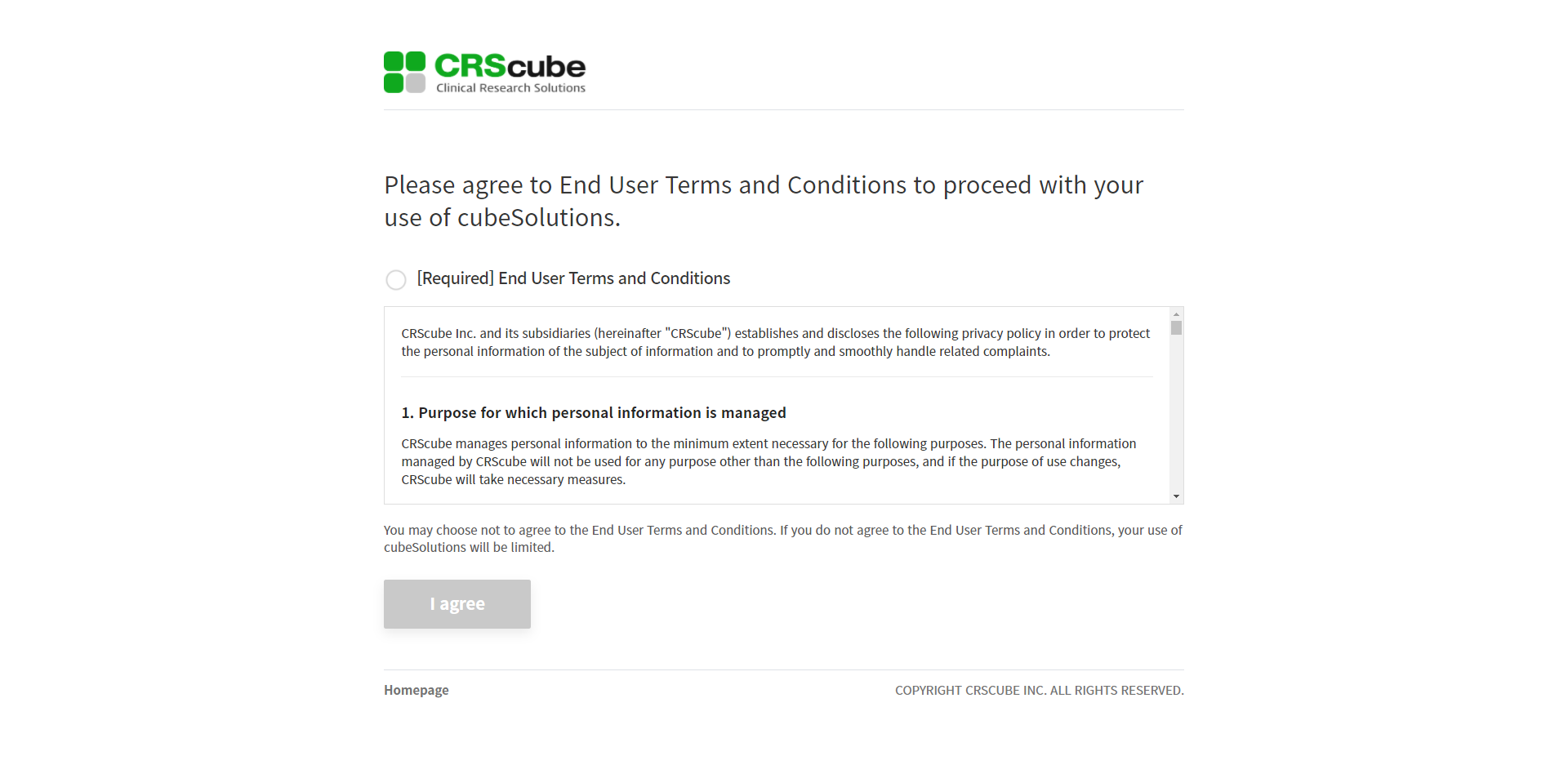
1. 发布后,如果未同意隐私政策,则在登录时会跳转到隐私政策同意页面。
2. 勾选 [Required] End User Terms and Conditions,并点击下方的 I agree 按钮,即可完成同意。
页面跳转后,如果经过 60 分钟,将会被处理为过期,请您注意这一点。
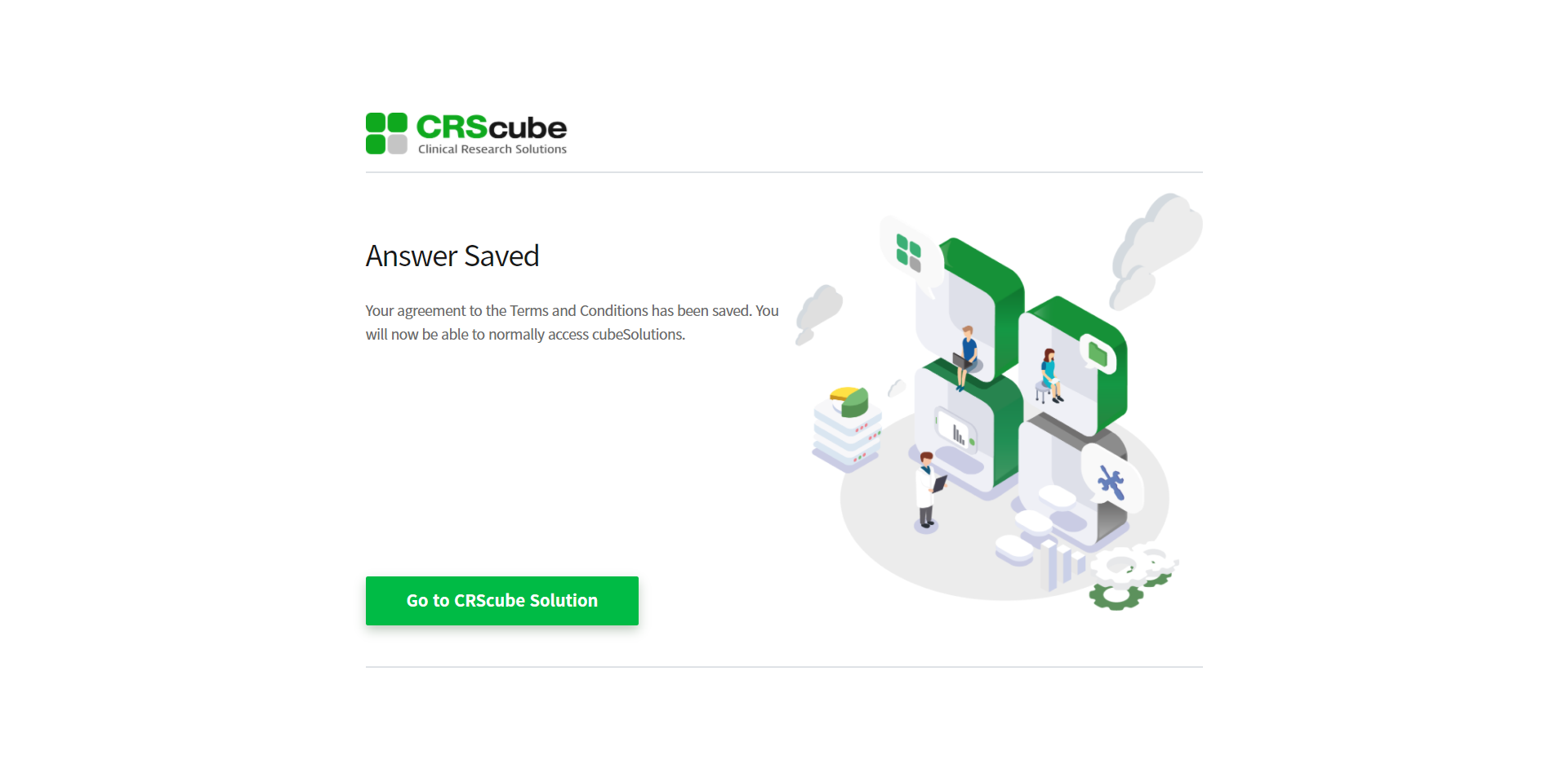
3. 将跳转至同意完成页面,点击 Go to CRScube Solution 按钮后将跳转至 cubeLMS 的登录界面。
4. 之后正常登录后即可使用系统。
<Learning Progress - User的 Inactive Trainee可查询已分配的 Training。>
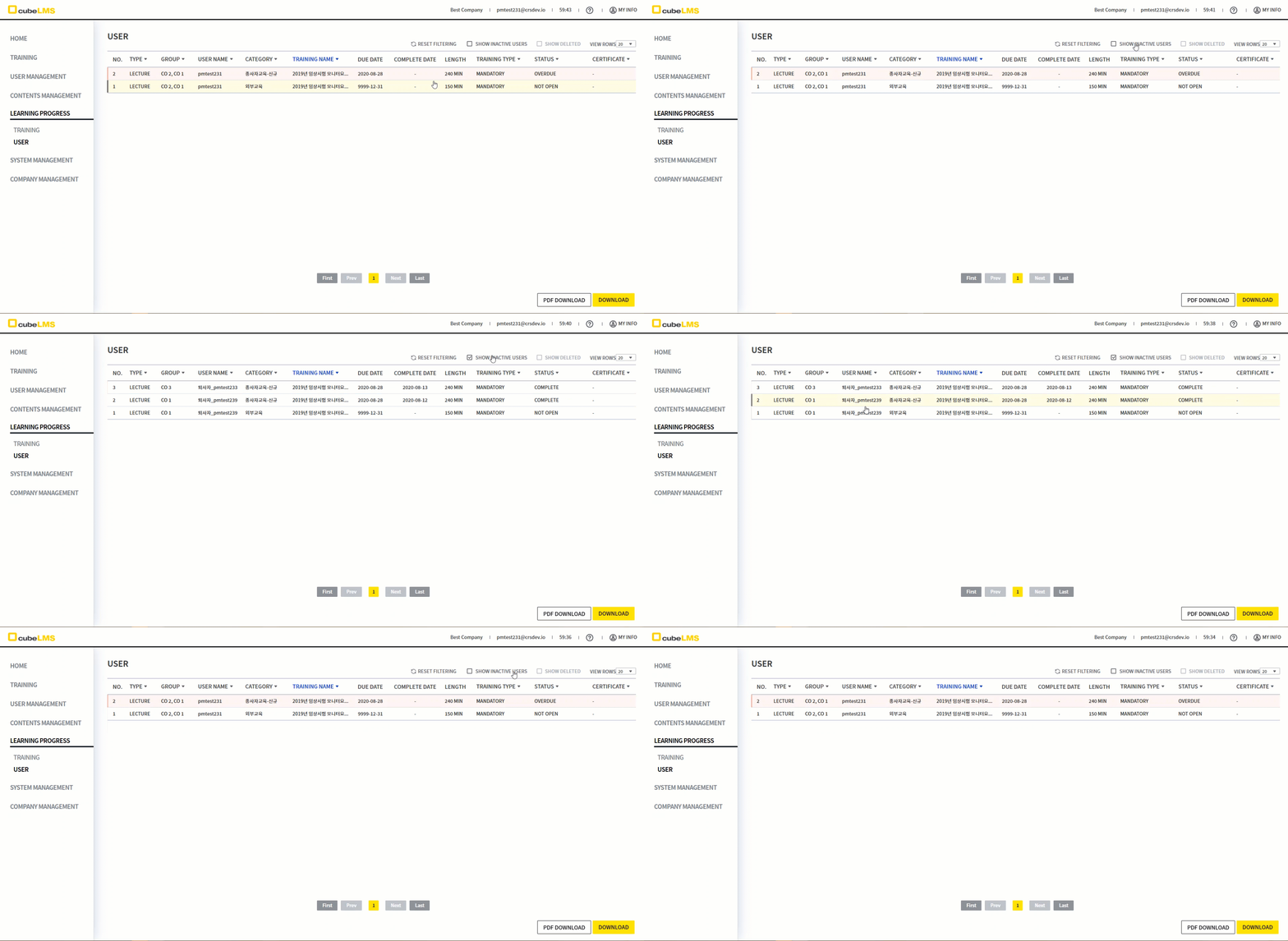
1. 在 Learning Progress - User 页面中,仅能查询 Active 状态的 User 数据,因此无法确认 Inactive User 的培训状态。
已改进为,点击单独的图标即可查询分配给 Inactive User 的 Training。
2. 点击右上角显示的 SHOW INACTIVE USERS 图标,可查询分配给 Inactive Trainee 的 Training。
3. 与现有 Learning Progress - User 相同,Filtering、View rows、Download 功能可正常使用。
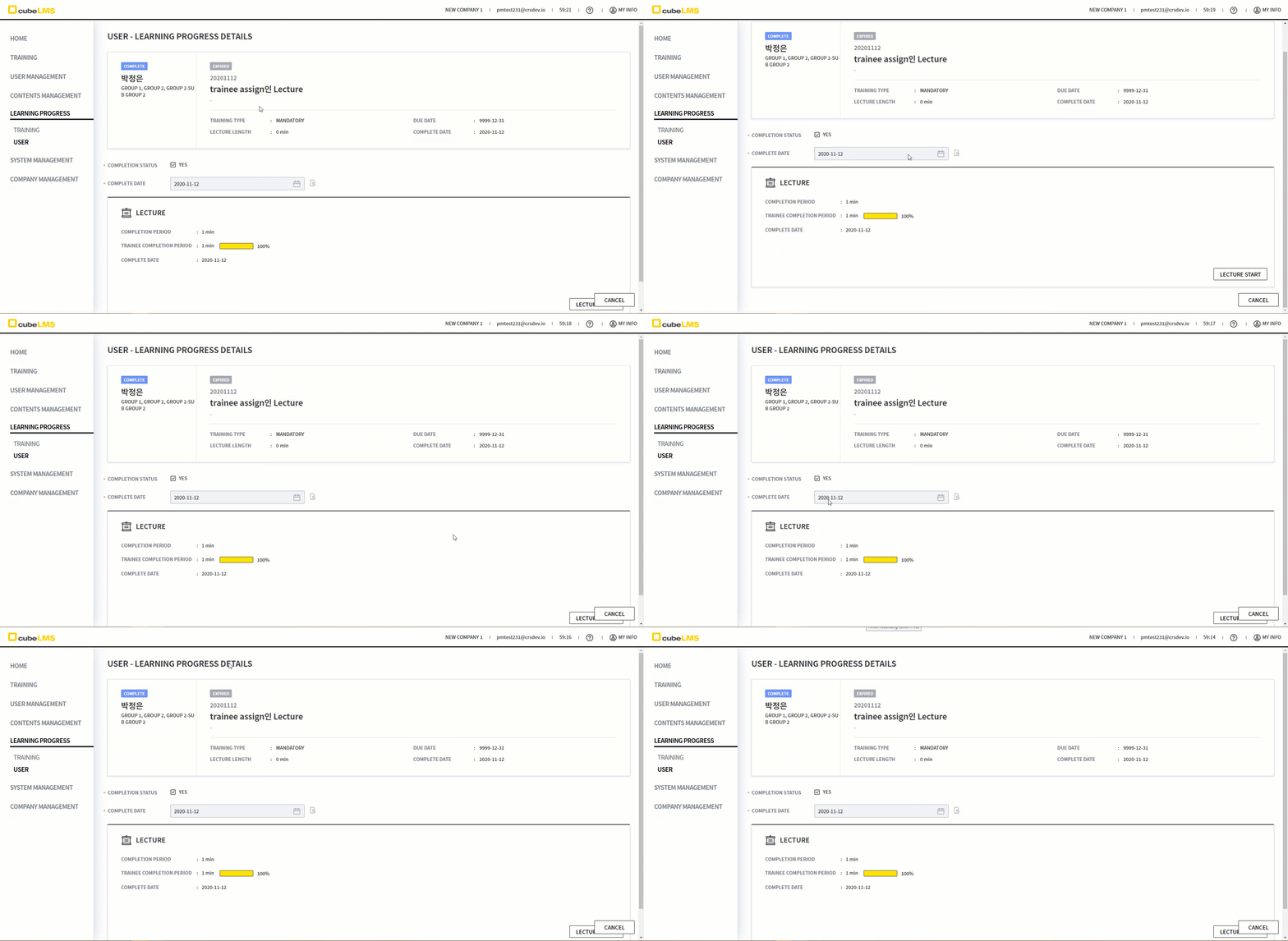
对于 Content Manager, Admin,可以修改 Trainee 的 Lecture Details,但当 User 处于 Inactive 状态时,无法修改。
-
属于先前培训类别的 Lecture 不显示 EDIT 按钮
-
属于 Trainee Assign 的 Lecture 不显示 SAVE 按钮,并且 Complete Date 的日历被禁用