

TO DO
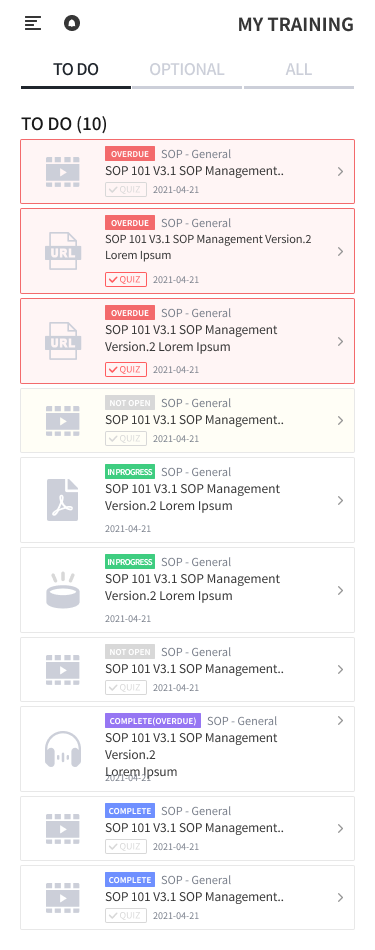
This screen lets you view incomplete TRAINING (to be done, in progress, or overdue).
-
OVERDUE TRAINING are highlighted in red and listed at the top, sorted by DUE DATE.
-
Click a specific TRAINING row to open the detail page where you can take the TRAINING.
<Icon - Content Type>
|
Icon |
Type |
Description |
|---|---|---|

|
|
|

|
|
|

|
|
|

|
|
|

|
|
|

|
|
|