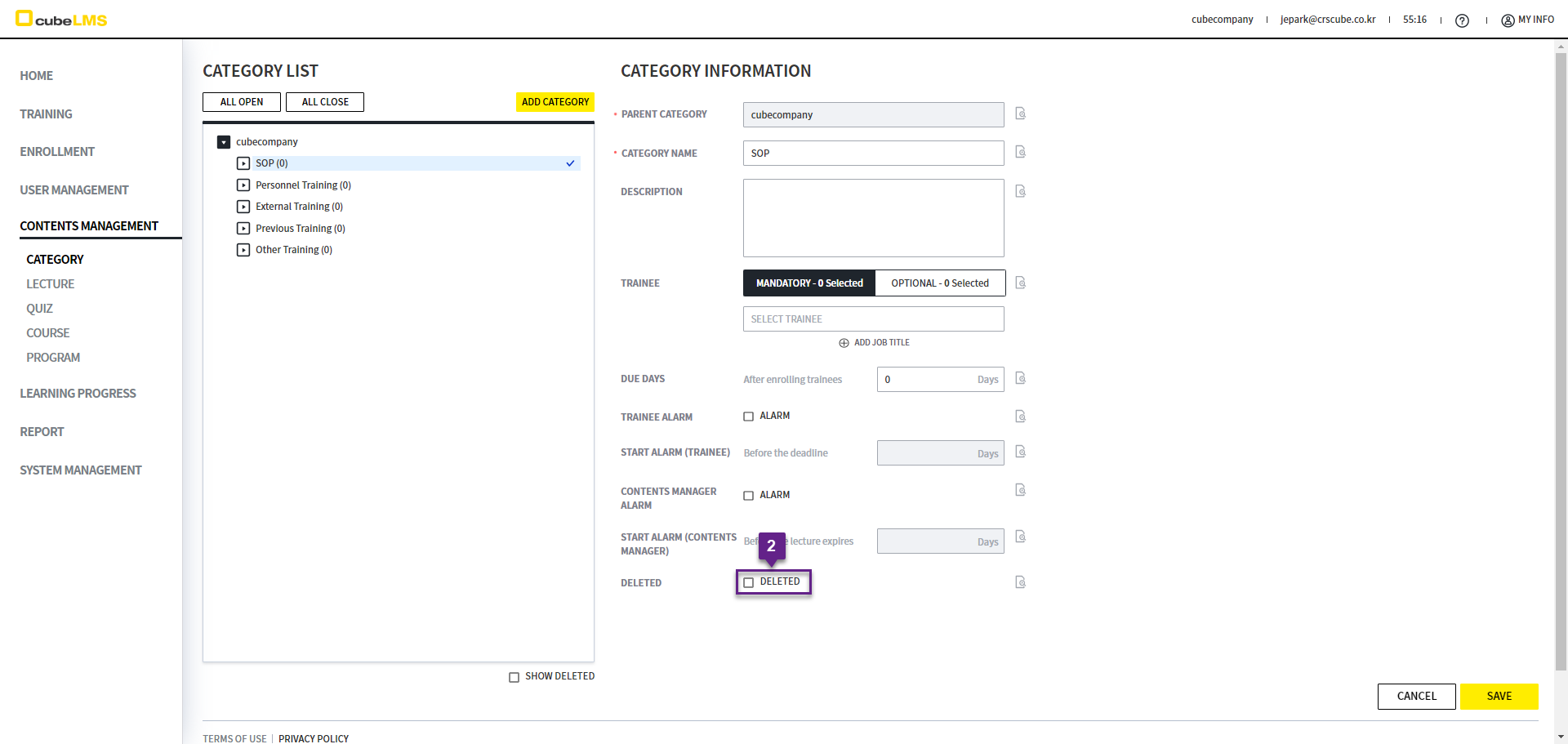
CATEGORY menu中可以注册和管理 CATEGORY。
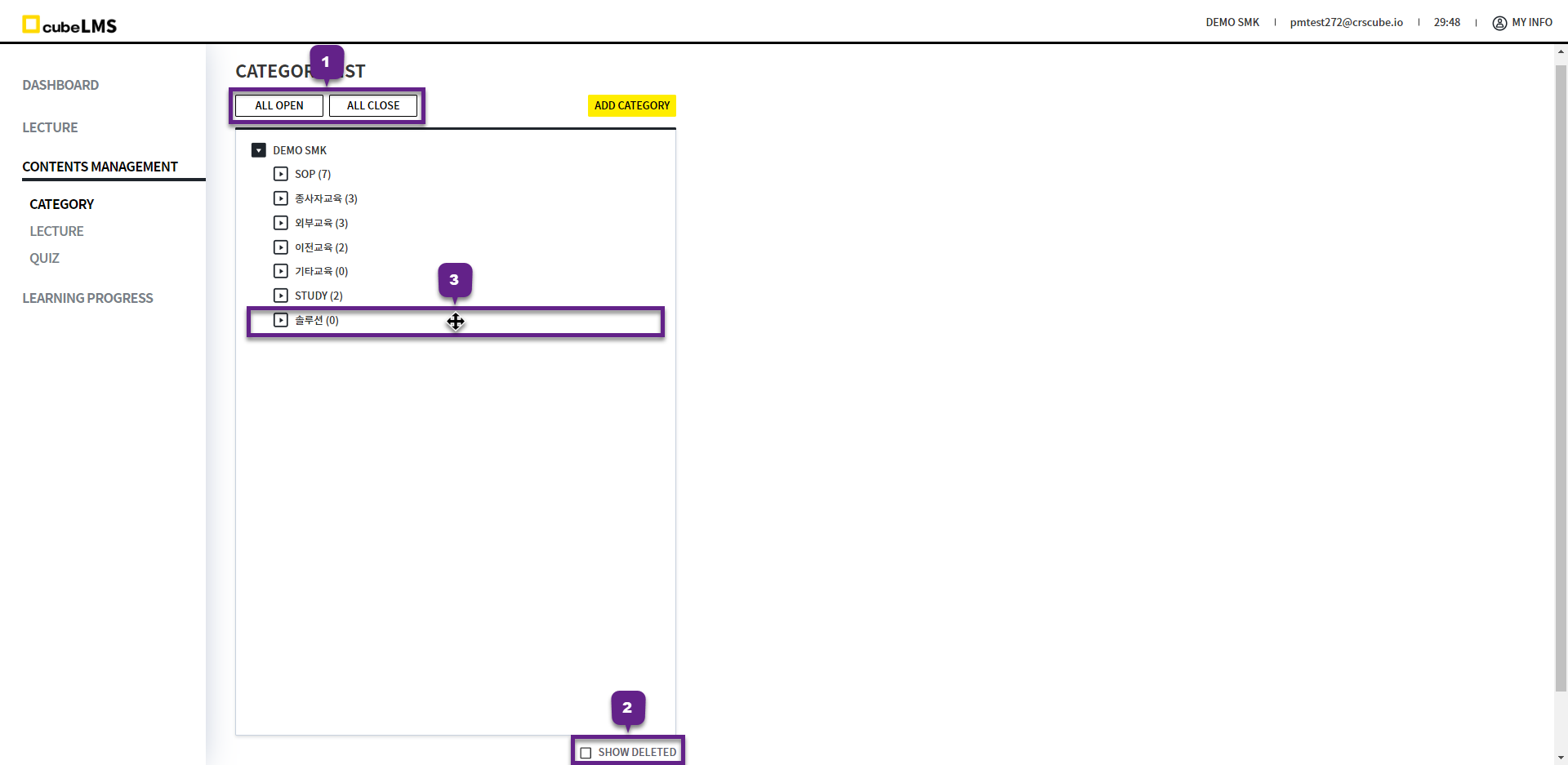
CATEGORY LIST
1. All Open, All Close 按钮: 可批量展开或收起分类层级结构。
2. Show Deleted 勾选:可查看已删除的 Category。
3. 公司中添加的 Category 可在同一层级(Level)内通过 Drag & Drop 调整顺序。
-
默认创建的 SOP、员工教育、外部教育、既往教育、其他教育的顺序是固定的,无法更改。
-
Sub Category 按创建顺序排序,无法更改顺序。
ADD CATEGORY
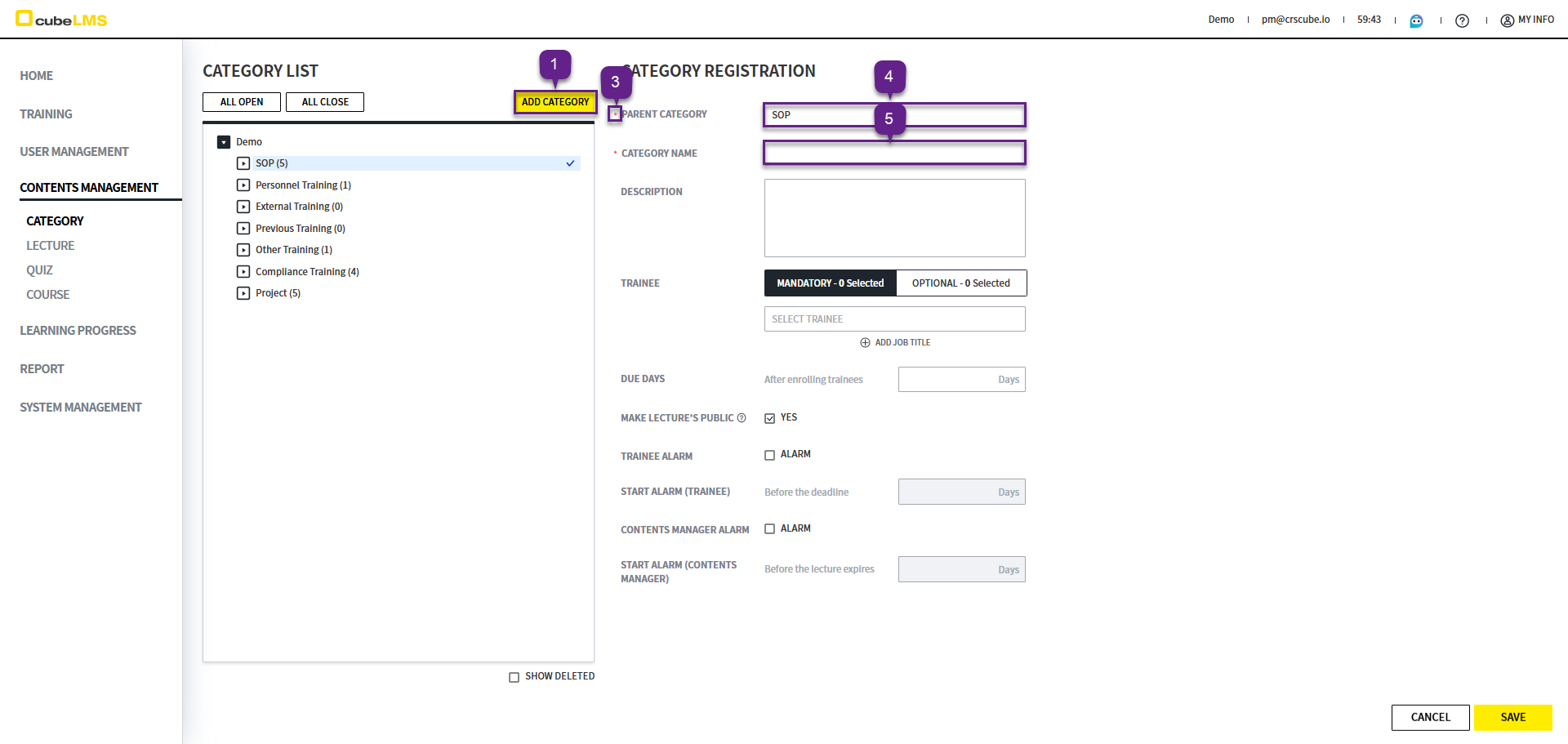
1. Add Category: 点击时,右侧会显示可输入 Category 信息的界面。
2. 公司名称不可选择。
3. '*'为必填项。
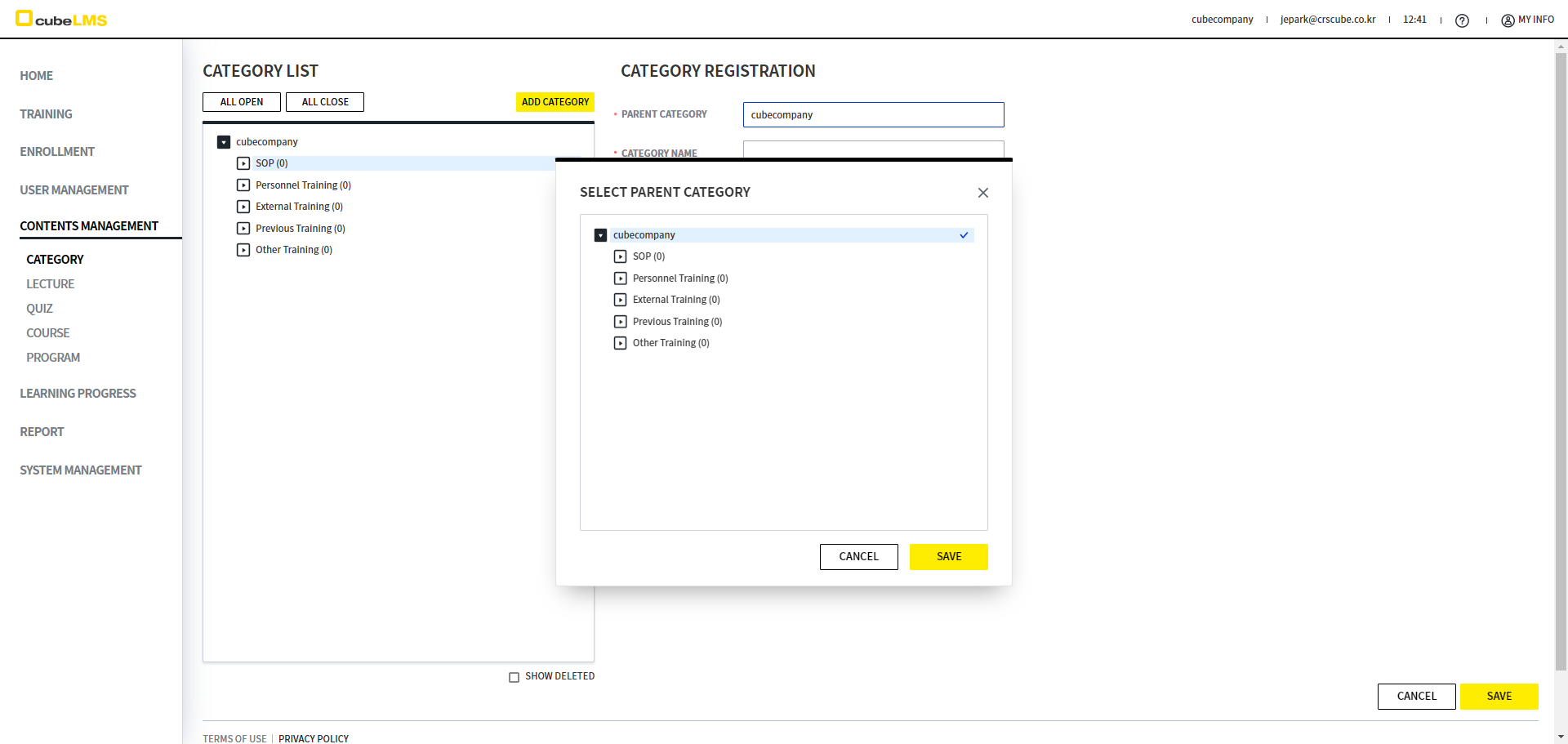
4.Parent Category: 选择要创建的 Category 的上级 Category。如果没有上级 Category,请选择公司名称。
-
选择时,会弹出 Category 的层级结构,您可以直接选择。
5. 请输入要创建的 Category Name。
Category Name: 不能填写成与上级 Category 相同。
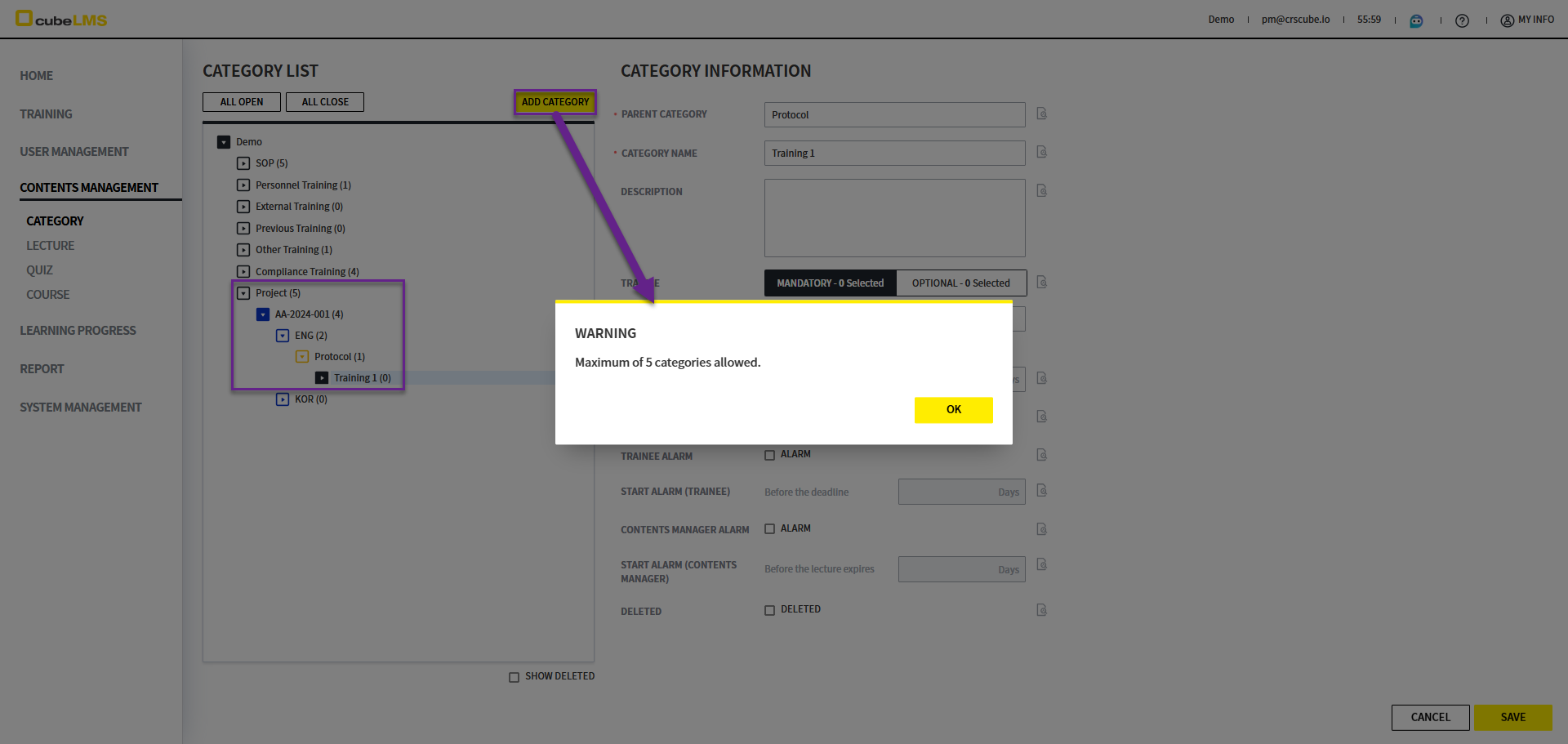
但是,Category 最多可创建 5 层。选中第 5 层的 Category 后点击 Add Category按钮时,会显示 'Maximum of 5 categories allowed.' 警告弹窗
6. Parent Category 点击: Category的层级结构会显示,并且可以直接选择 Parent Category。
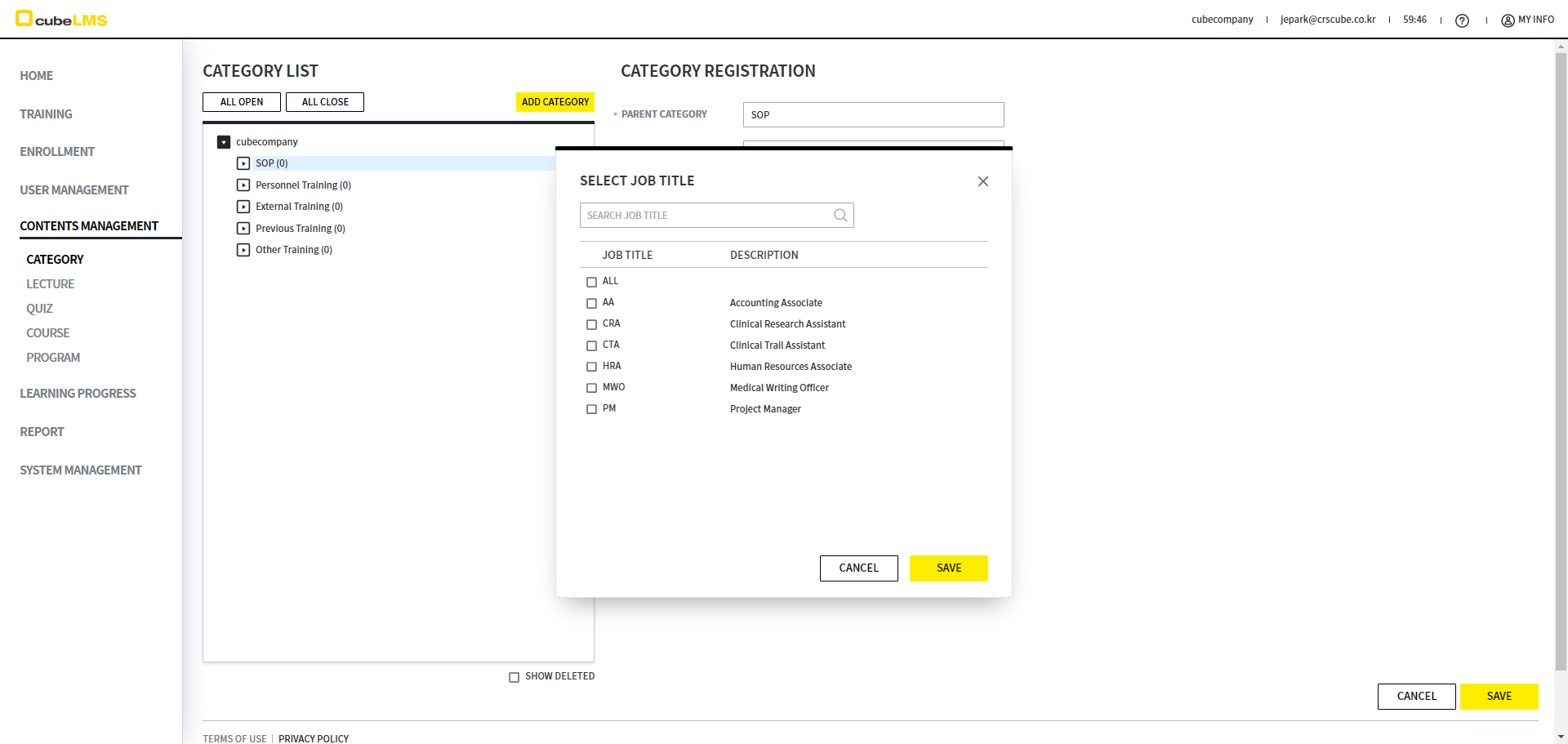
7. Trainee 点击:会显示已注册的 Job Title List,您可以选择 Job Title。在注册属于该类别的 Lecture 时设置的项目会自动反映,并可在 Lecture 注册及详情页面中修改。
在既往教育及其子类别中,不显示 Trainee 项目。
8. 如果拥有 2 个以上的 Job Title,可以在弹出 List 中多选 Job Title,或者点击 Add Job Title 按钮来添加 Job Title。
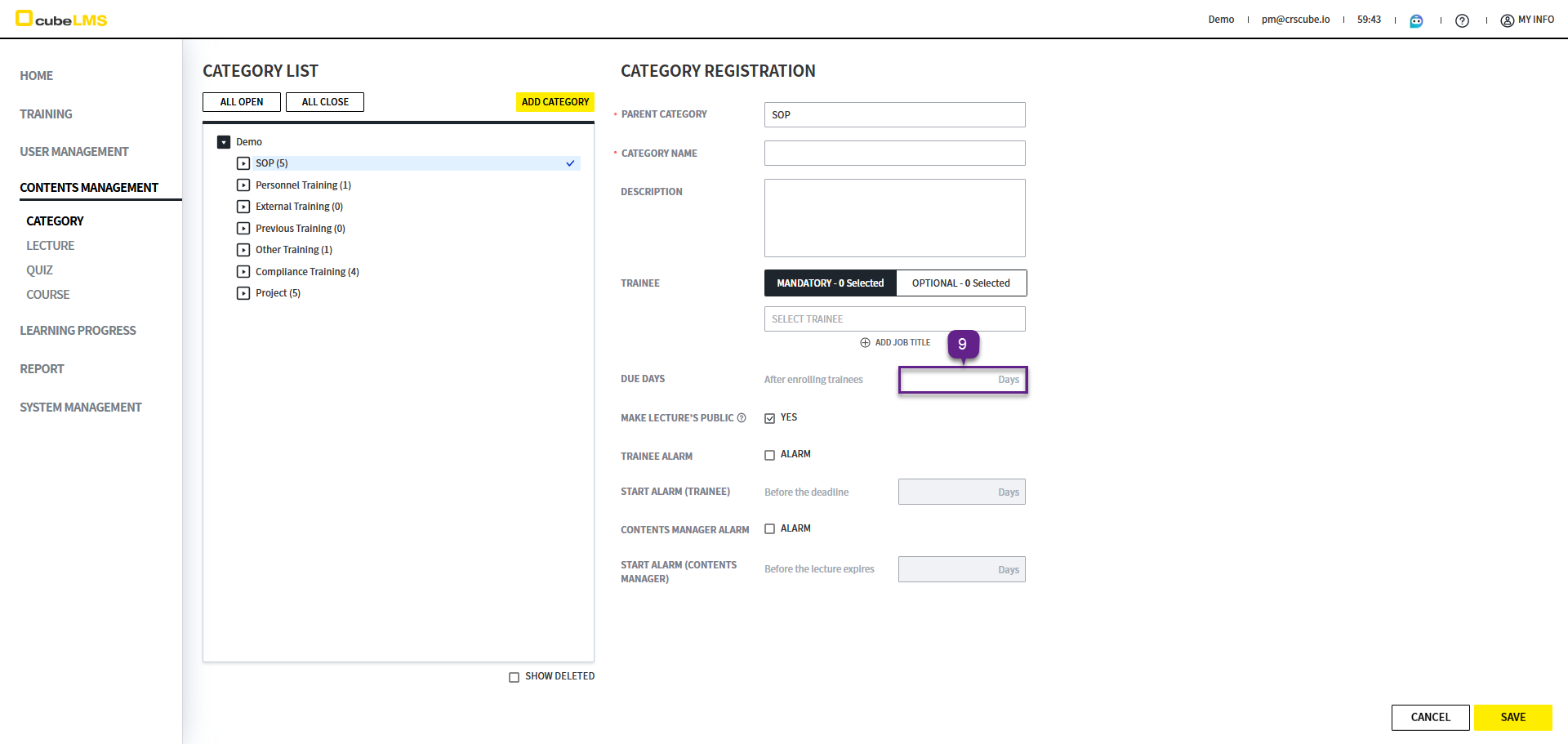
9. Due Days: 可以设置 User 入职日期后需在多少天内完成 Lecture 的期限,并且在注册属于该分类的课程时会自动反映所设置的内容,可在课程注册及详细页面进行修改。
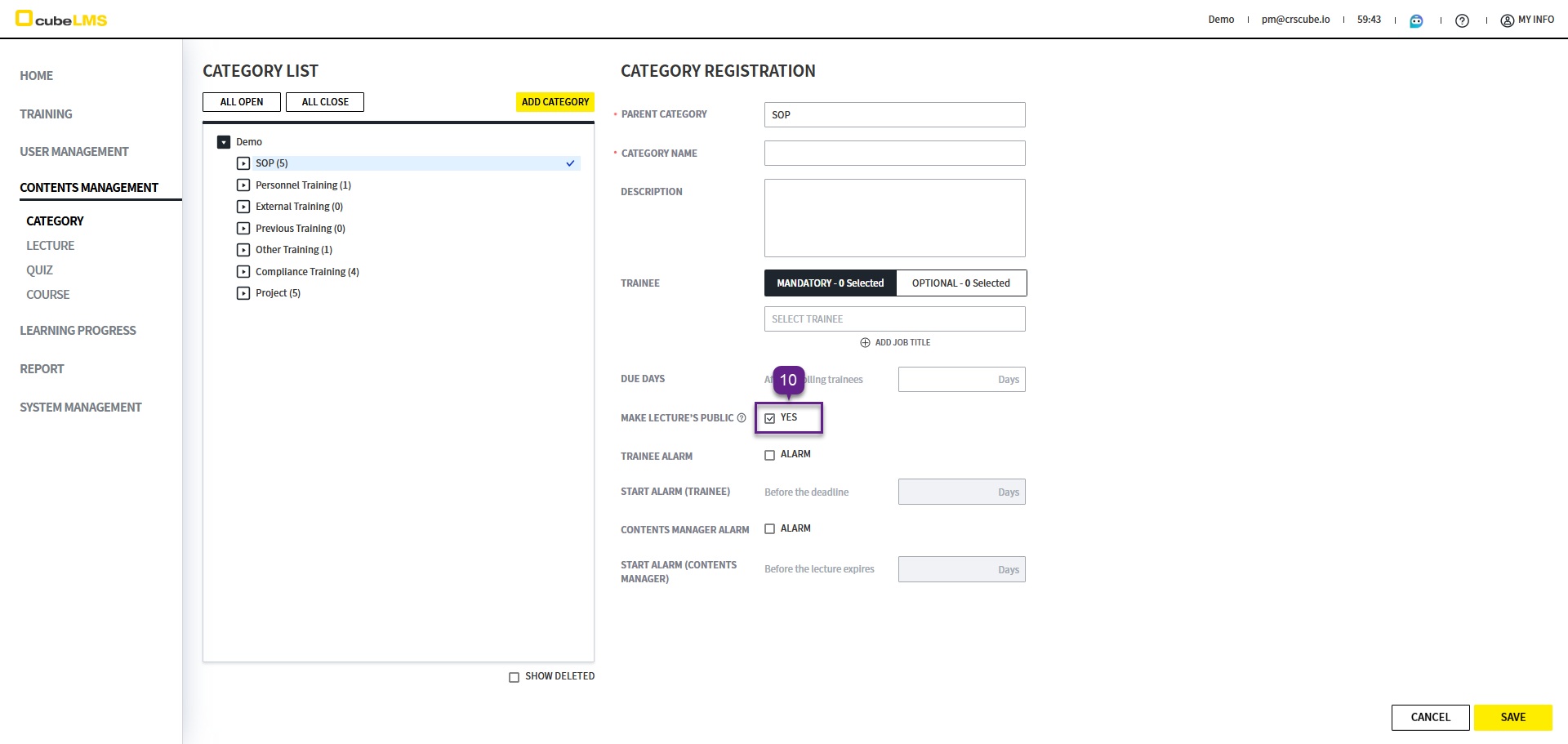
10. Make Lectures Public: 勾选该选项后,属于该 Category 及其下级 Category 的 Lecture 的 Contents 将向所有 Trainee 公开。
-
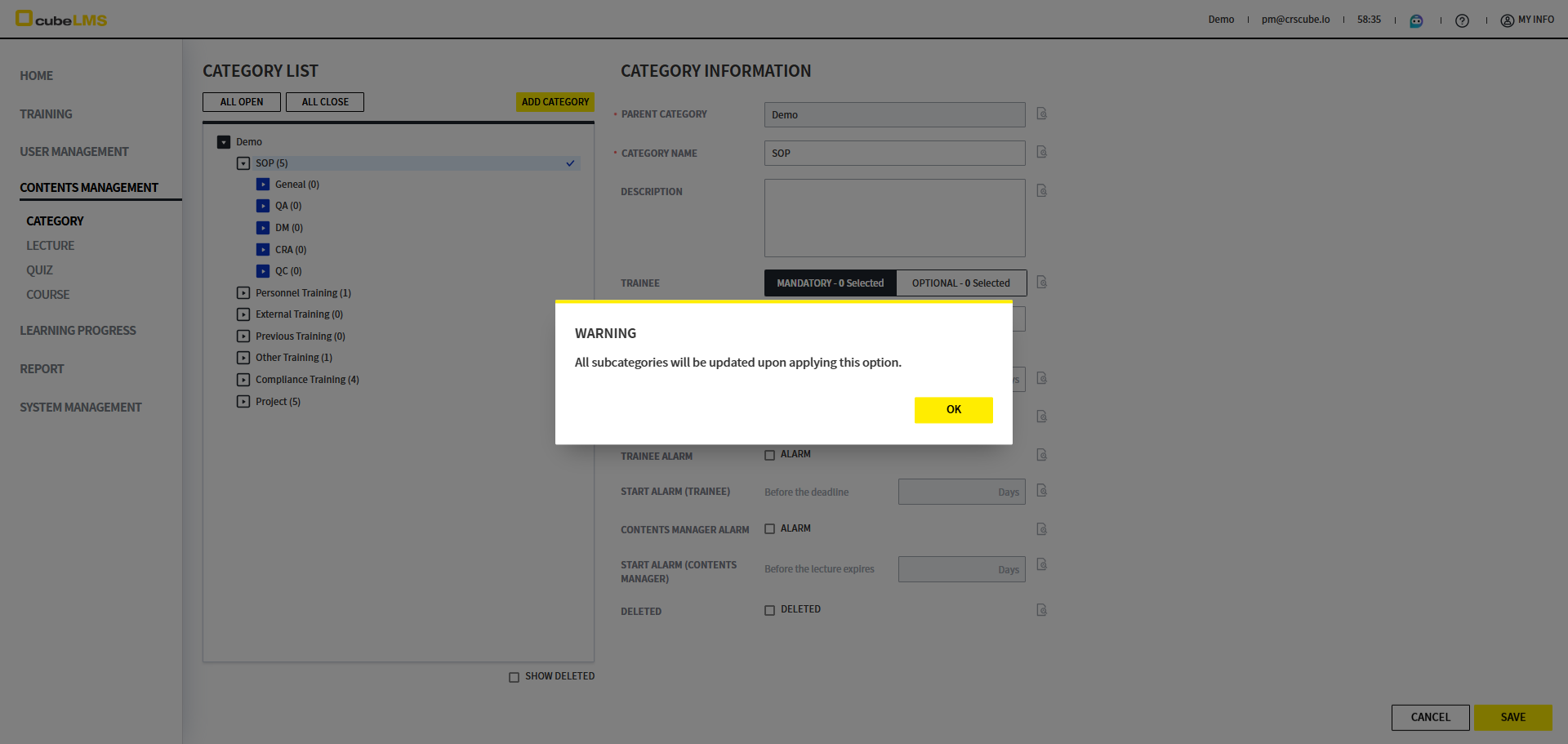
本项也会应用于所有下级类别,勾选或取消勾选时将显示 'All subcategories will be updated upon applying this option.' 弹窗。
-
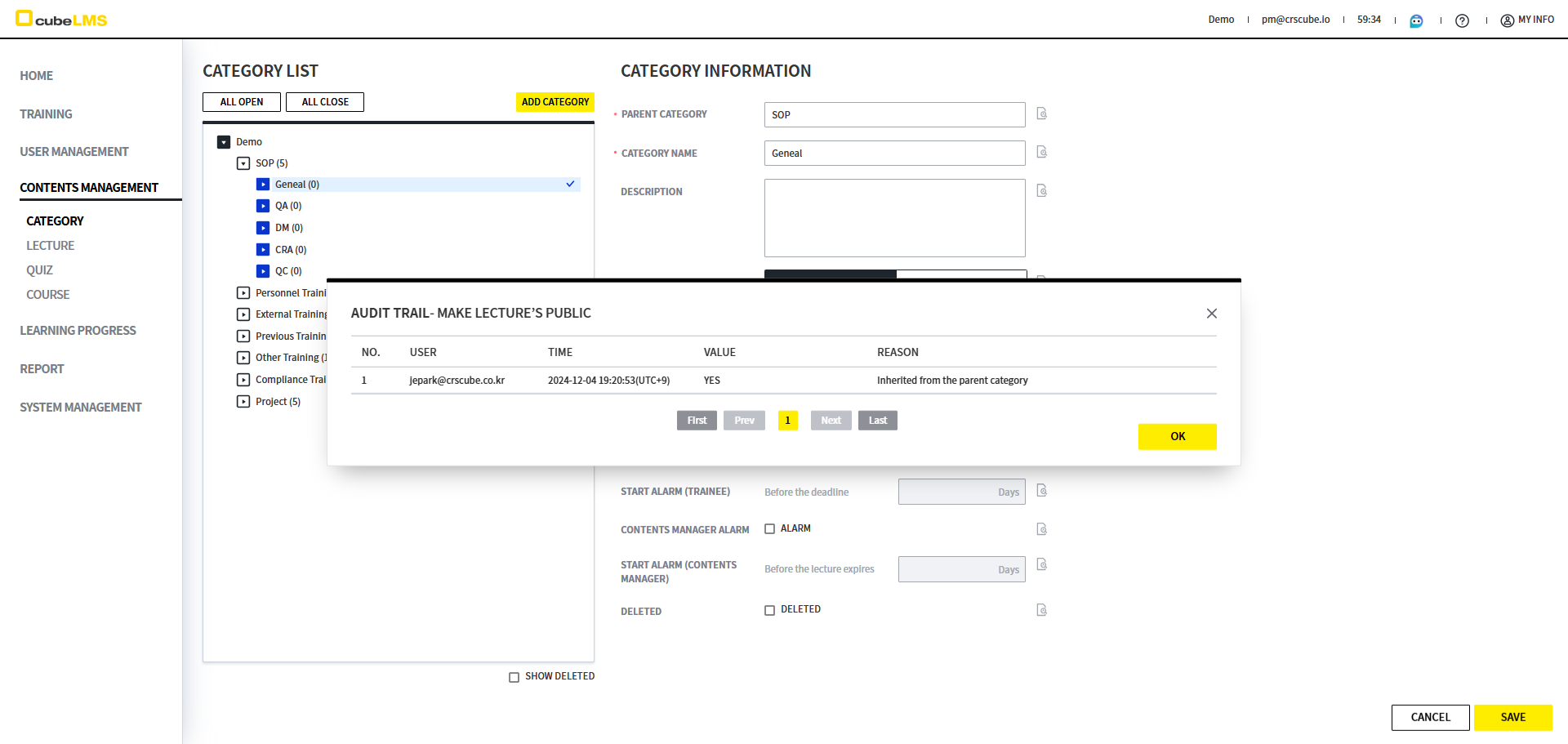
下级类别的 Audit trail 中会显示 'Inherited from the parent category' 文案。
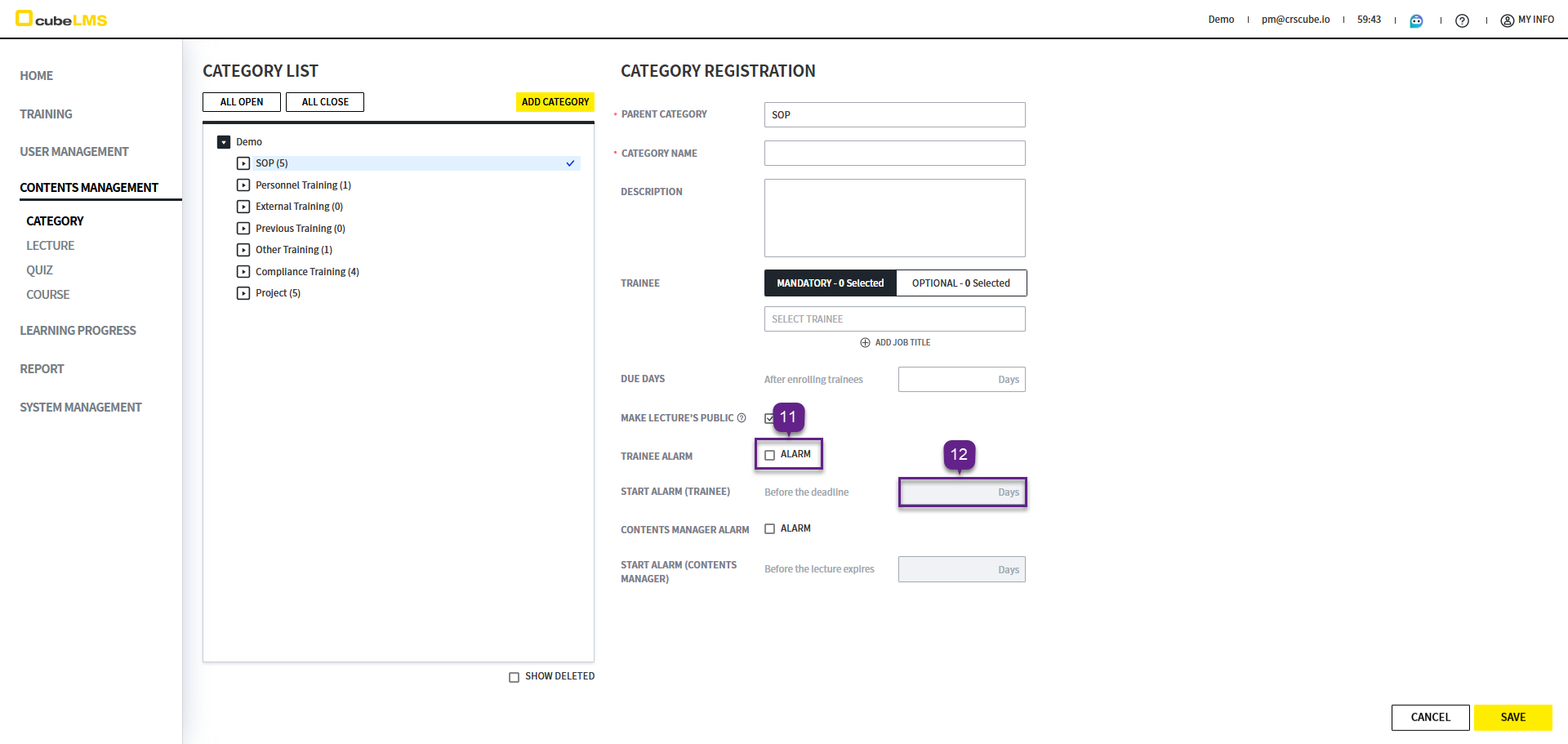
11. Trainee Alarm: 选中时,会发送关于Lecture截止日期临近的通知邮件,并且在注册属于该Category的Lecture时,所设置的项目会自动反映,且可在Lecture注册及详情页面中修改。
12. Start Alarm(Trainee): 可设置用于 Lecture 完成提醒邮件的发送期限。根据已注册的 Lecture 的 Due Date 计算并应用该期限。例如,将 Start Alarm(Trainee) 设置为 3 Days 时,会从 Due Date 前 3 天开始发送提醒邮件。该类别下的 Lecture 注册时,设置的项目会自动应用,并可在 Lecture 注册和详情页面中修改。
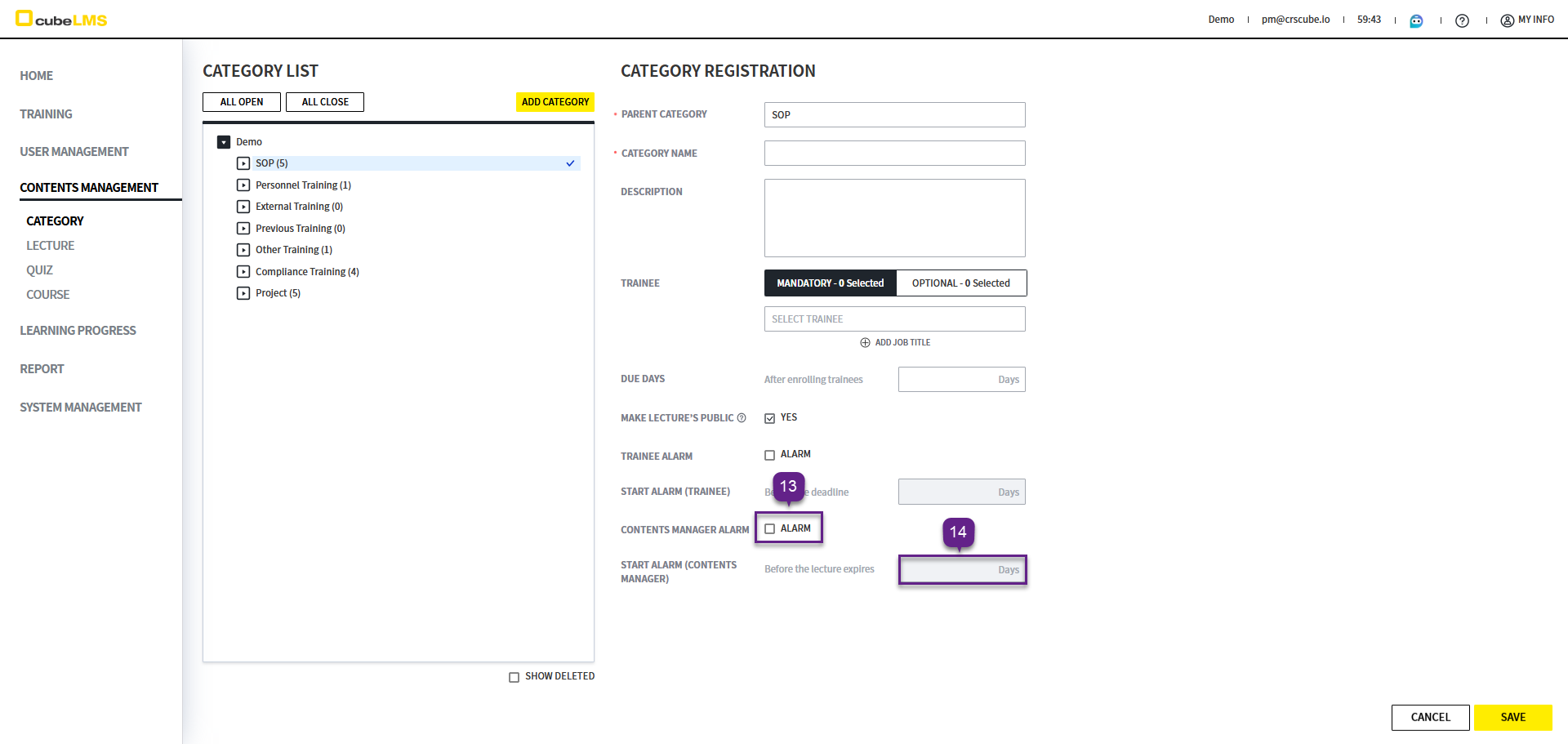
13. Contents Manager Alarm: 选中时会发送关于 Lecture 到期日临近的通知邮件,并且在为该分类下的 Lecture 注册时,所设置的项目会自动套用,也可以在 Lecture 注册和详情界面中修改。
14. Start Alarm(Contents Manager): 可以设置 Lecture 到期提醒邮件的发送期限。会根据已注册 Lecture 的 Active Period > End Date 进行计算并反映。例如,将 Start Alarm(Contents Manager) 设置为 3 Days 时,会从 Active Period 的 End Date 前 3 天开始发送提醒邮件。注册属于该类别的 Lecture 时,所设置的项目会自动反映,并可在 Lecture 注册及详细页面中修改。
EDIT CATEGORY
1. 点击要修改的 Category。
2. Deleted 勾选: 可删除Category。仅当不存在属于该Category的Training时才可删除。