

Release Note
With the unscheduled migration scheduled for Thursday, May 20, you will be able to upload additional files besides CONTENTS FILE.
<You can register additional files in ADD-ON FILE and specify whether the download button is displayed in LECTURE DETAILS through the VISIBILITY setting.>
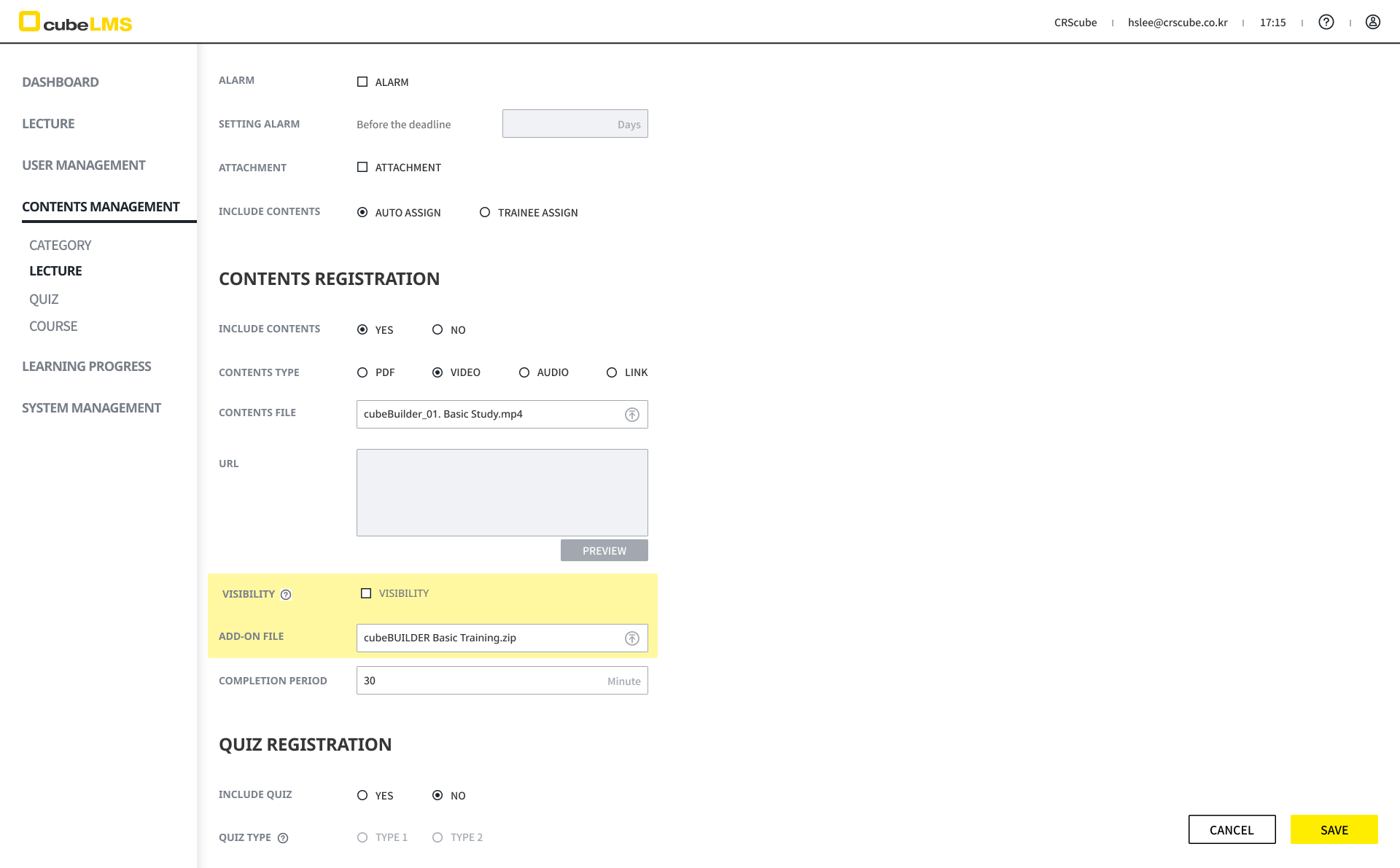
You can upload additional files in addition to the CONTENT FILE that requires the specified TRAINING TIME to elapse.
In the CONTENTS section of the <LECTURE REGISTRATION / INFORMATION> menu, VISIBILITY field and ADD-ON FILE are displayed.
You can upload files in the ADD-ON FILE field, and upload and download them without file format restrictions.
You can upload files up to 10 MB, and only one file can be uploaded. If you want to upload multiple files, please upload them as a ZIP file.
The VISIBILITY field lets you configure whether the ADD-ON FILE is shown in the <LECTURE DETAILS> menu.
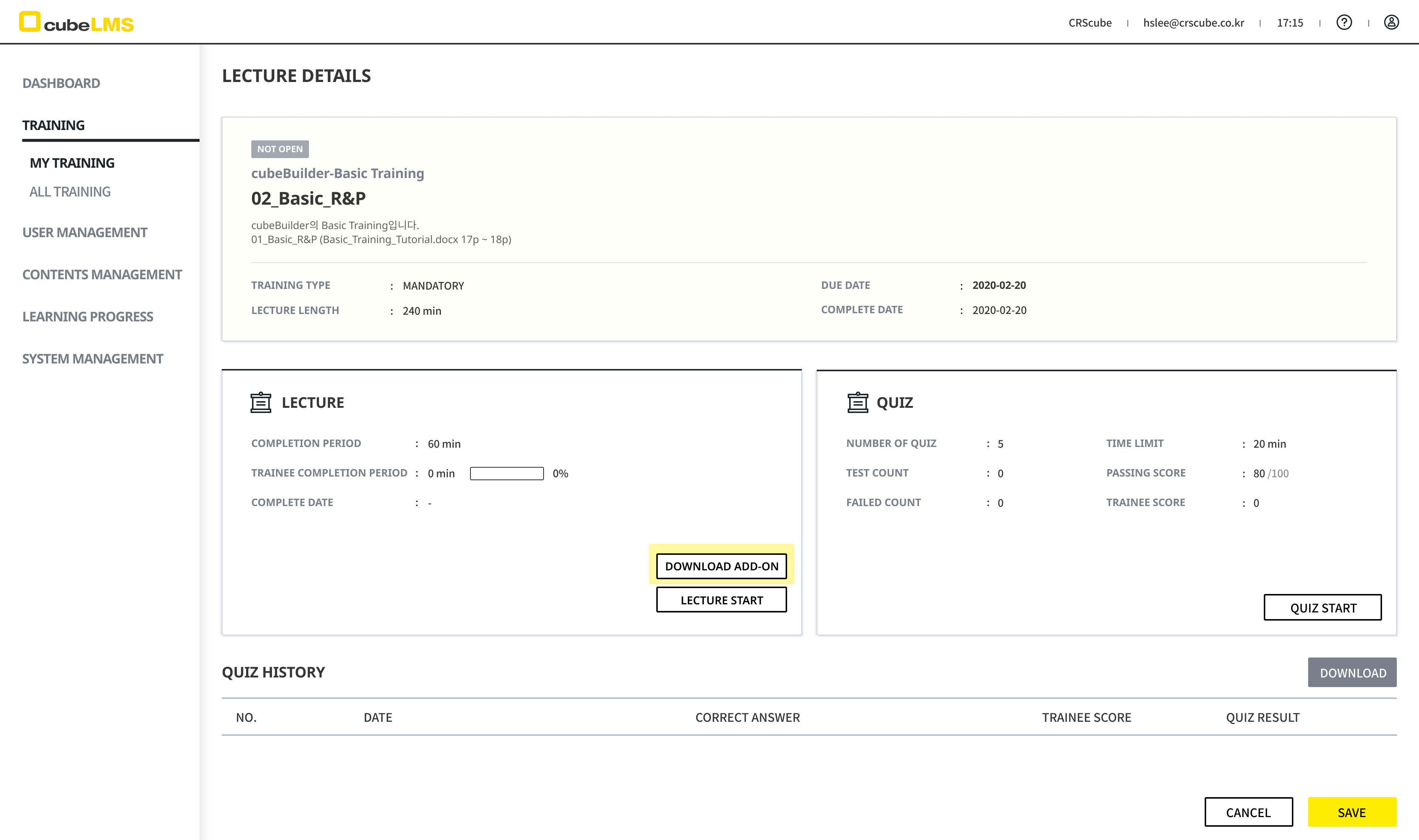
If you upload an ADD-ON FILE and check VISIBILITY, the [DOWNLOAD ADD-ON] button is displayed on the <Lecture Details> page.
You can download the uploaded ADD-ON FILE by clicking the [DOWNLOAD ADD-ON] button.