

The main functions of Backup Email are as follows.
01. Data Backup
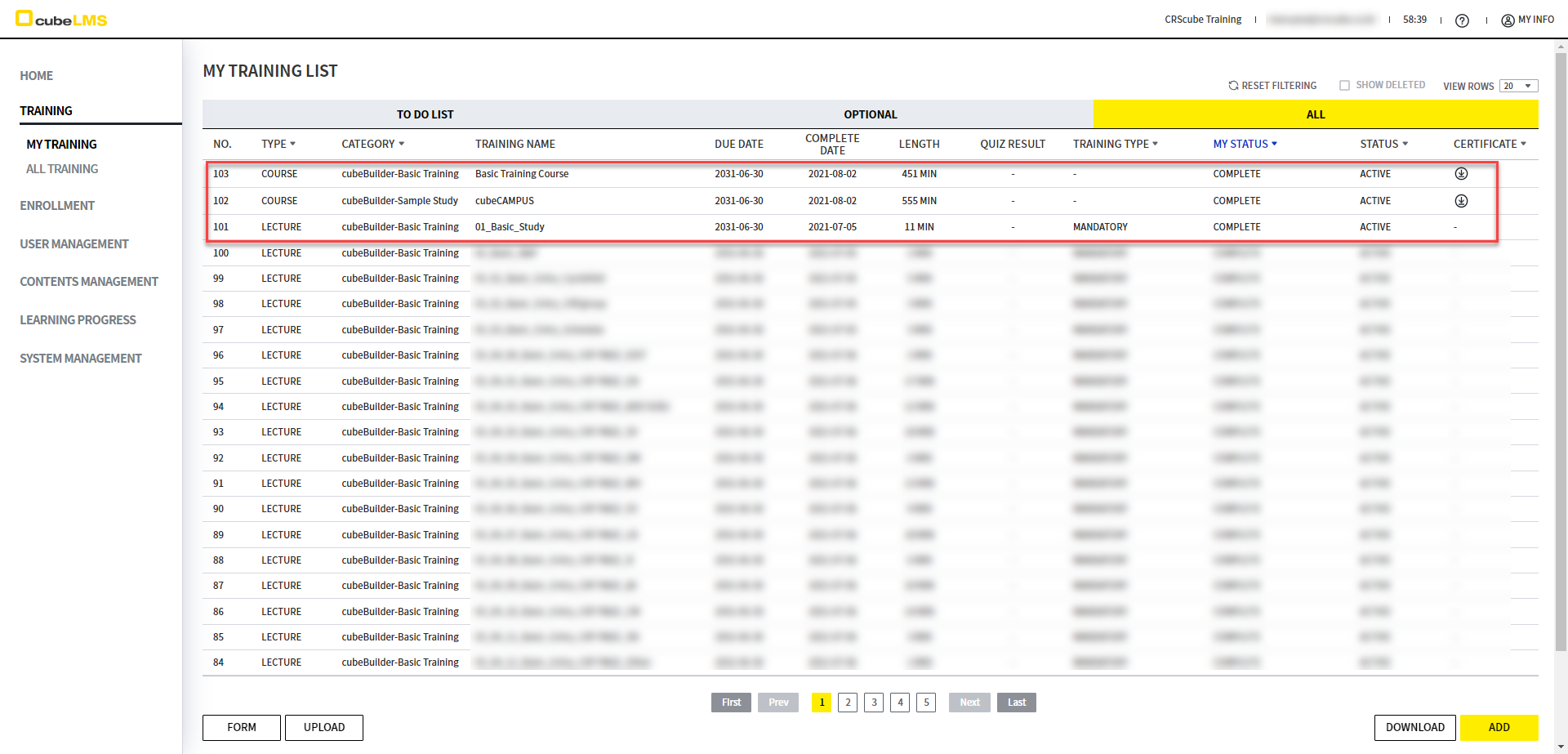
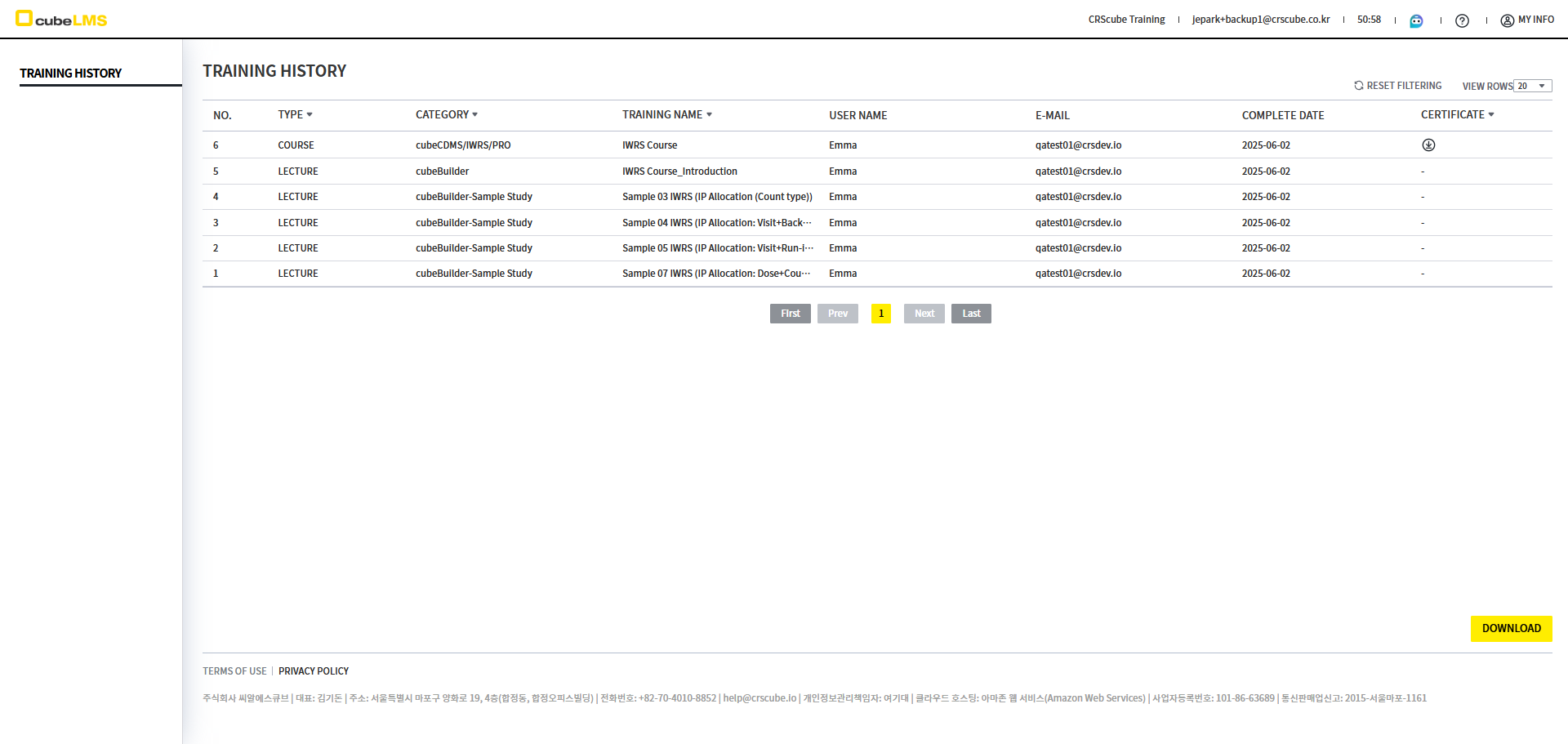
You can back up all completed Training records in cubeLMS to Email.
※ Please refer to eManual - ENG_02. Initial Setup of the Backup Email page for instructions on how to set up data backup.
Notes
-
Only Training with Status Complete can be backed up.
-
Previous Training cannot be backed up.
-
-
If there is a Certificate, the Certificate will also be backed up automatically.
<Trainee - My Training Screen>
< Backup Email - Training History Screen>
02. Data Lookup
Even if the account used at the time of training has been deleted or deactivated in cubeLMS, you can view the training history and download the list through Backup Email.
03. Data Synchronization
If the newly assigned account has previously taken the same Training with another account, you can synchronize the data through Backup Email and automatically complete the same Training without retaking it.
※ For the data synchronization method, please refer to eManual - ENG_03. Data Synchronization via Backup Email the page.