

Question
I want to assign lectures based on the USER's leave of absence and return-to-work status.
Answer
-
Please follow the steps below to specify whether Training is assigned based on leave-of-absence and return-to-work status.
1) Update the User information when the User is on leave
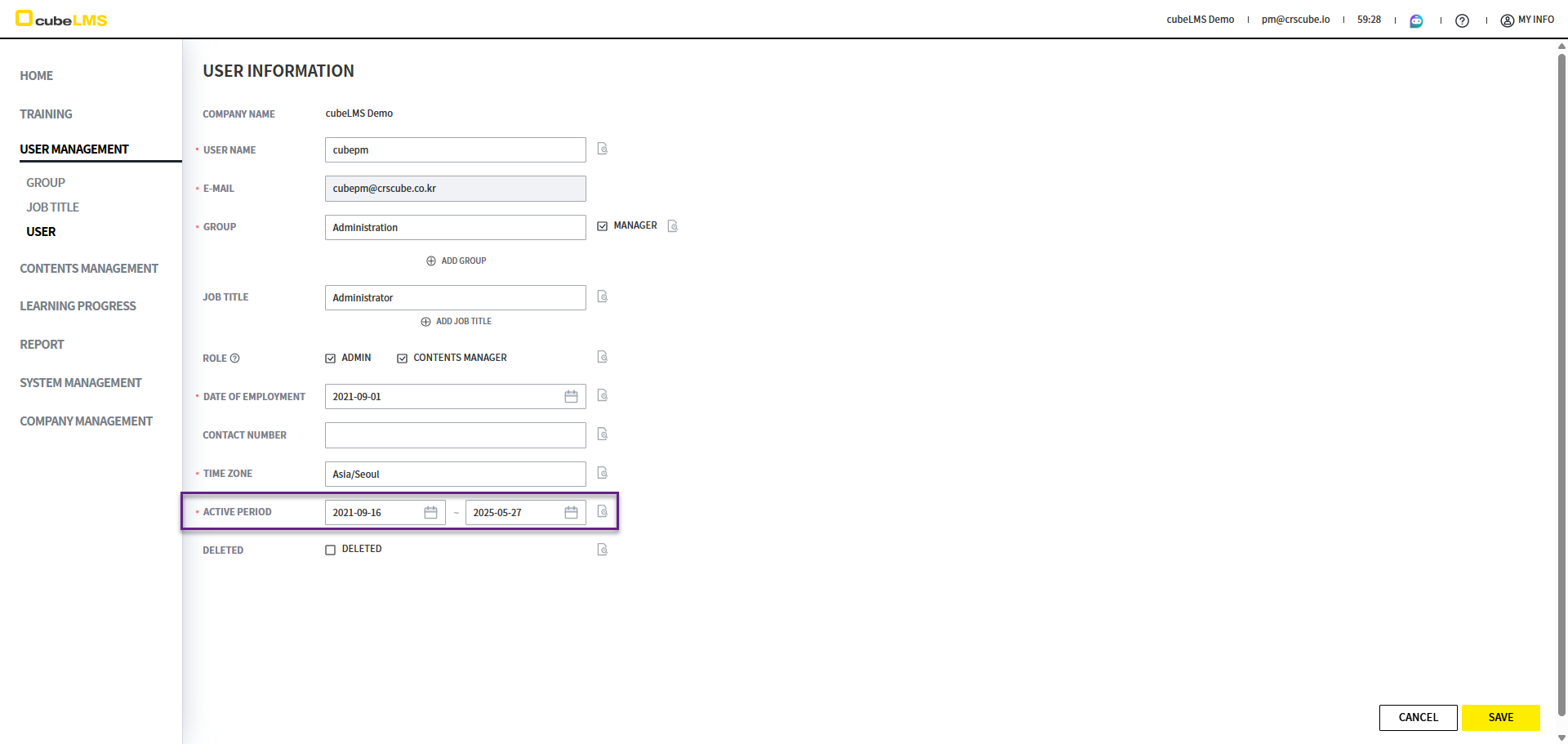
Adjust the Active period so that Training is not assigned to the User on leave.
-
Active Period > End Date:Set the day before the leave start date as the End Date. With this setting, Training created after that date will not be assigned.-
However, all assigned Training must be completed. If not completed, they will become Overdue during the leave period.
-
2) Update User information when returning to work
When User returns to work that day, that is, when Status needs to be changed back to Active on that day update the information.
Training is assigned based on the information saved in the Active state.
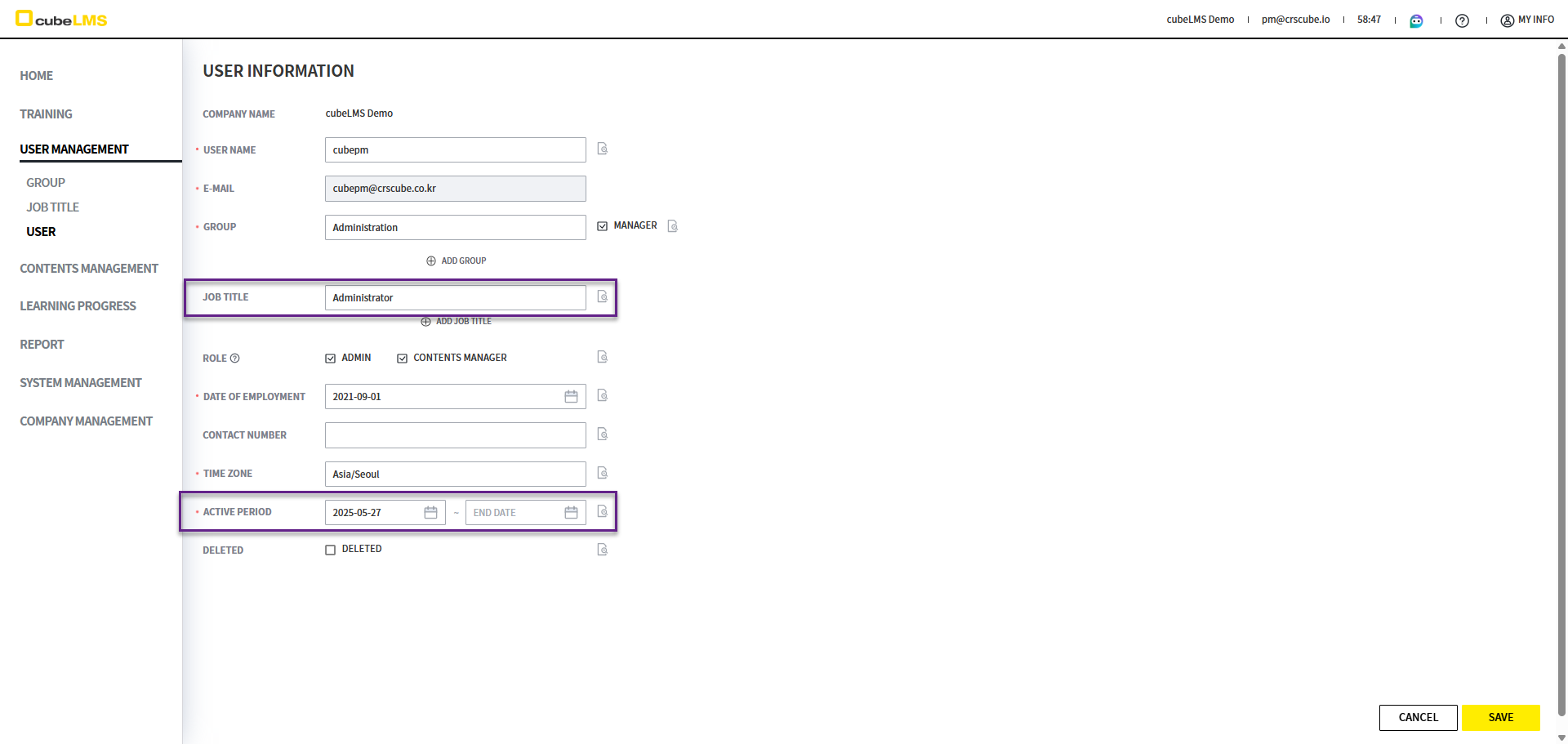
To assign currently active Training to the returning User, update the following information.
-
Job Title:If the Job Title has changed, change it to that Job Title, and if it is the same as before, do not change it. -
Active Period:Change this period to change the User's Status to Active.-
Start Date:Select the date of return. -
End Date:Click the Clear button and save it to automatically reflect as "9999-12-31".
-
3) Training Assignment
-
Once you save the information, the Training assigned to the User's Job Title is automatically assigned.
-
The User will receive the Training Assignment email.