

Release Note
通过9月10日星期五进行的定期迁移,Lecture 的 Training Type 字段将得到改进。
<在Lecture中可分别选择Mandatory、Optional的Trainee。>
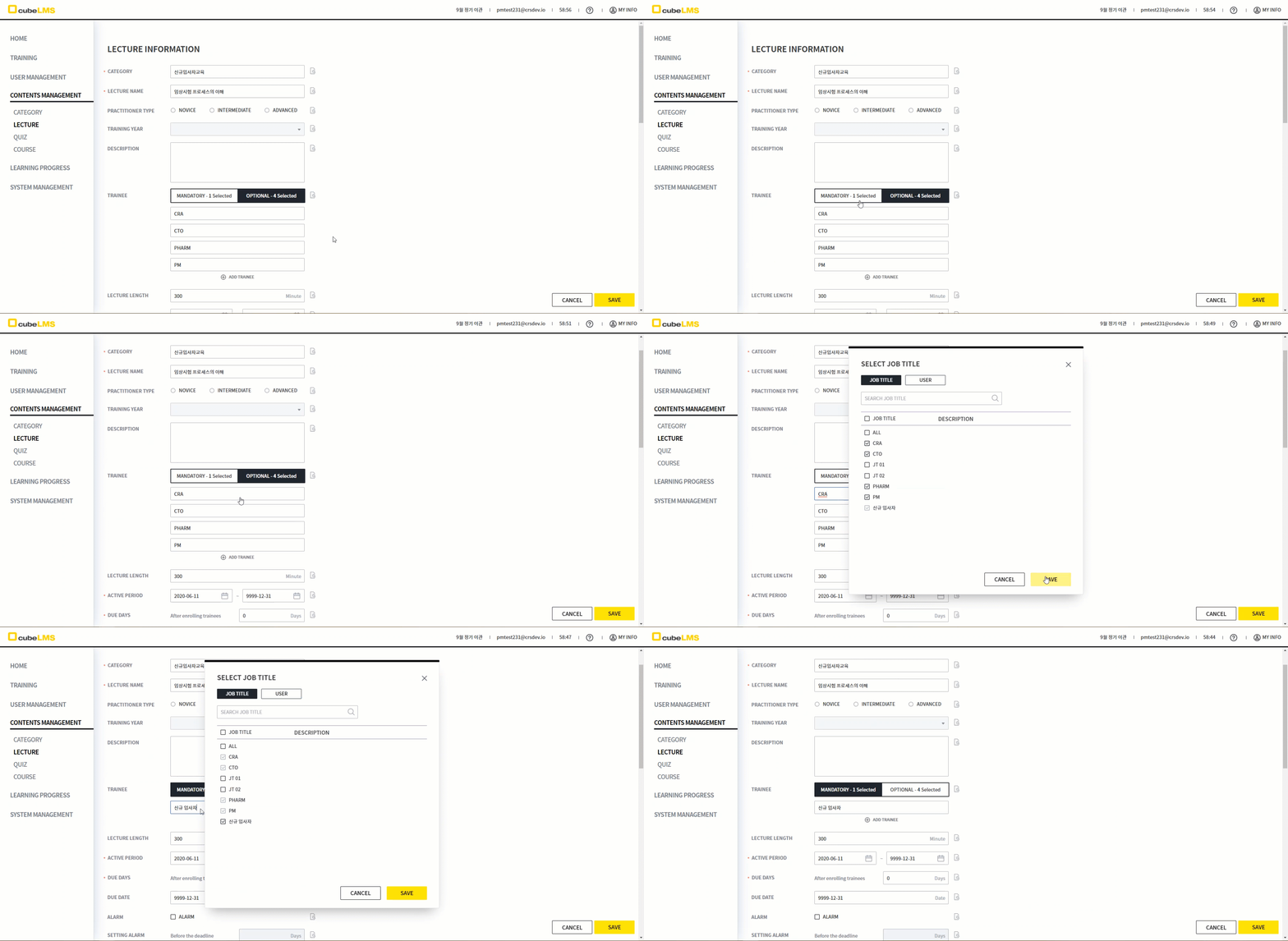
以前每个 Lecture 只能指定一个 Training Type,但现在可以分别为 Mandatory、Optional 指定 Trainee。
-
Training Type 项目现在不再显示。
-
可以在 Trainee 项目中分别为 Mandatory、Optional 标签页指定 Trainee。已选择的 Trainee 数量会显示在各标签页中。
-
其他 Training Type 中已选择的 Trainee 会被禁用,无法选择。
-
如果因 Job Title 和 User Name 混合而同时分配到 Mandatory、Optional Training Type,则会分配为 Mandatory。
<Category 也可 分别选择 Mandatory, Optional 的 Trainee。>
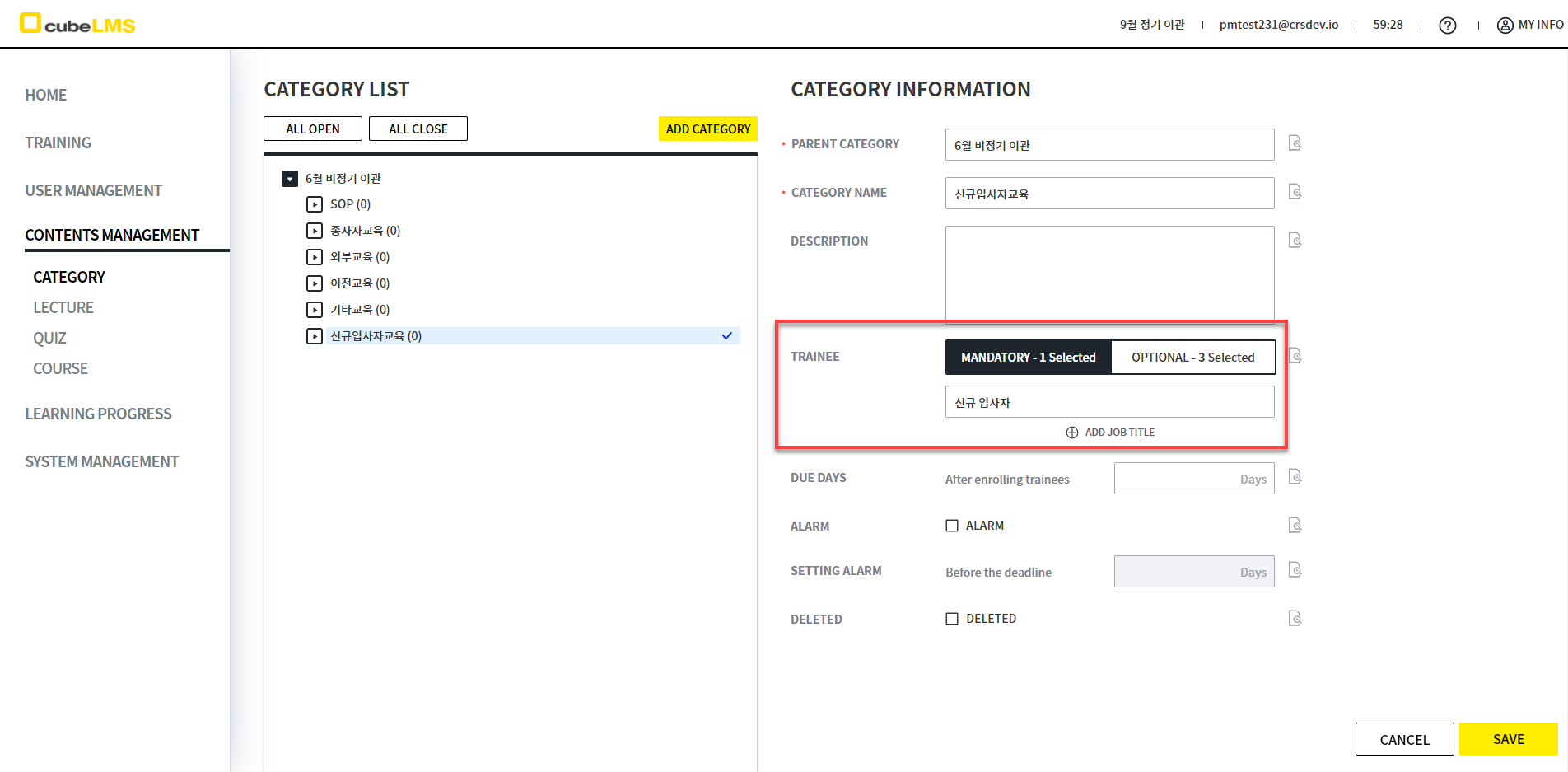
Category 以前只能指定一个 Training Type,但现已可分别为 Mandatory、Optional 指定 Trainee。
-
Training Type 项目现在已不再显示。
-
在 Trainee 项目中,可分别指定 Mandatory、Optional 选项卡的 Trainee。已选择的 Trainee 数量会显示在各选项卡中。
-
在其他 Training Type 中已选择的 Trainee 会被禁用,无法选择。
<在既往培训分类中 Trainee 项目将不再显示。>
<变更前>
<变更后>
<说明>
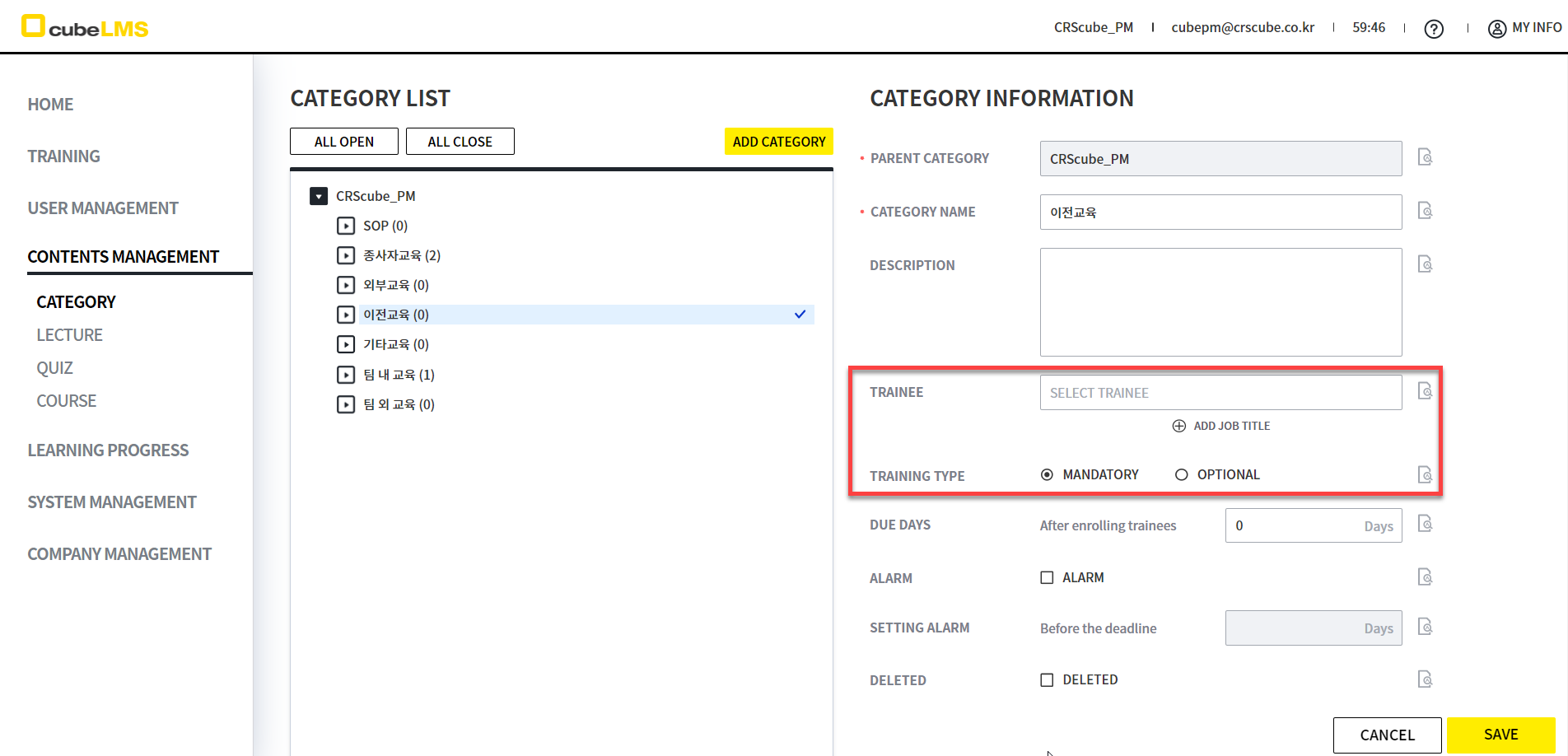
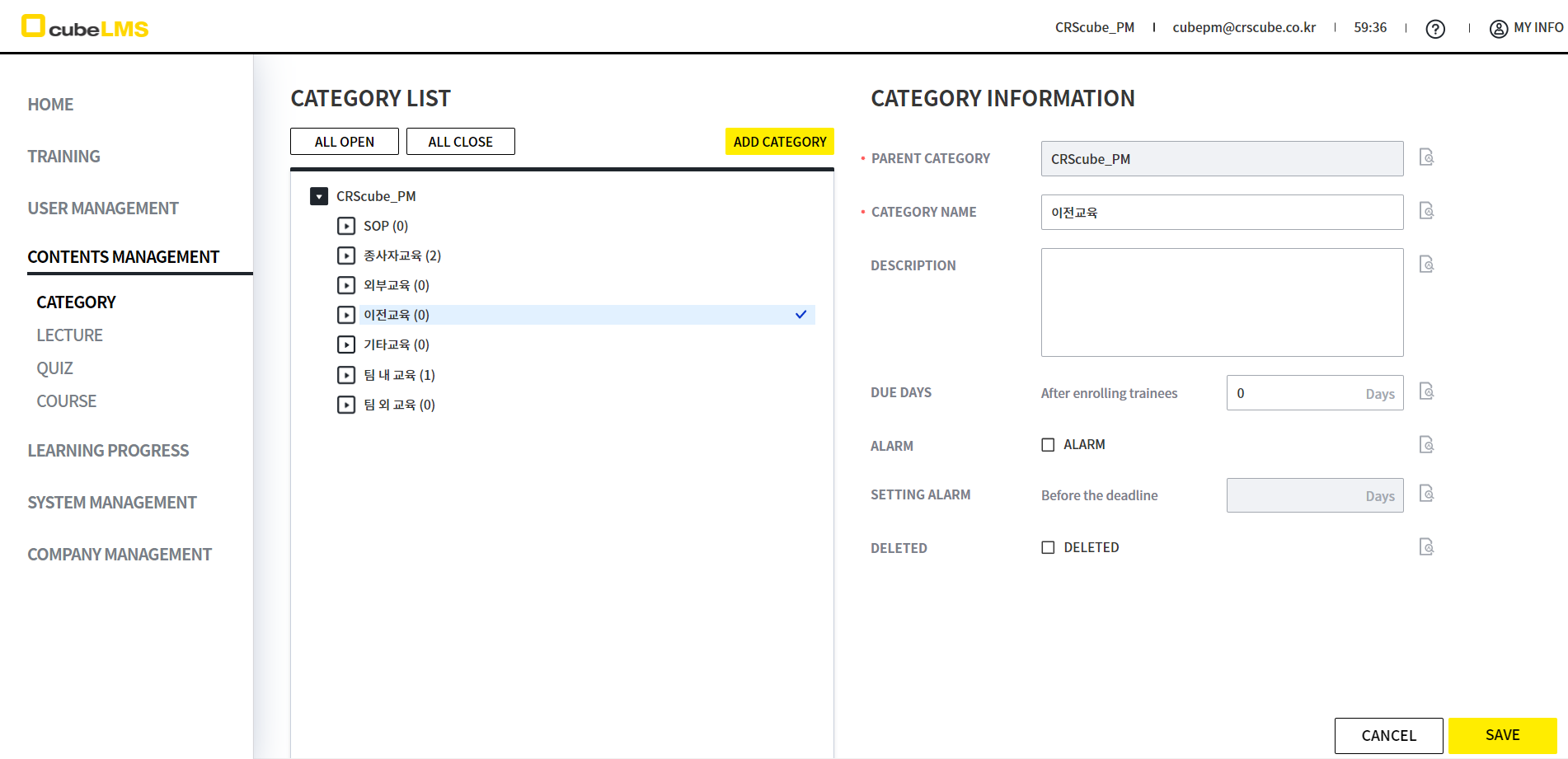
由于以往教育及其下级类别由 Trainee 本人注册,因此不需要 Trainee 项目。
在以往教育及其下级类别的编辑页面中,Training Type 及 Trainee 项目将不再显示。
<部分 List/Details中的 Training Type 列/项目将消失.>
由于可以为一个 Lecture 分别指定 Training Type,因此在部分菜单中 Training Type 列和项目将不再显示。
<变更前>
<变更后>
<说明>
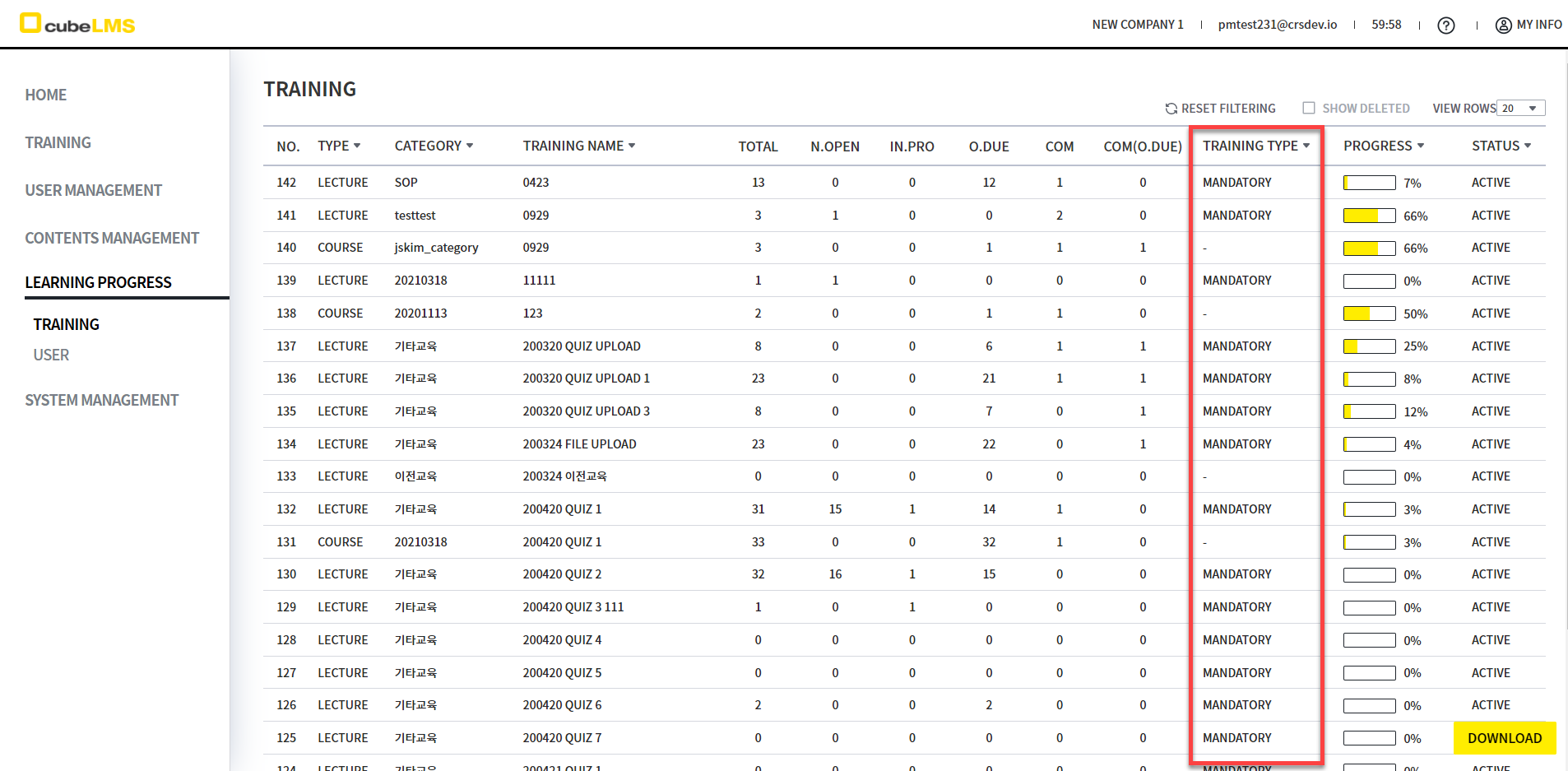
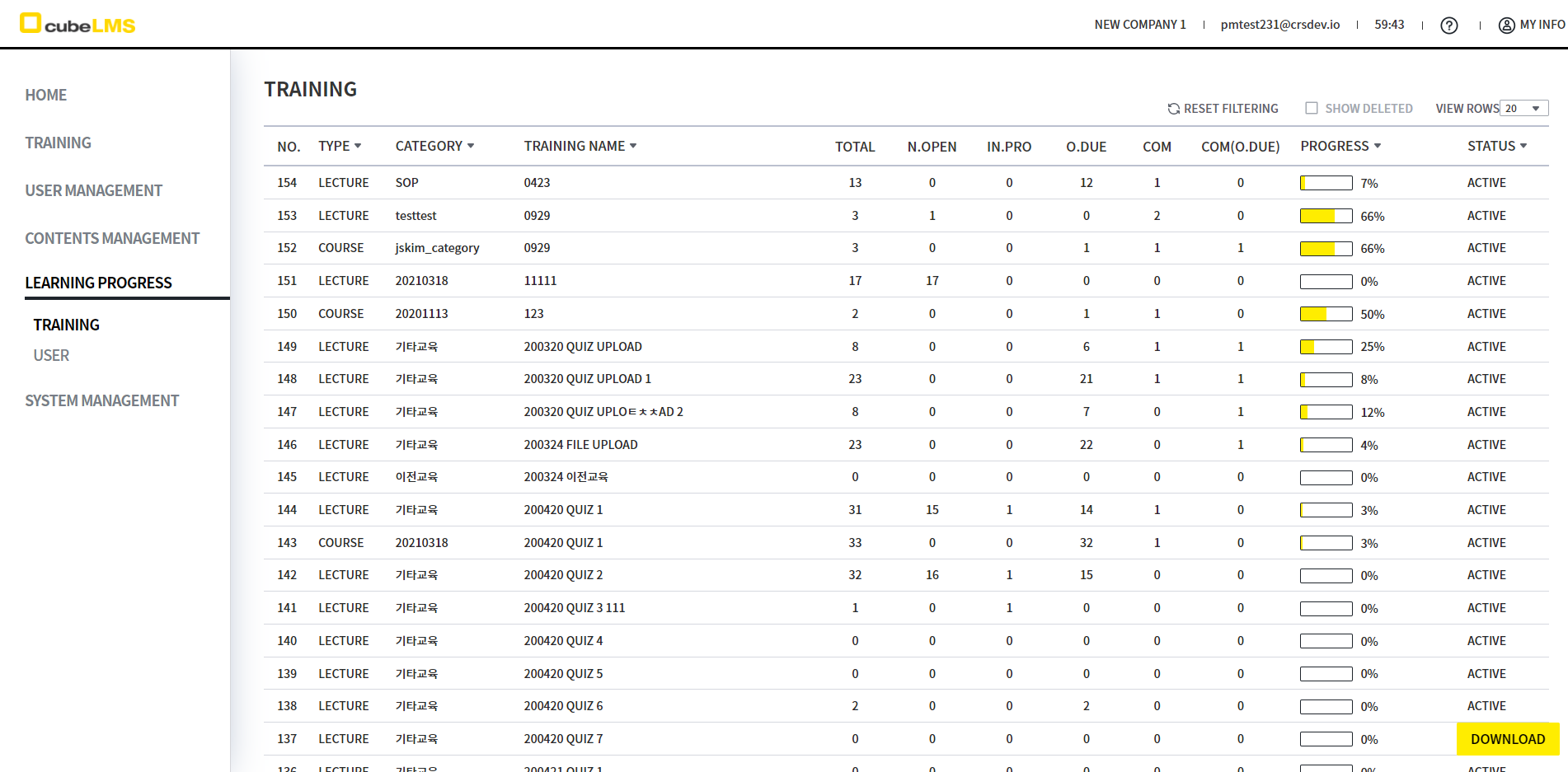
1) Learning Progress - Training
-
COM(O.DUE) 列和 PROGRESS 列之间的 TRAINING TYPE 列将不再显示。
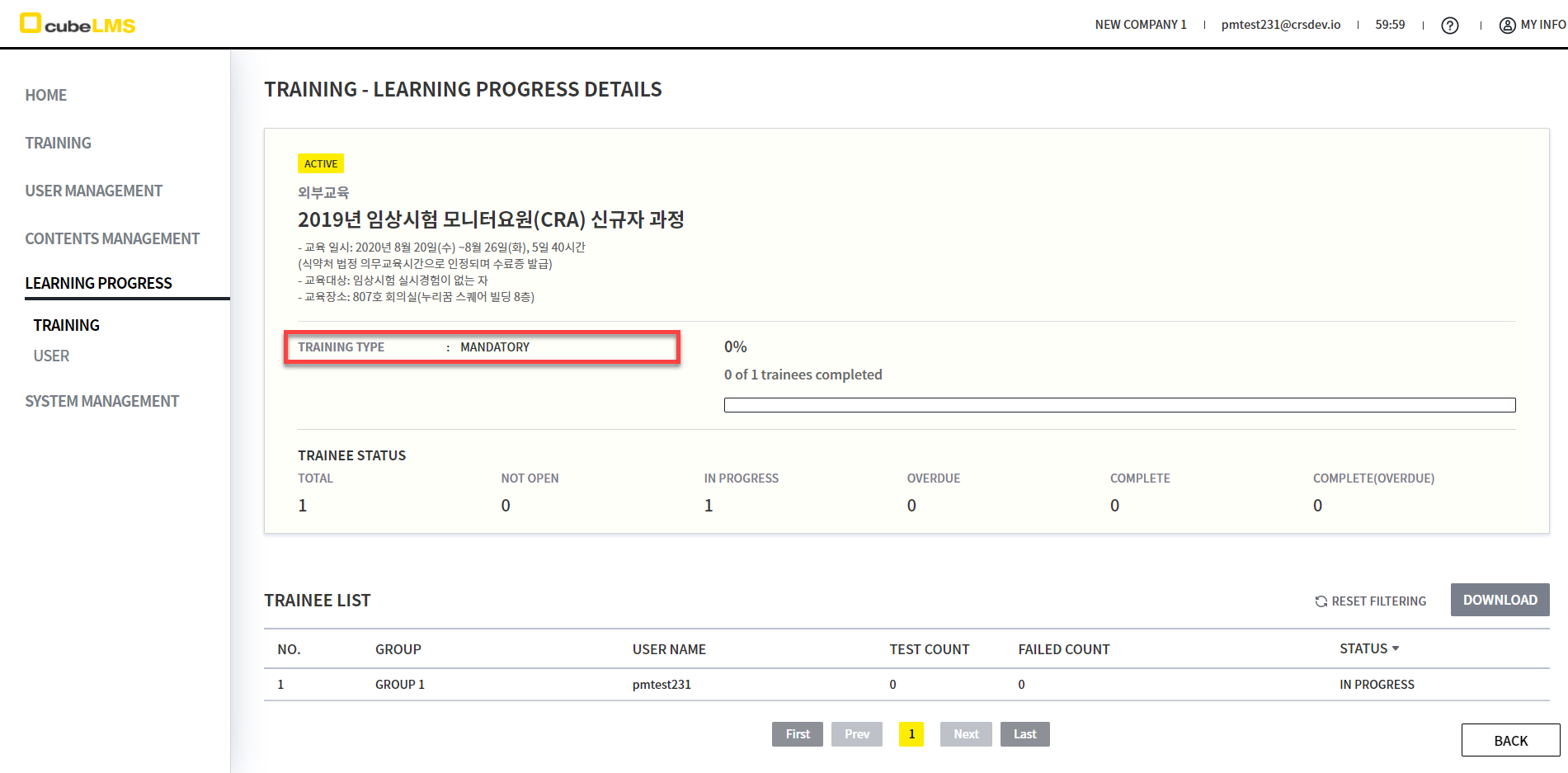
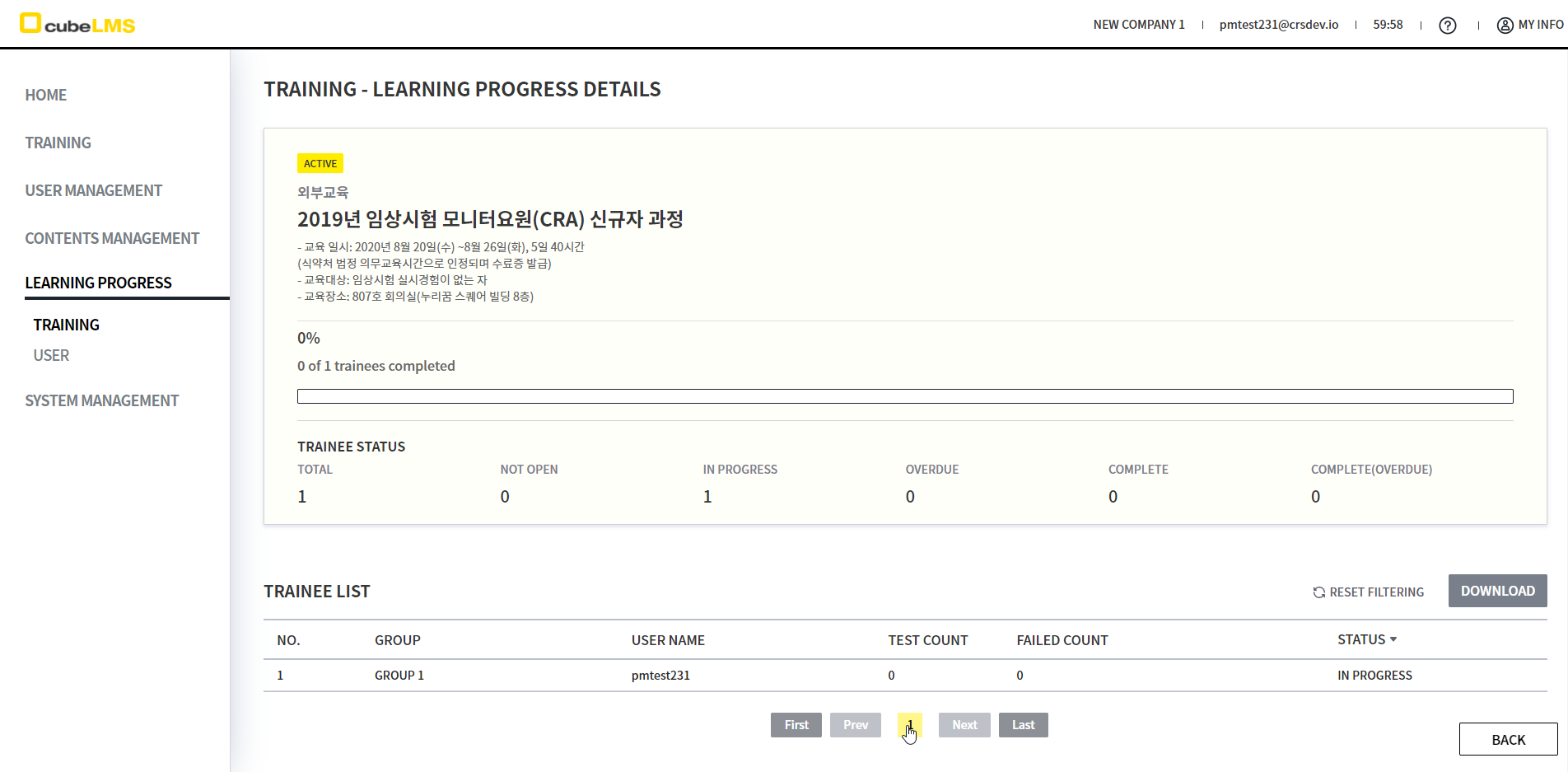
2) Learning Progress - Training - Lecture Details
-
Details 左侧的 TRAINING TYPE 项目将消失。
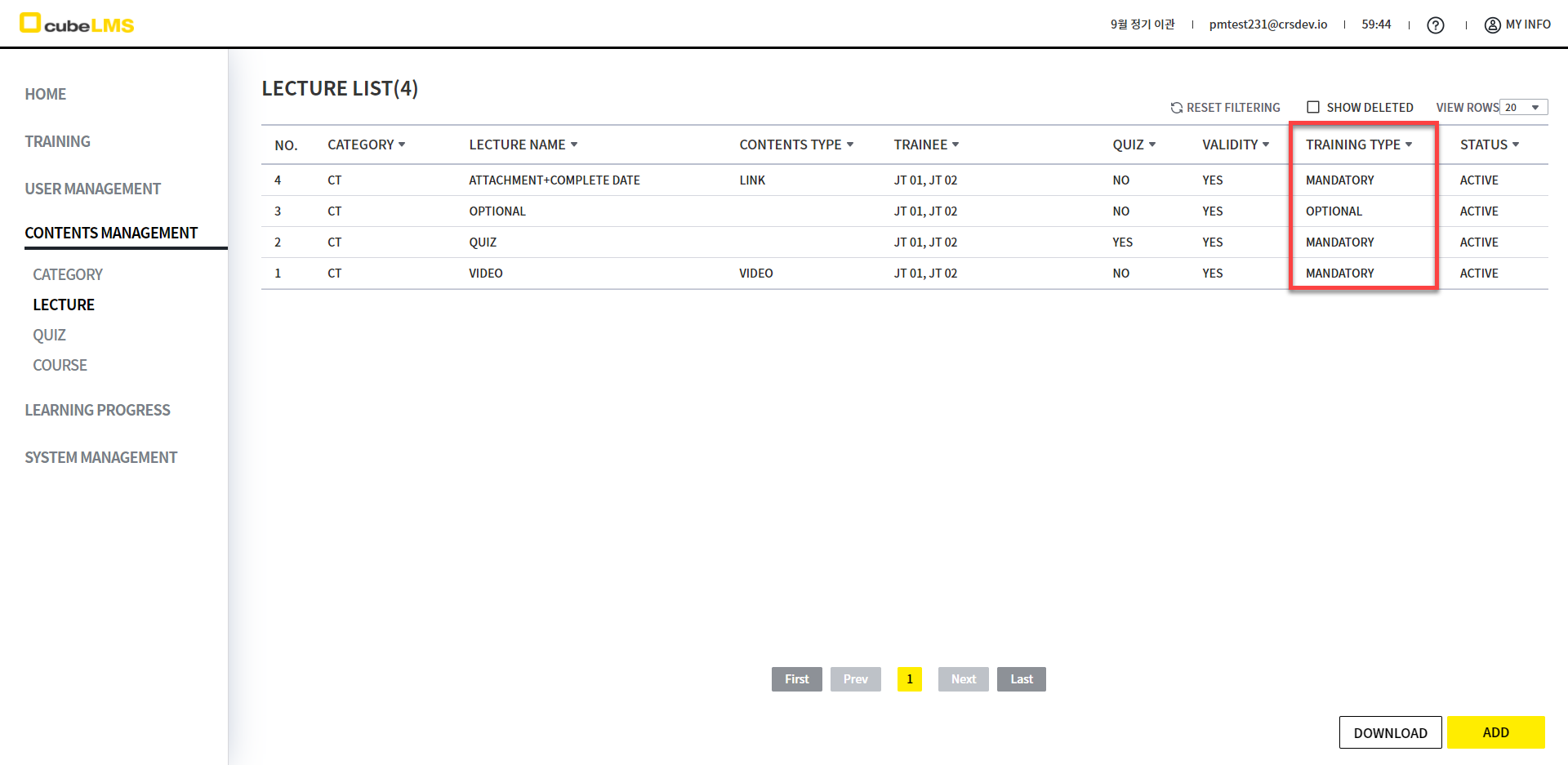
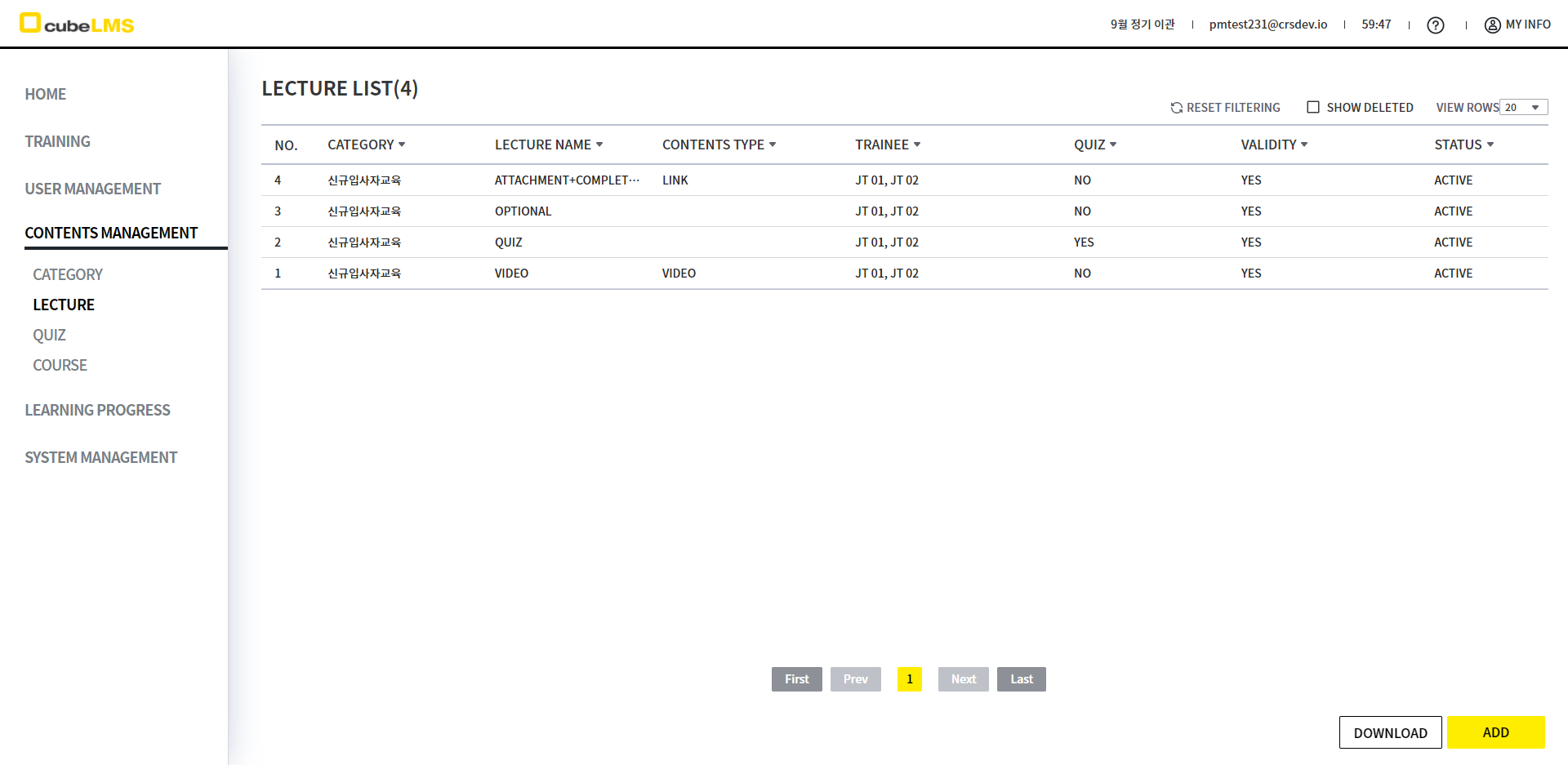
3) Content Management - Lecture
-
位于VALIDITY列和STATUS列之间的TRAINING TYPE列将消失。
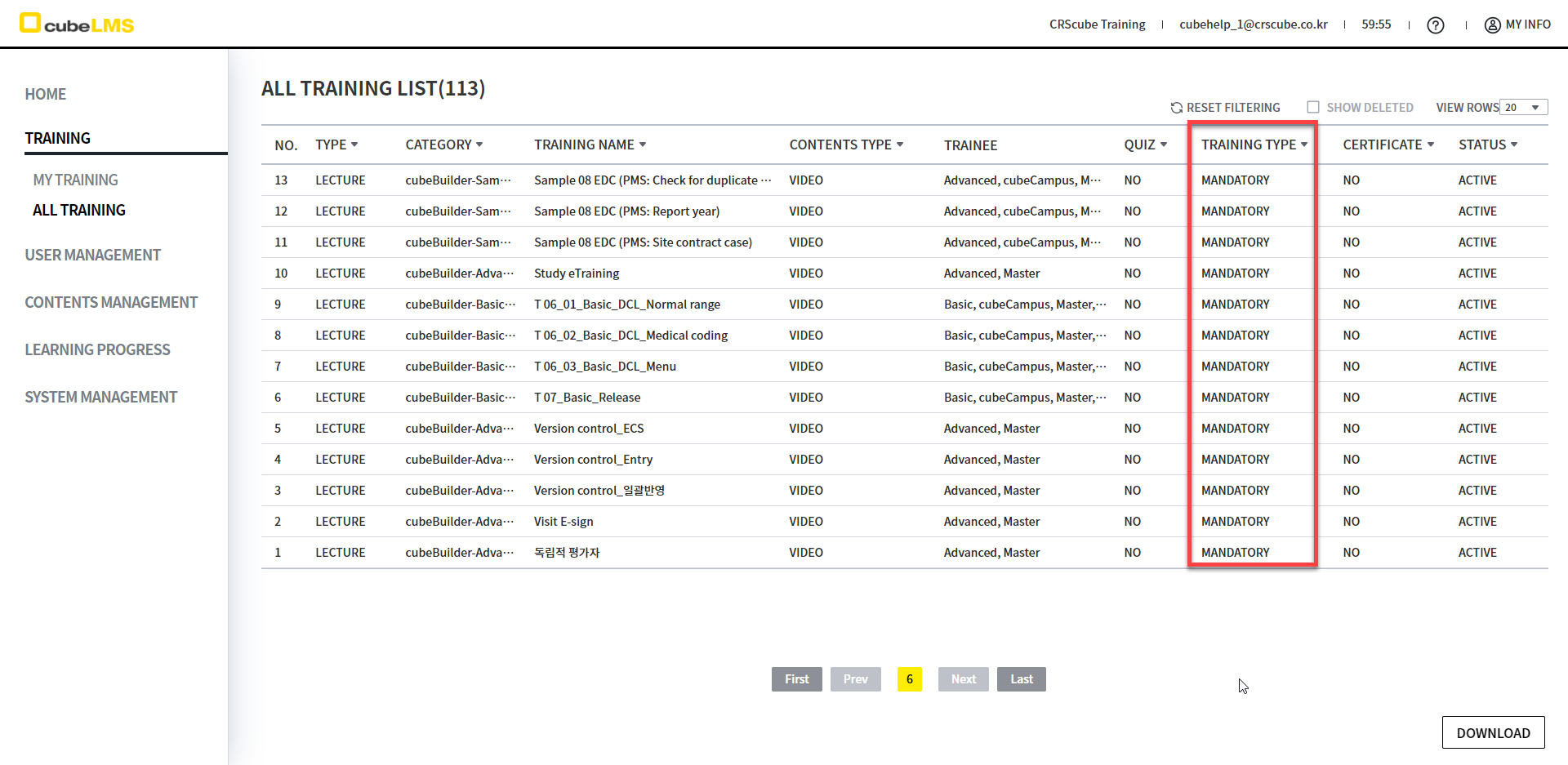
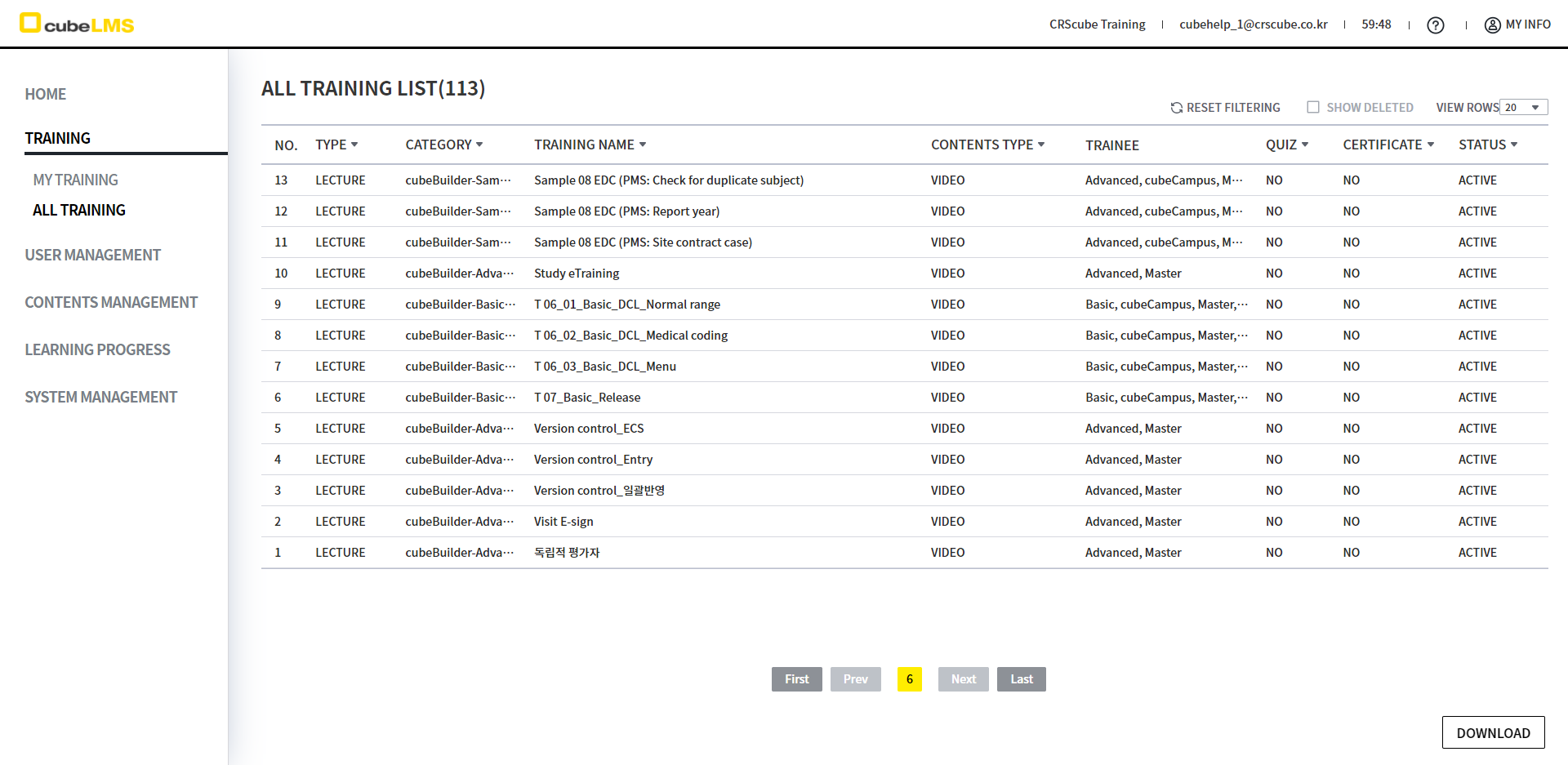
4) Training - All Training
-
位于 QUIZ 列和 CERTIFICATE 列之间的 TRAINING TYPE 列将被移除。
<Course中将无法选择 Optional Lecture。>
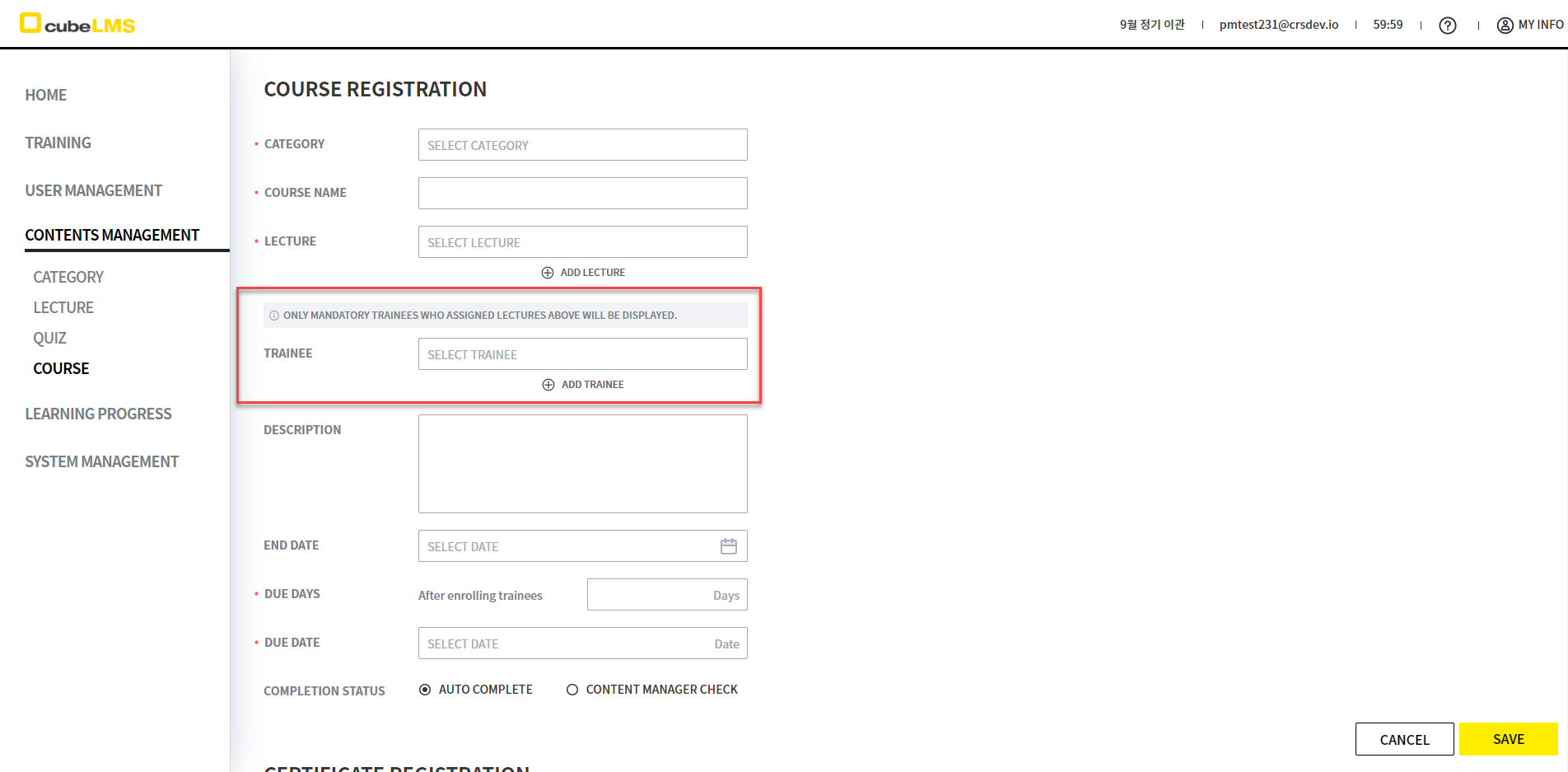
以前,无论 Training Type 如何,都会显示所选 Lecture 的交集对应的 Trainee,但在本次 发布后,仅可选择被选为 Mandatory 的 Trainee。