

NEW FEATURES
Release Date: 2023-12-27
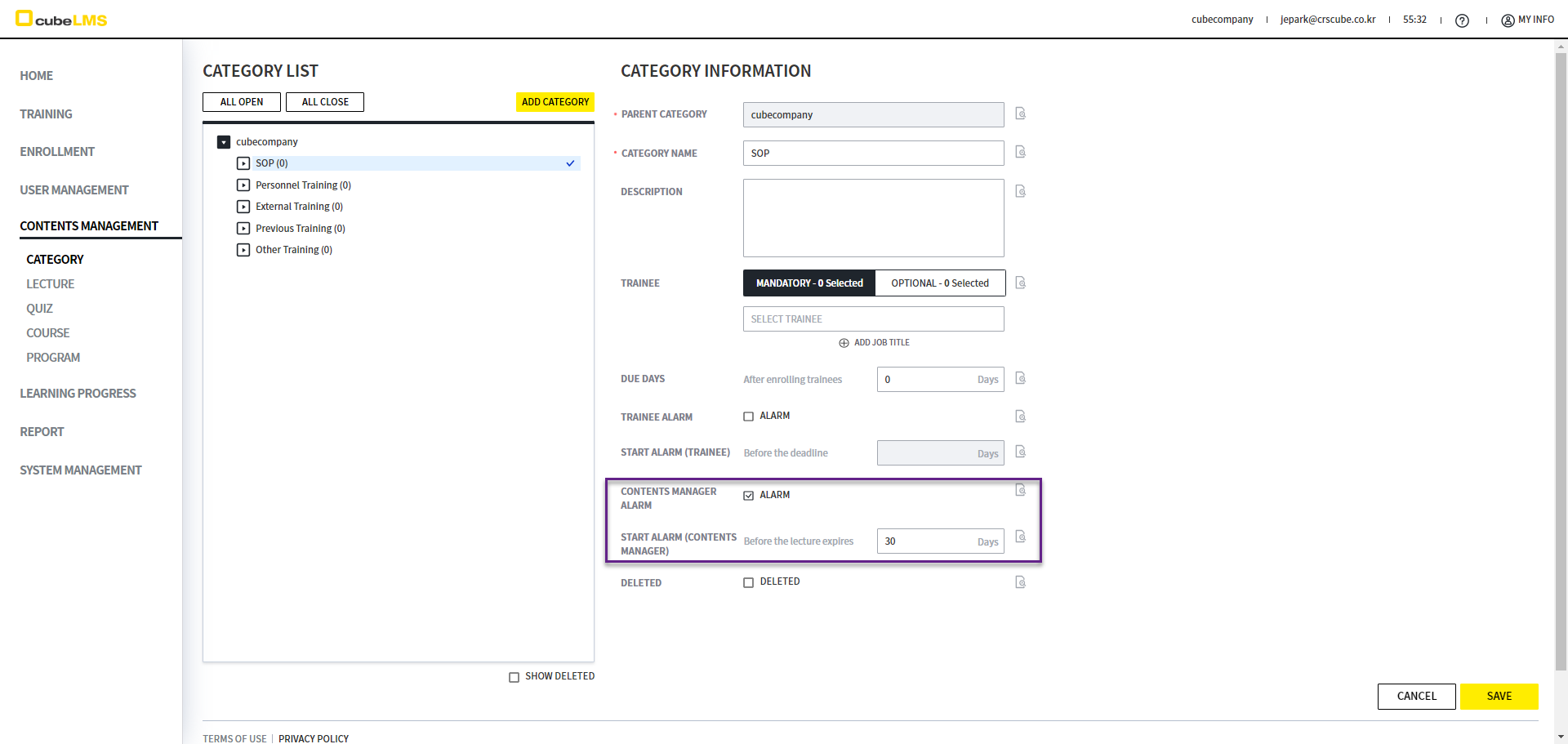
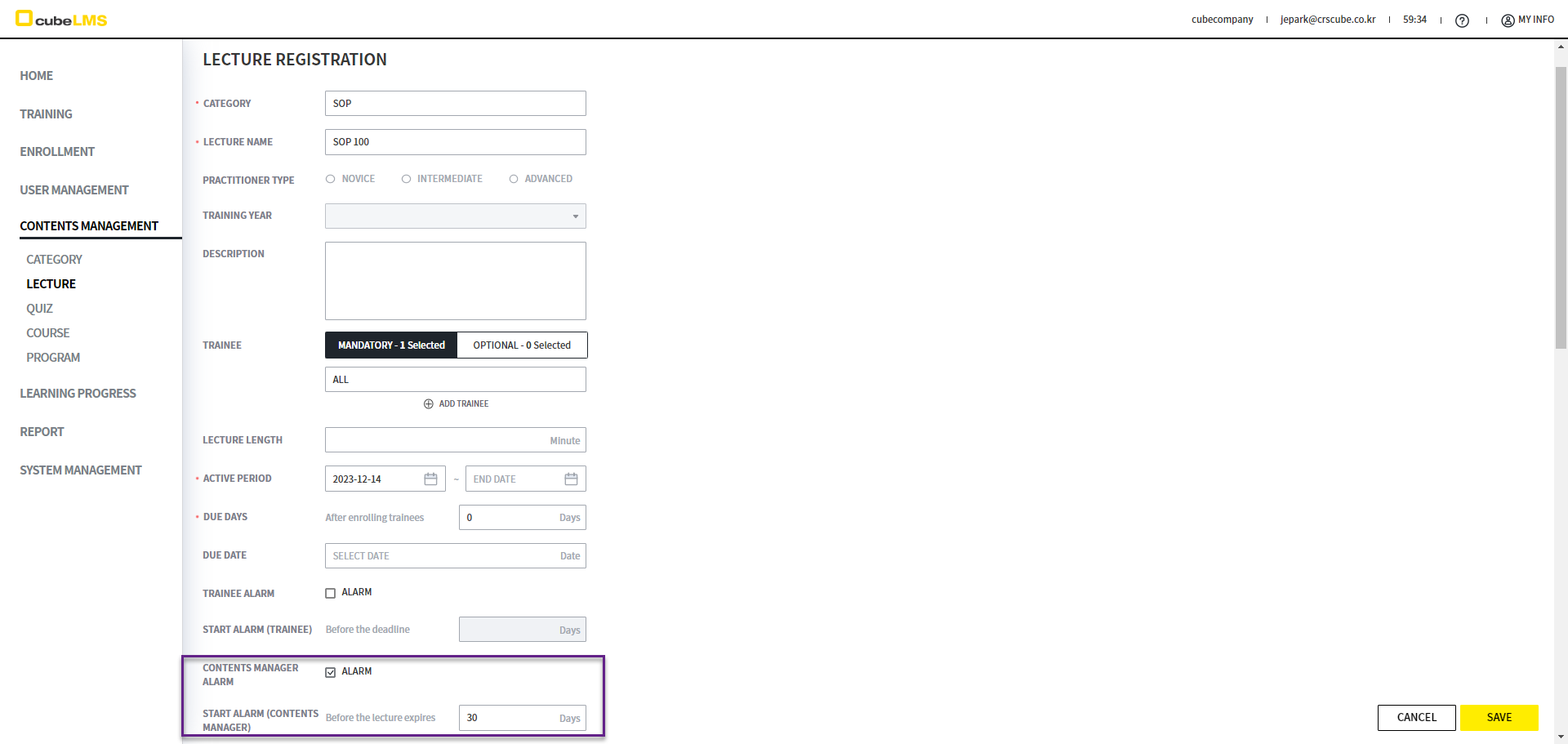
[ALARM MAIL] A feature is added that allows sending ALARM MAIL to the CONTENTS MANAGER before the LECTURE becomes EXPIRED.
-
The CONTENTS MANAGER ALARM and START ALARM(CONTENTS MANAGER) items are added to the CATEGORY and LECTURE screens.
-
If you check ALARM for CONTENTS MANAGER ALARM, the START ALARM(CONTENTS MANGER) item is enabled.
-
When you select CATEGORY in LECTURE, the ALARM value automatically reflects the information entered in CATEGORY by default, and you can modify it.
-
Based on the deadline set in START ALARM(CONTENTS MANAGER), an alarm mail is sent to CONTENTS MANAGER in ACTIVE status before the END DATE of the ACTIVE PERIOD, notifying them that the deadline will expire soon. For example, if you set SETTING ALARM to 3 days, alarm mail is sent starting 3 days before the END DATE of the ACTIVE PERIOD.
-
Accordingly, the labels for the existing ALARM and SETTING ALARM are changed.
-
Before
-
ALARM
-
SETTING ALARM
-
-
After
-
TRAINEE ALARM
-
START ALARM(TRAINEE)
-
-
-
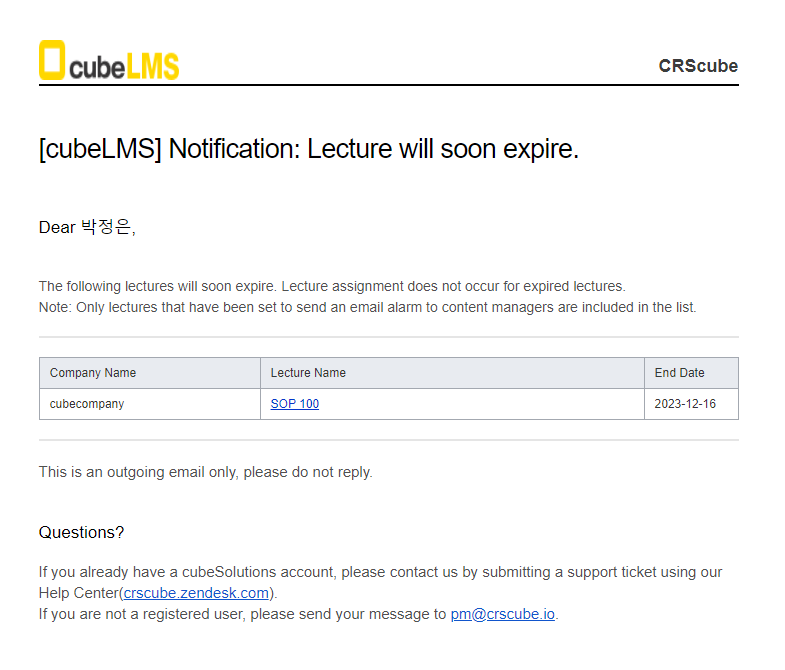
At AM 08:00 every day (based on COMPANY), the Lecture will soon expire email is sent to USERs with ACTIVE status and CONTENTS MANAGER privileges.
-
LECTURE information with CONTENTS MANAGER ALARM set is displayed.
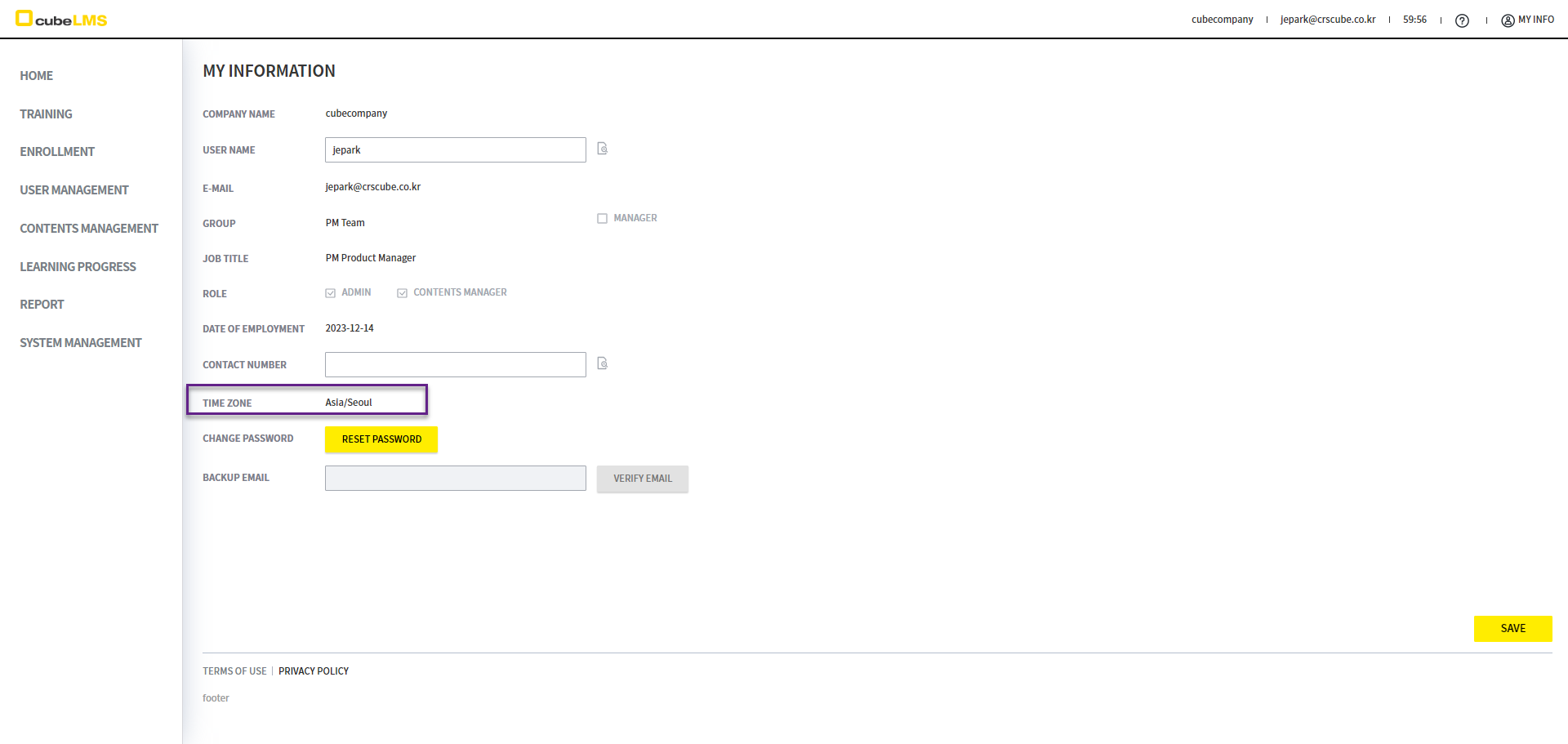
[LMS] Time zone feature will be added.
-
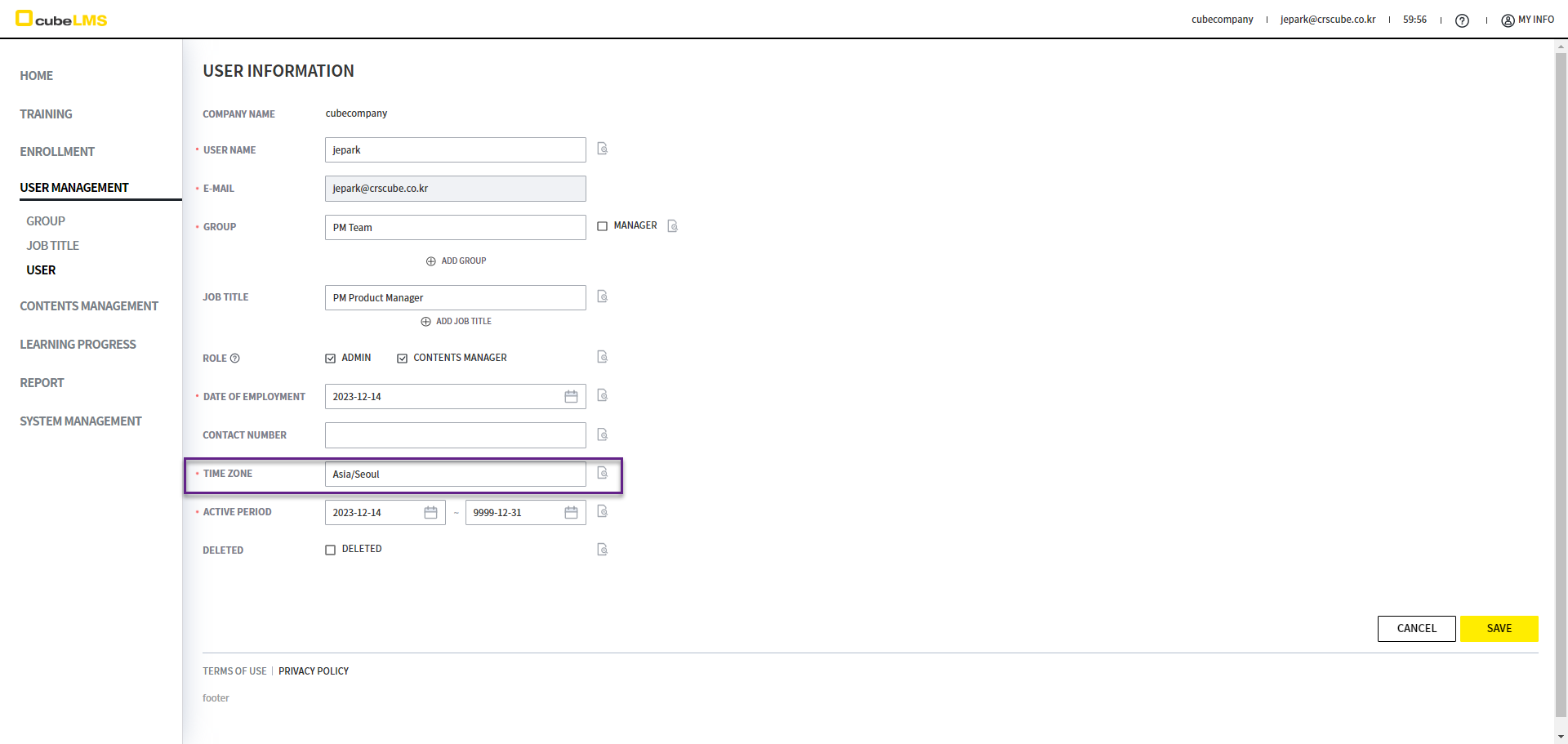
The TIME ZONE field is added to the USER create/edit screen.
-
All existing USER records will be reflected with the default country value of the COMPANY.
-
-
Only USER accounts with ADMIN privileges can edit the USER time zone.
-
When you enter the USER REGITRATION screen, the COMPANY STANDARD TIME ZONE value stored in the SYSTEM is displayed automatically.
-
During USER UPLOAD, the COMPANY STANDARD TIME ZONE value stored in the SYSTEM is automatically saved.
-
If you select a time zone option with daylight saving time, the daylight saving time standard is applied during the applicable period without separate settings.
-
All date calculations, including screens that display the time zone such as Audit trail, are shown according to the configured USER time zone.
-
However, the following items are displayed according to the COMPANY time zone.
-
NOTICE
-
STATUS of USER, LECTURE, and COURSE (e.g. ACTIVE, INACTIVE, EXPIRED)
-
-
Accordingly, it is recommended to set the start dates of LECTURE and USER to future dates.
-
IMPROVEMENTS
Release Date: 2023-12-27
[LMS] The DUE DATE calculation method will be changed.
-
Before the change
-
The DUE DATE of USER was calculated by comparing the DATE OF EMPLOYMENT of USER with the START DATE of the ACTIVE PERIOD of LECTURE/COURSE.
-
If the following conditions are met, DATE OF EMPLOYMENT + DUE DAYS of LECTURE/COURSE will become the DUE DATE of USER.
-
If the START DATE of the ACTIVE PERIOD is earlier than DATE OF EMPLOYMENT,
-
-
If the following conditions are met, the DUE DATE of LECTURE/COURSE will become the DUE DATE of USER.
-
If the START DATE of the ACTIVE PERIOD is the same as or later than DATE OF EMPLOYMENT, it will be calculated as the DUE DATE of LECTURE/COURSE.
-
-
Before the change, if the START DATE of the ACTIVE PERIOD of LECTURE/COURSE was the same as or later than the DATE OF EMPLOYMENT of USER, the DUE DATE of LECTURE/COURSE became the DUE DATE of USER. At that time, if a TRAINEE was assigned on a date later than this DUE DATE, the TRAINEE would become OVERDUE as soon as they were assigned.
-
-
After the change
[LMS] LECTURE assignment timing will change.
-
Before
-
When USER first logs in to the COMPANY, they receive the LECTURE/COURSE assignment email.
-
-
After
-
If USER delays the first login, USER will not receive a notification even if TRAINEE is assigned to LECTURE. Accordingly, if URER is in ACTIVE status, USER will receive the LECTURE/COURSE assignment email when LECTURE/COURSE can be assigned.
-
In the latest release, the assignment email is triggered as soon as a lecture/course assignment is made, regardless of the user's initial login status. Note that users who had never logged in at the time of release will receive all previously paused pending lecture/course assignment emails.
-
-
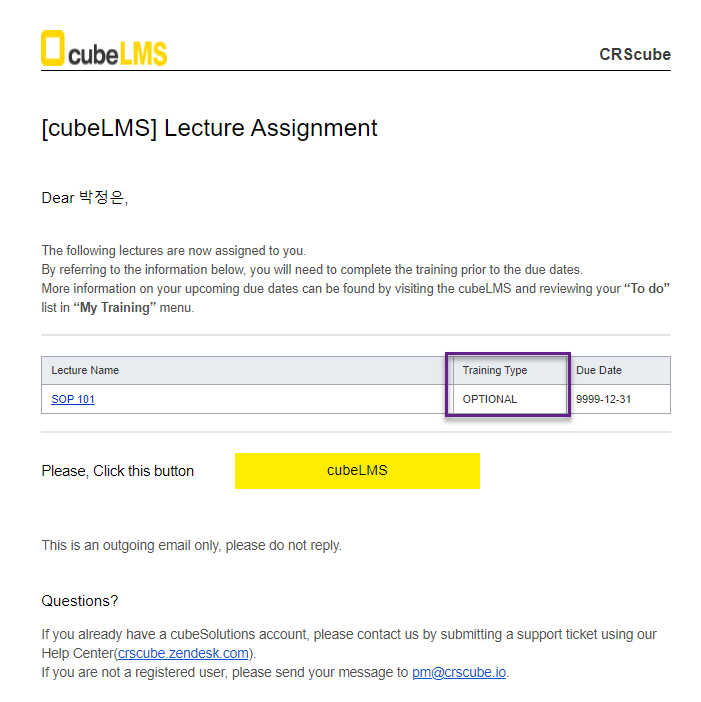
[ALARM MAIL] OPTIONAL LECTURE will be changed so that it can also receive assignment mail.
-
Before
-
The LECTURE ASSIGNMENT MAIL is sent only to TARINEE assigned to MANDATORY.
-
-
After
-
The LECTURE ASSIGNMENT MAIL is sent not only to TRAINEE assigned to MANDATORY, but also to TRAINEE assigned to OPTIONAL.
-
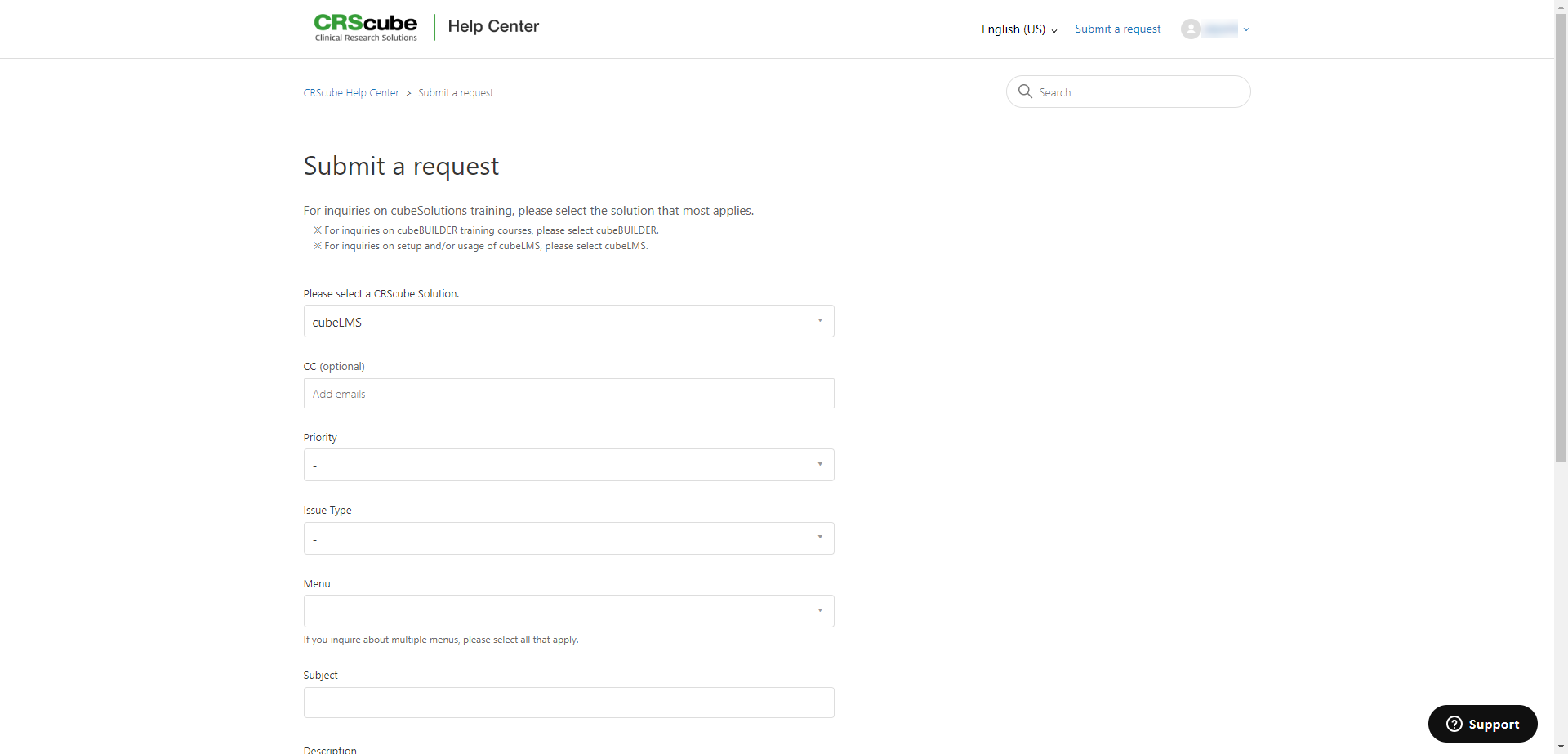
[HELP CENTER] Help Center will be changed so that you can easily submit inquiries when using it.
-
Before the change
-
Clicking the Help Center icon at the top right of HOME takes you to the Help Center main screen, where you must select a few more buttons to submit an inquiry.
-
-
After the change
-
Clicking the Help Center icon at the top right of HOME takes you directly to the Submit request screen with cubeLMS Solution already selected, where you can enter your inquiry immediately.
-
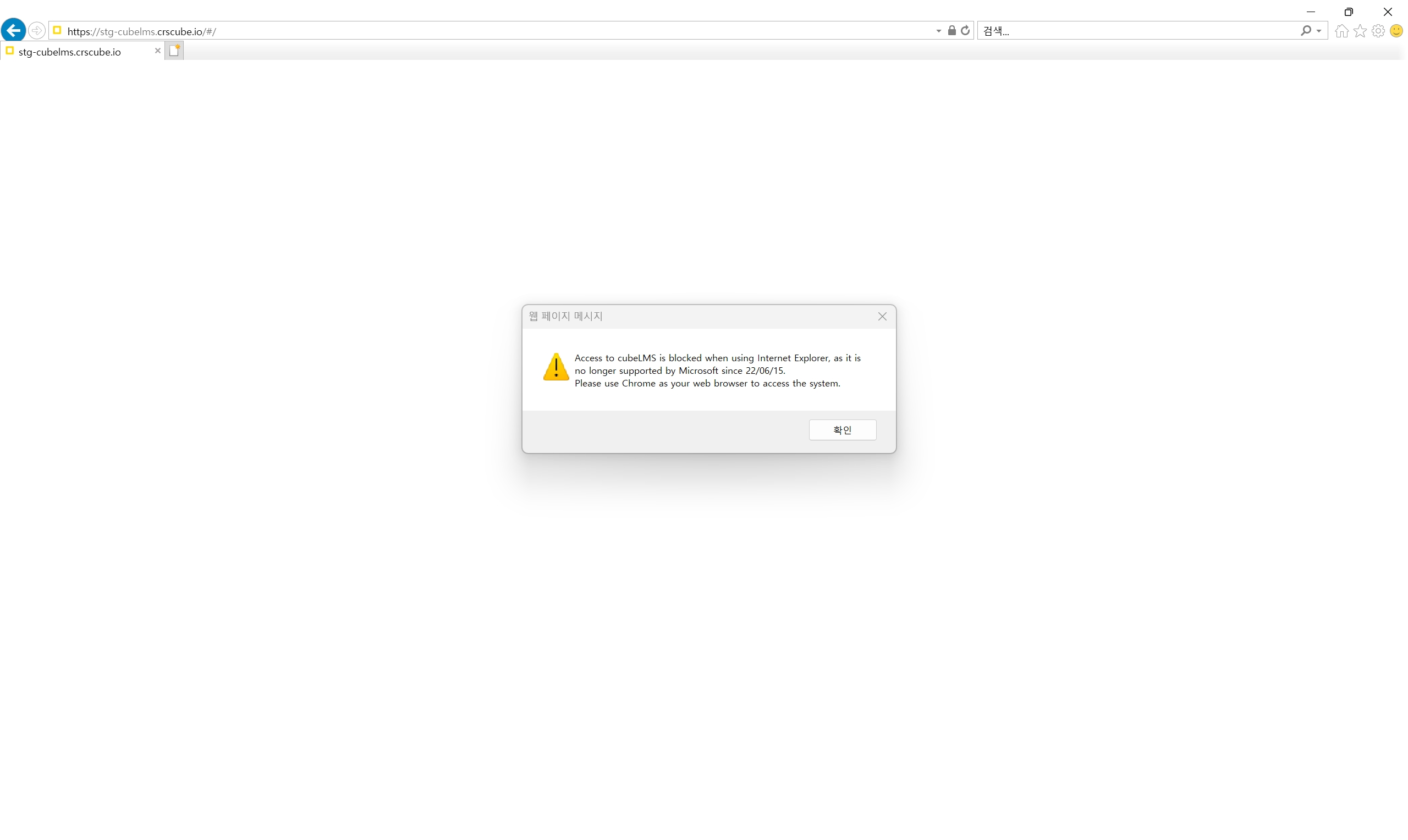
[GENERAL] If you access cubeLMS with the IE browser, which is not a recommended browser, a popup warning message is displayed along with a blank screen.
-
As MS's official support for Internet Explorer ended in June 2022, access to cubeLMS is no longer possible through the IE browser. When you attempt to access it, a warning pop-up appears informing you that access is unavailable, along with a blank white screen, as shown on the left.