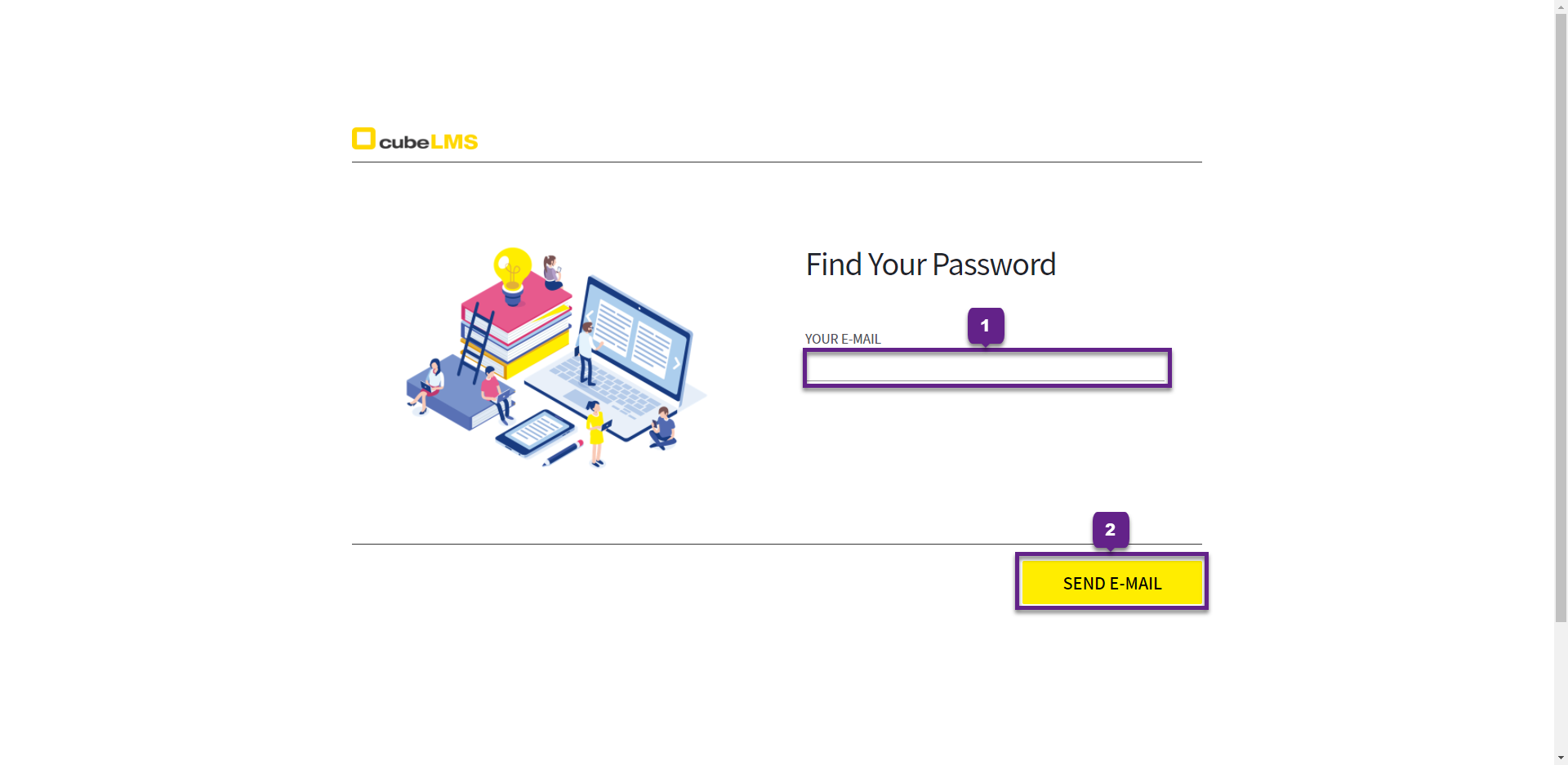
1. Your E-mail field, enter the email address for which you want to reset the password.
2. Send E-mail button, when you click it, an email containing a link to reset your password is sent to the email address.
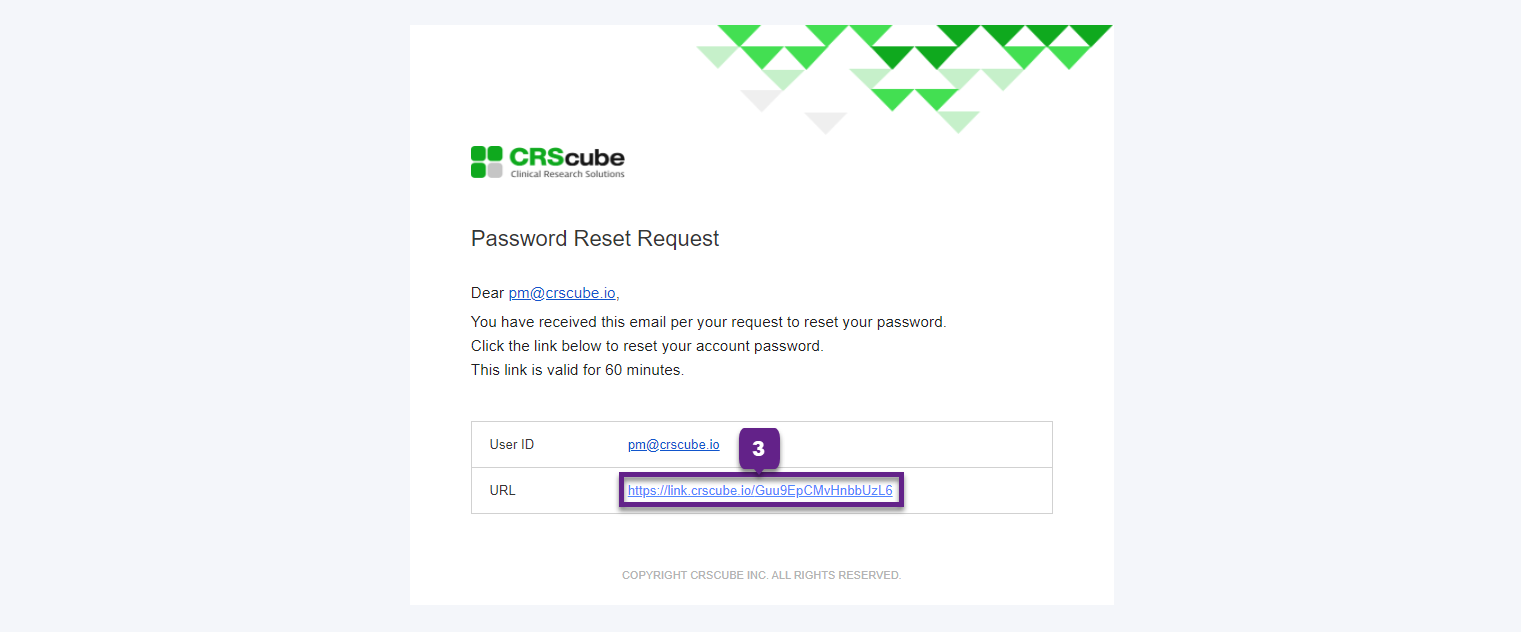
3. Click the link in the body of the email you received.
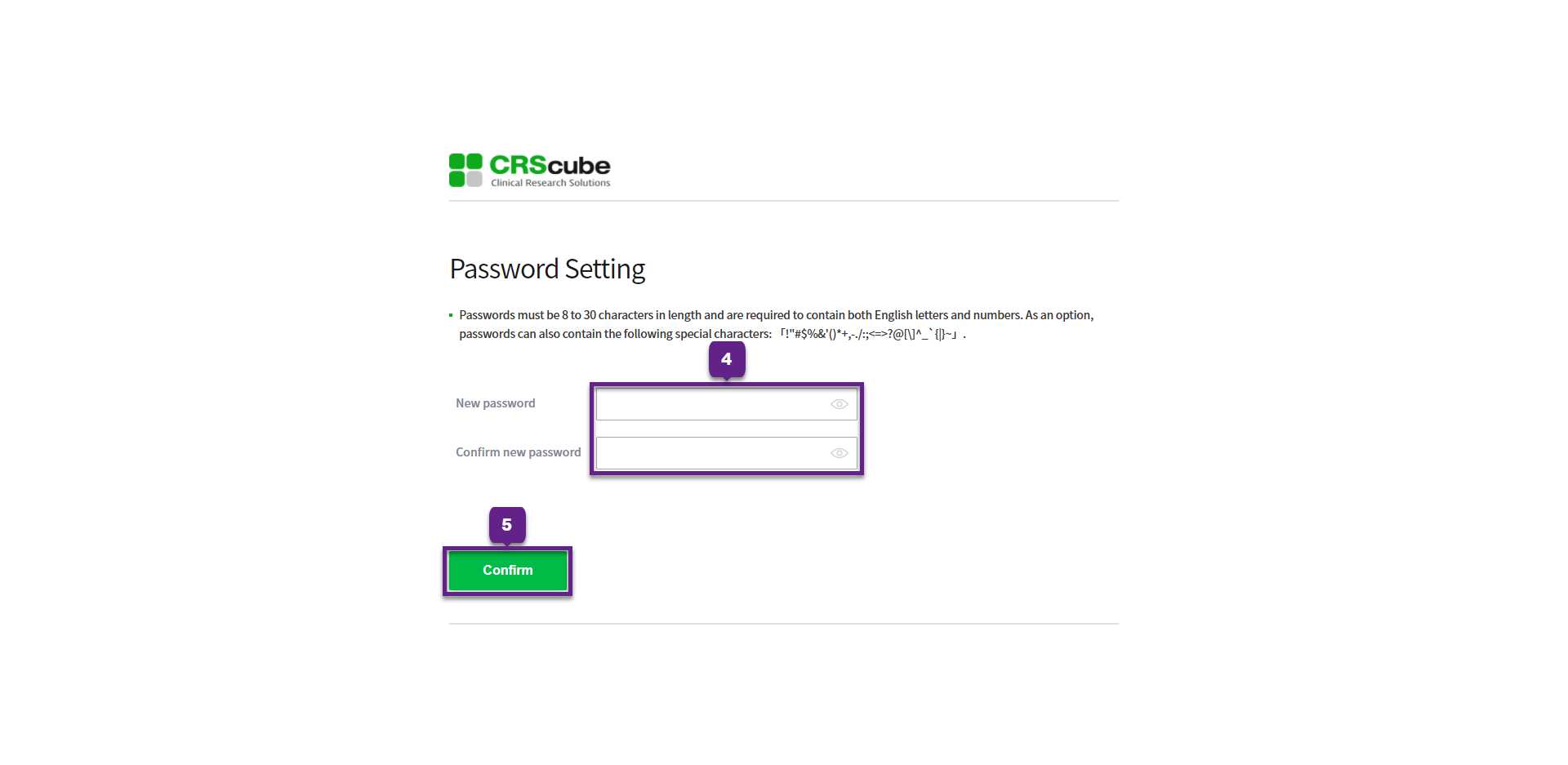
Enter the new password and confirm it.
5. Confirm button to complete password setup.
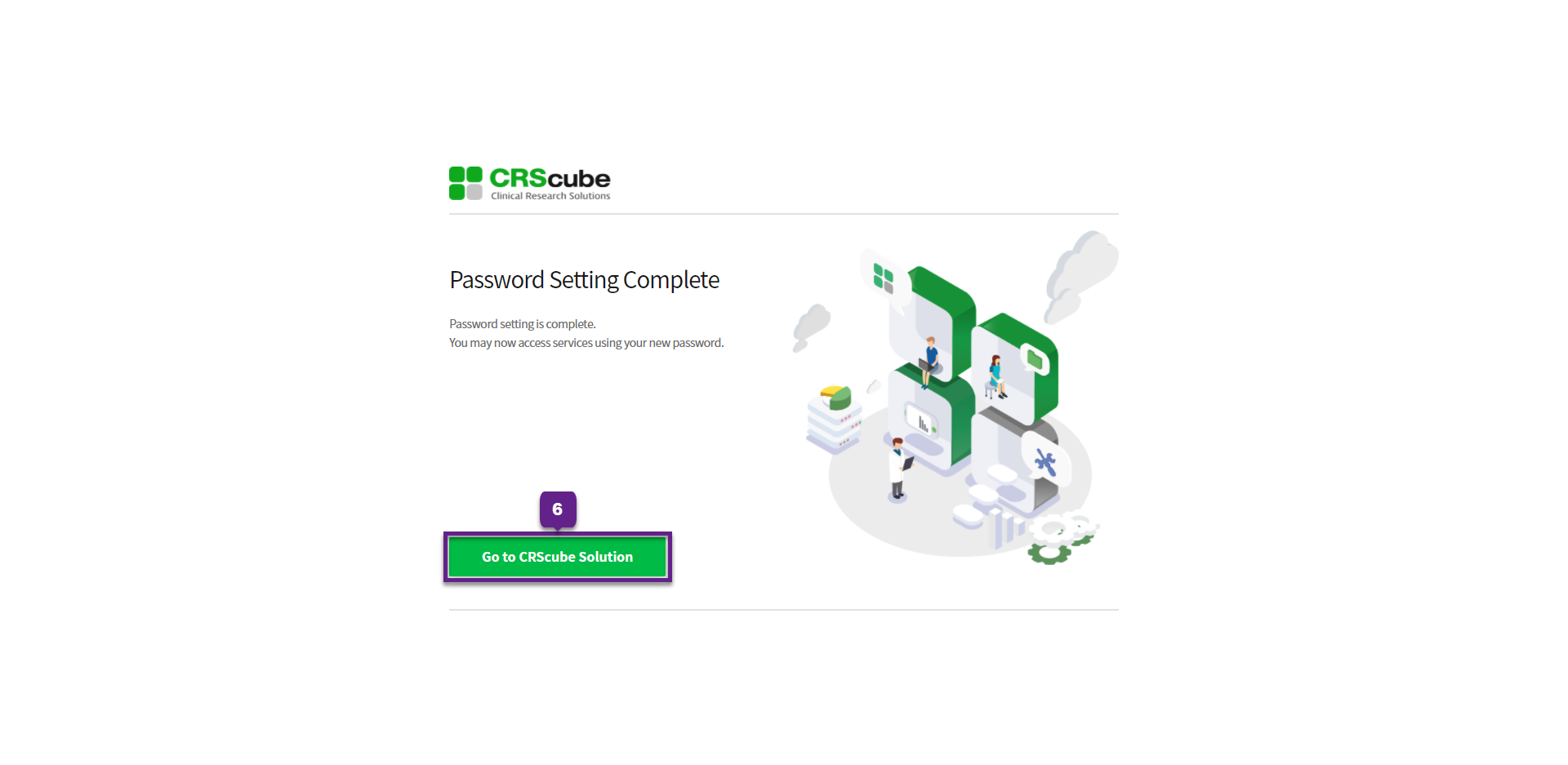
6. Go to CRScube Solution button. When you click it, you will be taken to the cubeLMS login page.