

Release Note
The regular migration on Monday, November 30 adds the Privacy Policy Consent feature and the ability to view Inactive User training status.
<You are redirected to the Privacy Policy Consent page upon login so that you can use the system only after agreeing to the privacy policy.>
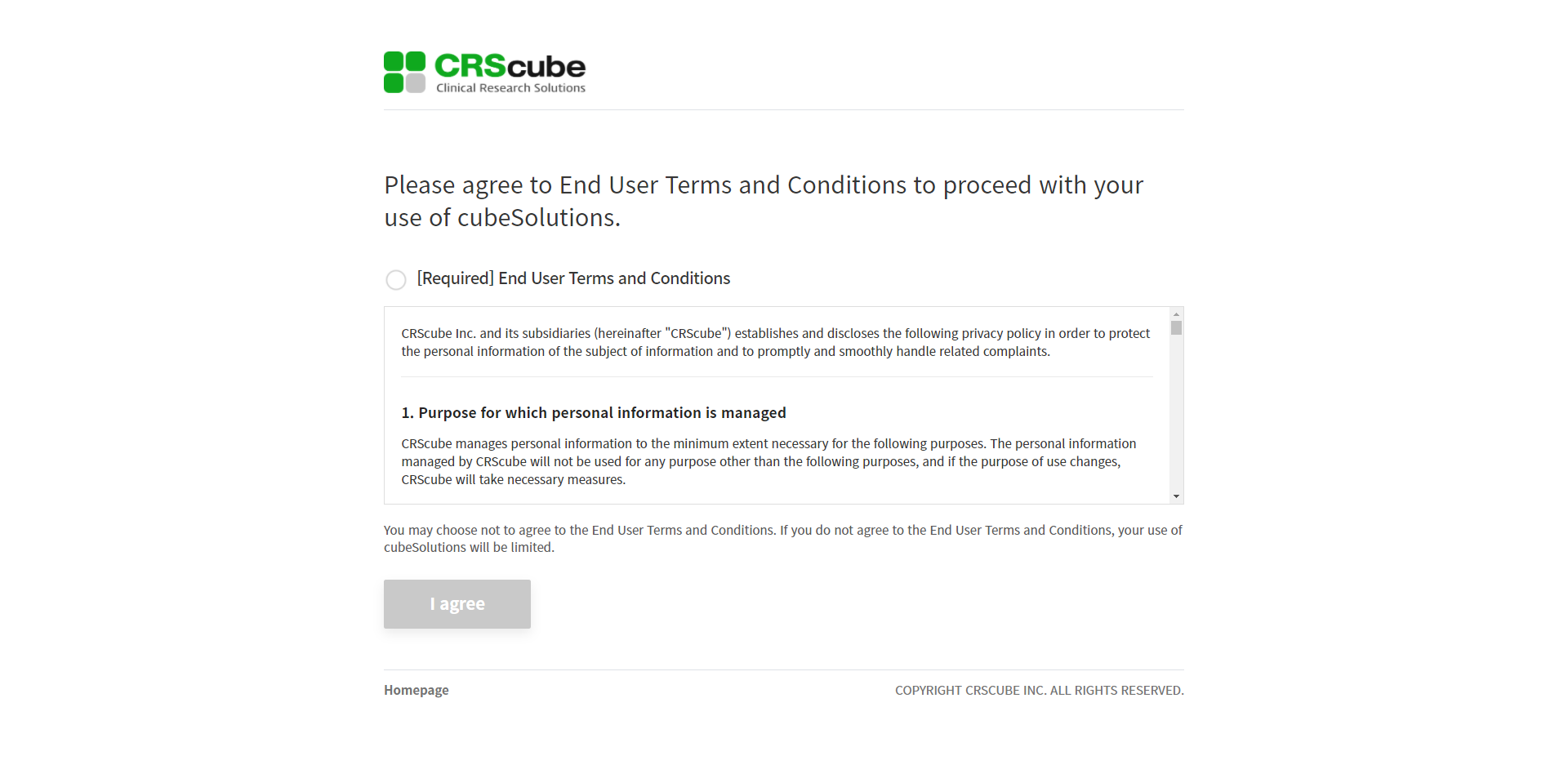
1. After the release, if you have not agreed to the Privacy Policy, you will be redirected to the Privacy Policy consent page at login.
2. Check [Required] End User Terms and Conditions, and then tap the I agree button at the bottom to complete your consent.
If you are redirected to the page and 60 minutes have passed, it will expire, so please note this.
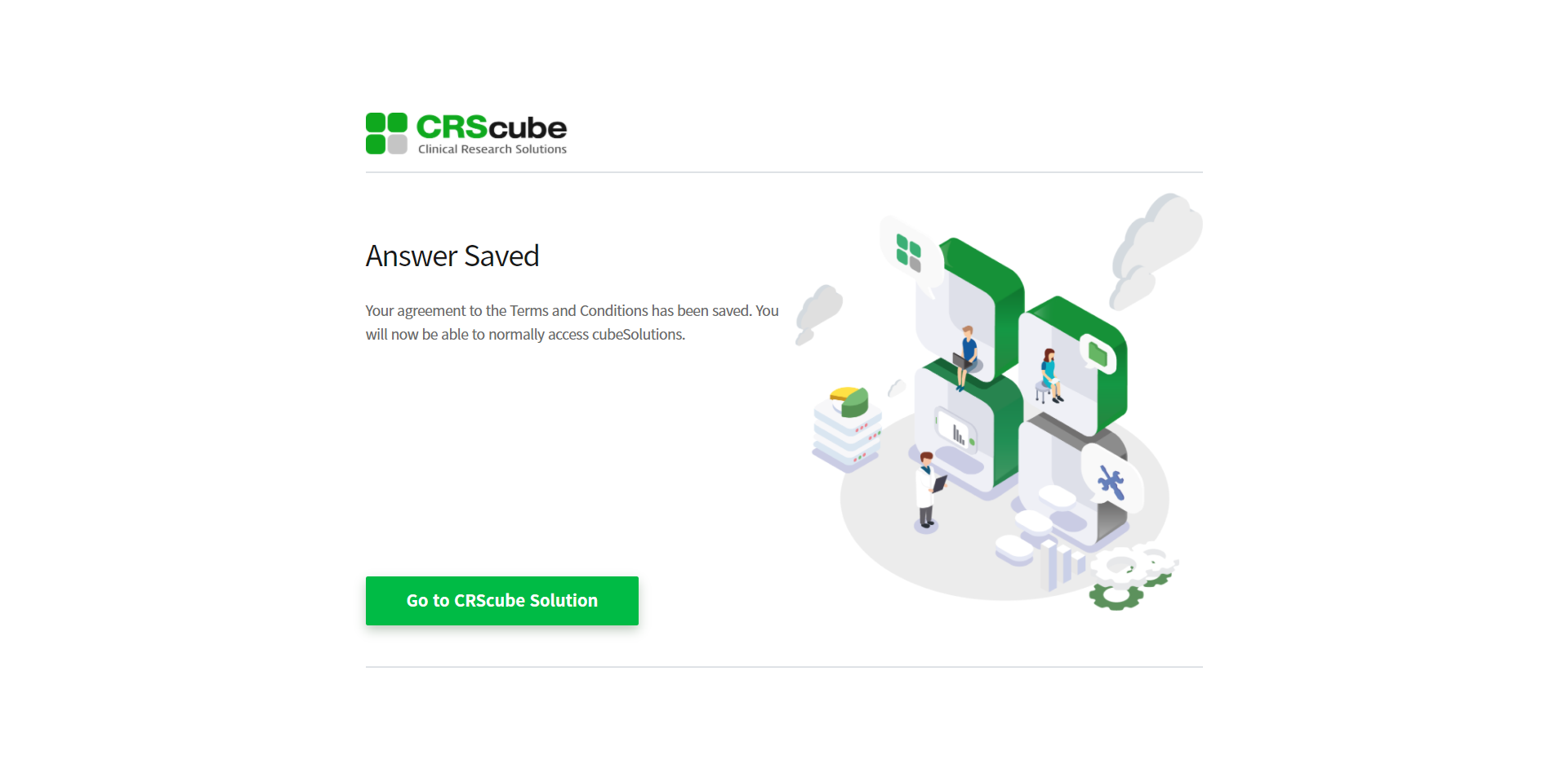
You are taken to the consent completion page, and when you click the Go to CRScube Solution button, you are taken to the cubeLMS login screen.
You can then log in normally and use the system.
<You will be able to view the Training assigned to Inactive Trainee in Learning Progress - User.>
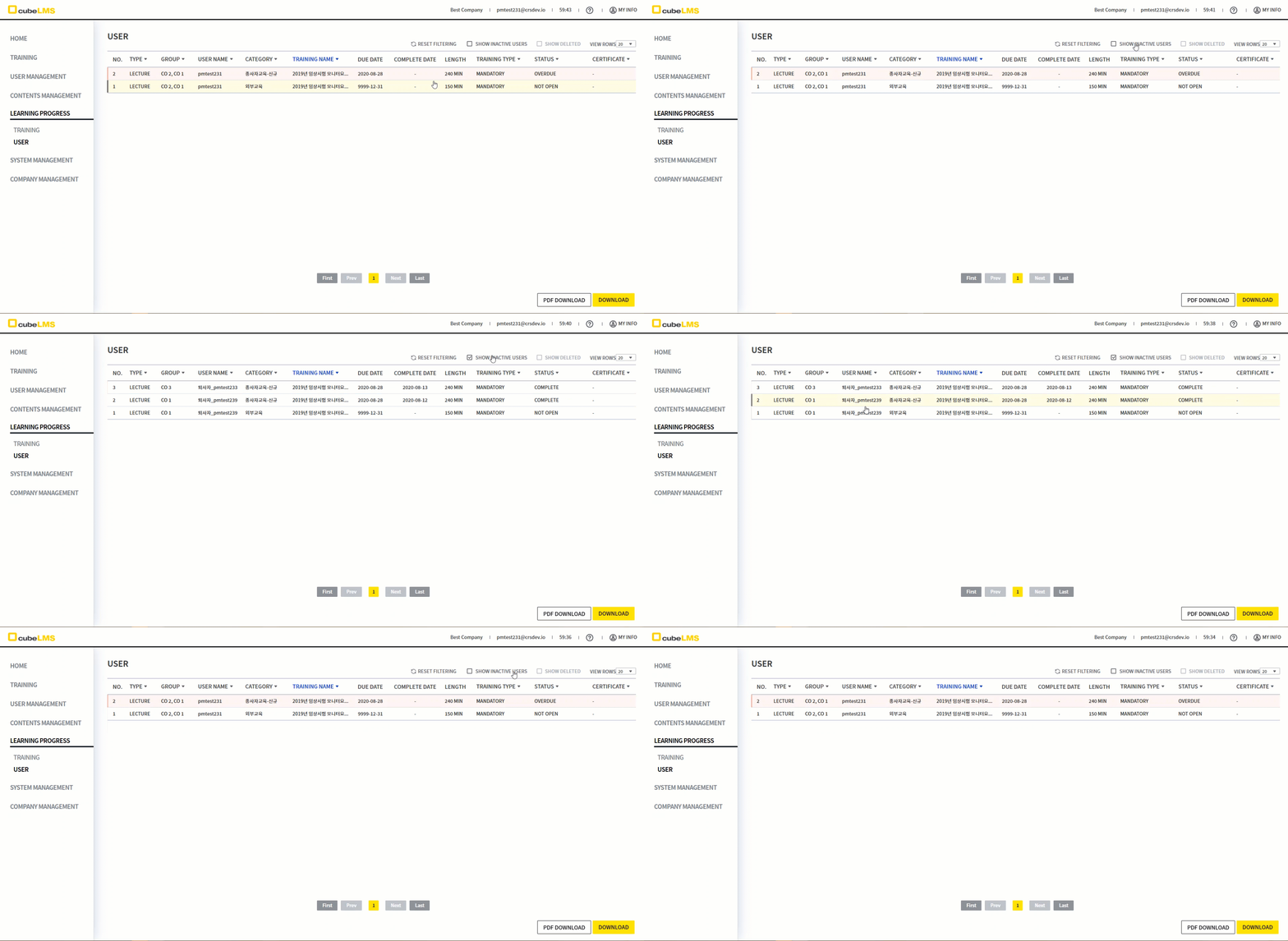
1. Learning Progress - User page could only retrieve data for Users in Active status, so the training status of Inactive Users could not be checked.
It has been improved so that you can view Training assigned to Inactive Users by clicking a separate icon.
2. You can click the SHOW INACTIVE USERS icon displayed at the upper right to view Training assigned to Inactive Trainees.
3. Filtering, View rows, and Download work the same as in the existing Learning Progress - User.
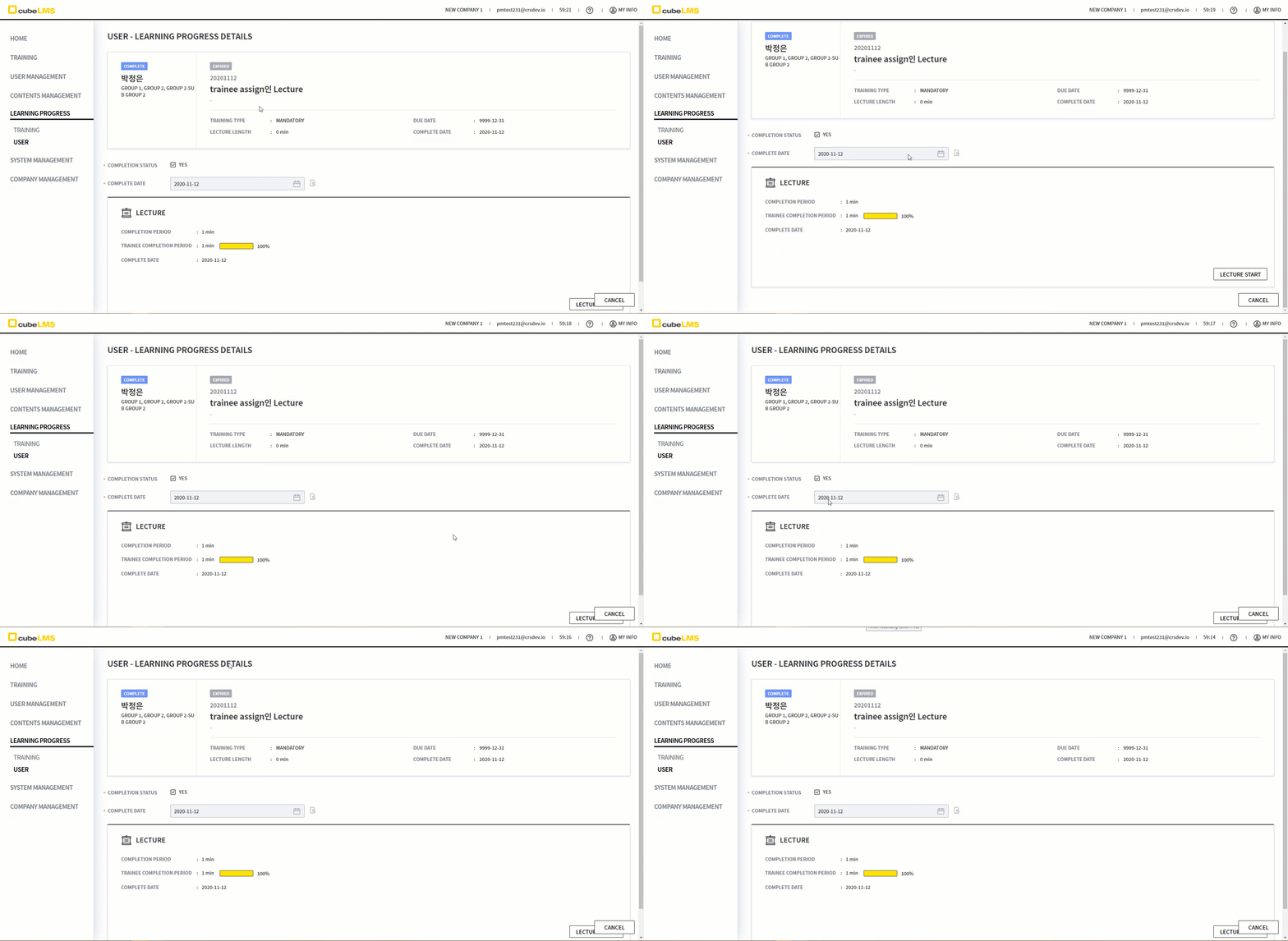
4. Although Content Manager and Admin could edit the Trainee's Lecture Details, editing is not available when the User is Inactive.
-
For Lectures in the previous training category, the EDIT button is not displayed.
-
For Lectures under Trainee Assign, the SAVE button is not displayed, and the Complete Date calendar is disabled.