

Release Note
Some content in cubeLMS will change due to the regular migration on Wednesday, April 28.
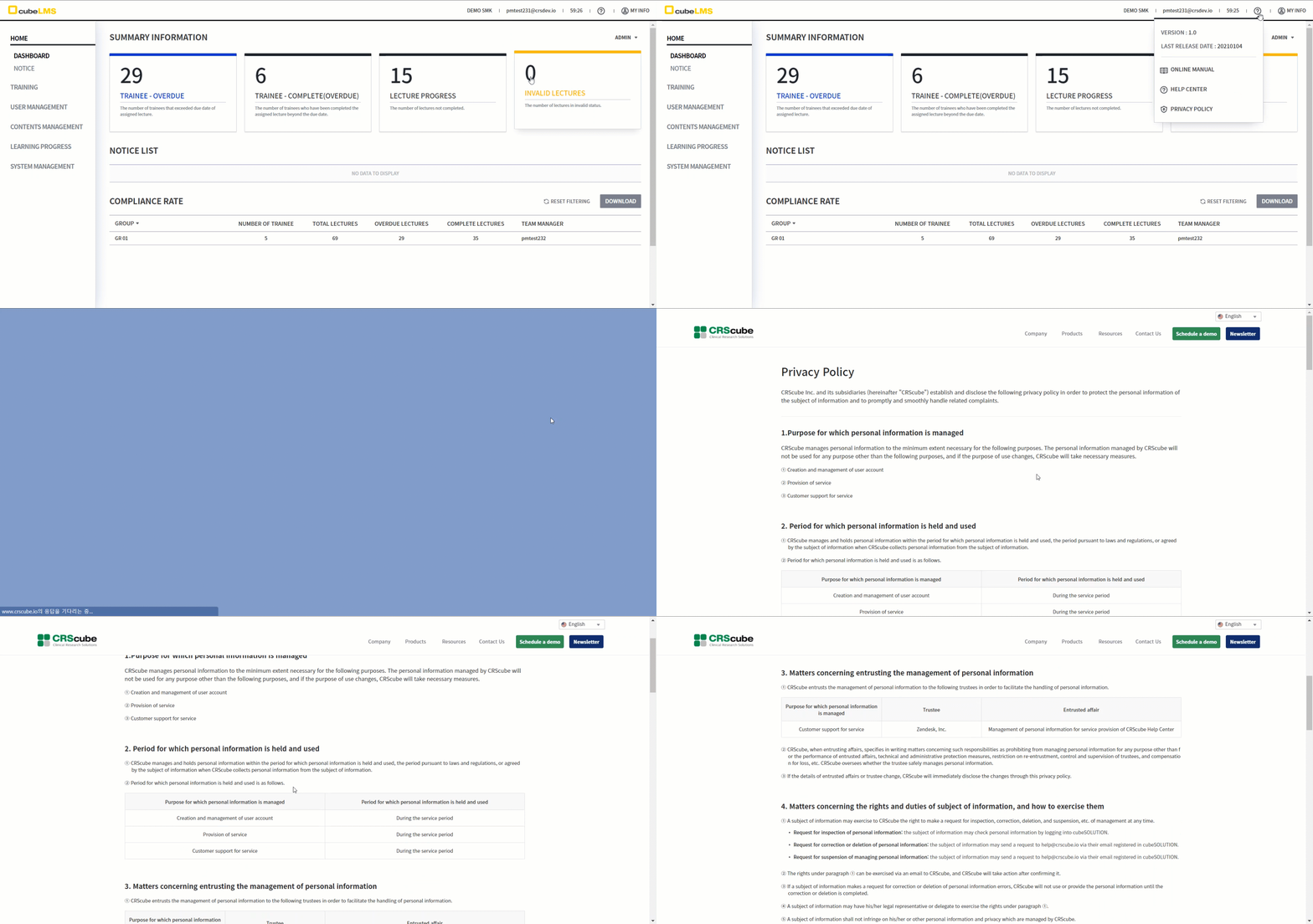
<The Privacy Policy menu is added so that you can view the Privacy Policy.>
-
-
Clicking it takes you to the CRScube Solution Privacy Policy page.
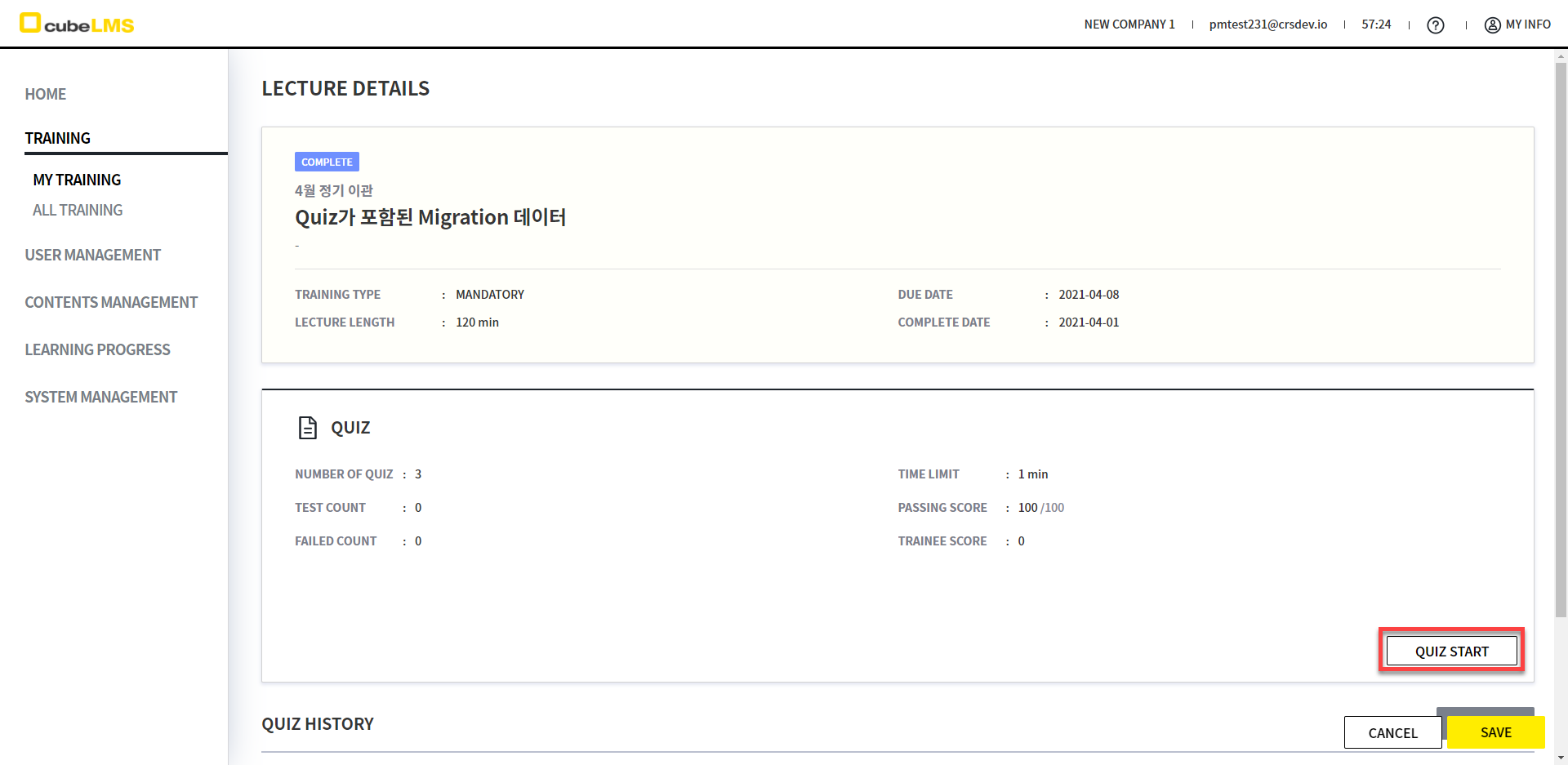
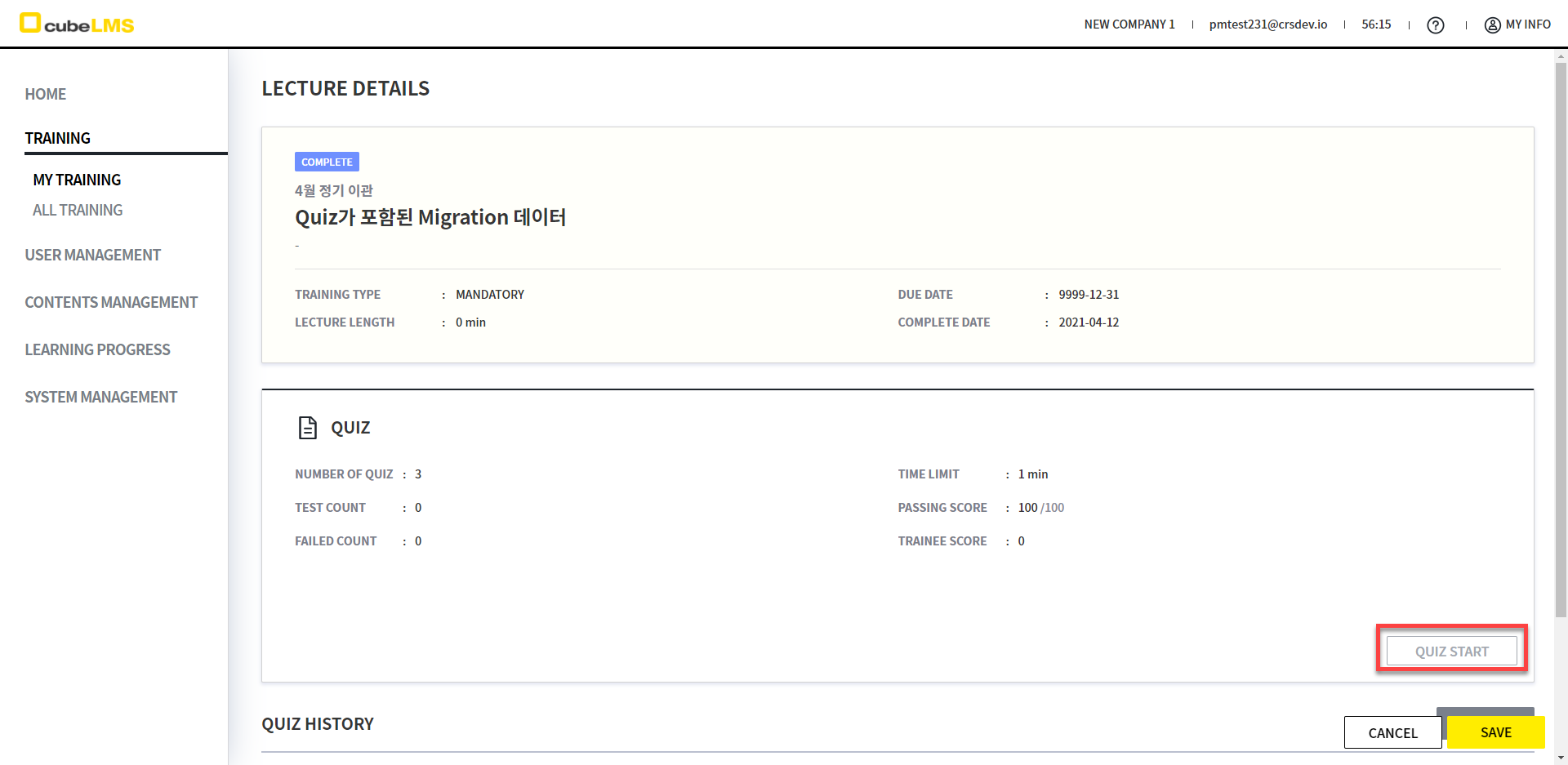
<The Quiz for a completed Lecture is disabled so it cannot be taken.>
-
Previously, even if a Lecture was completed and there was no Quiz Pass history, the Quiz Start button was enabled, but with this release it will be disabled, so you will not be able to take the Quiz.
Quiz가 포함된 Lecture이나, 완료된 상태로 Migration된 데이터가 해당됩니다.
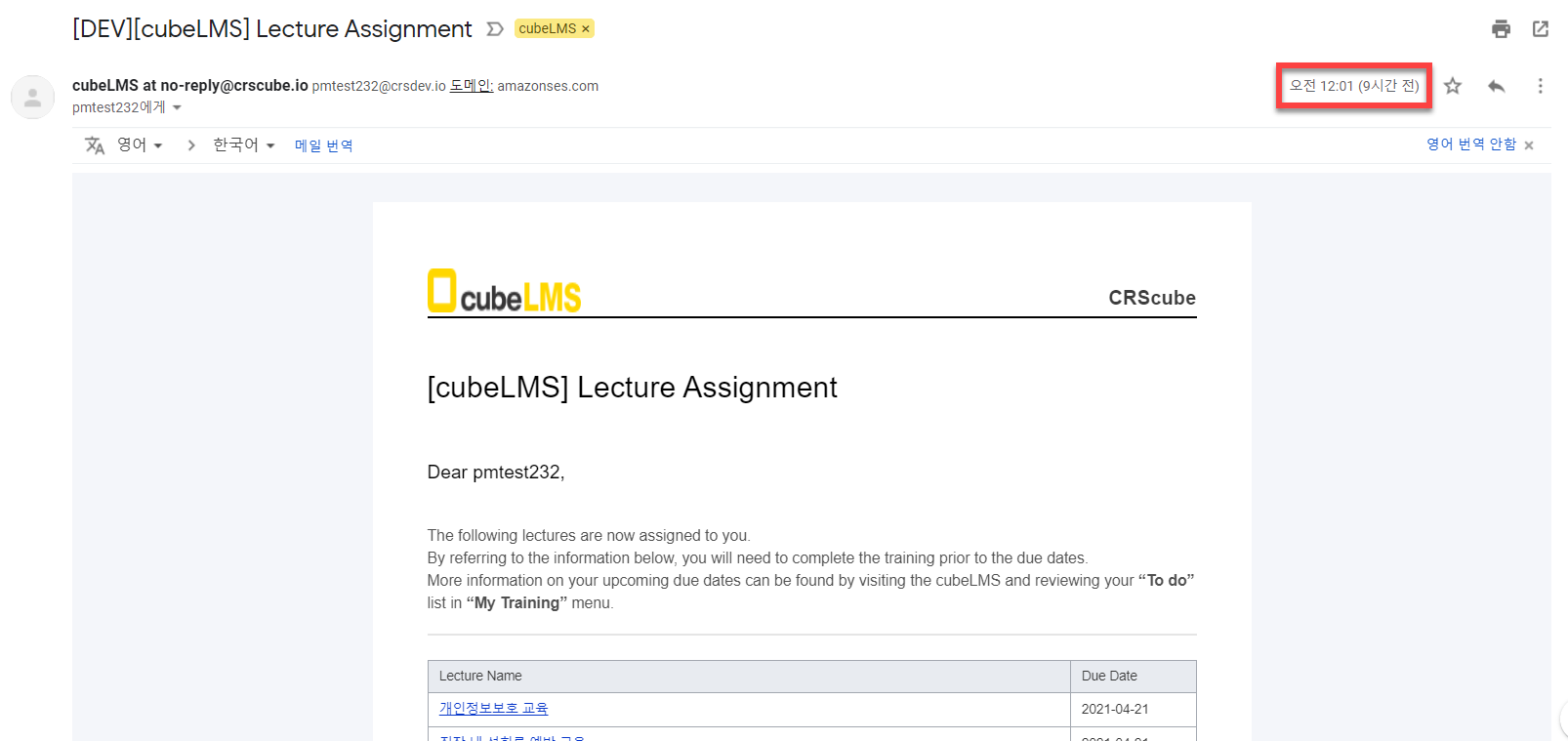
<The sending time for Lecture Assignment emails sent when a reservation is created will be changed.>
-
Previously, when a Lecture was scheduled, the Lecture Assignment email that was sent at 00:30 on the Start Date will now be sent at 00:01 on the Start Date.
<Prevent completing Lecture, Course, and Quiz in two or more tabs.>
If you attempt to complete/submit Lecture, Quiz, Content, or Course in duplicate from two or more browsers, the data will not be affected.
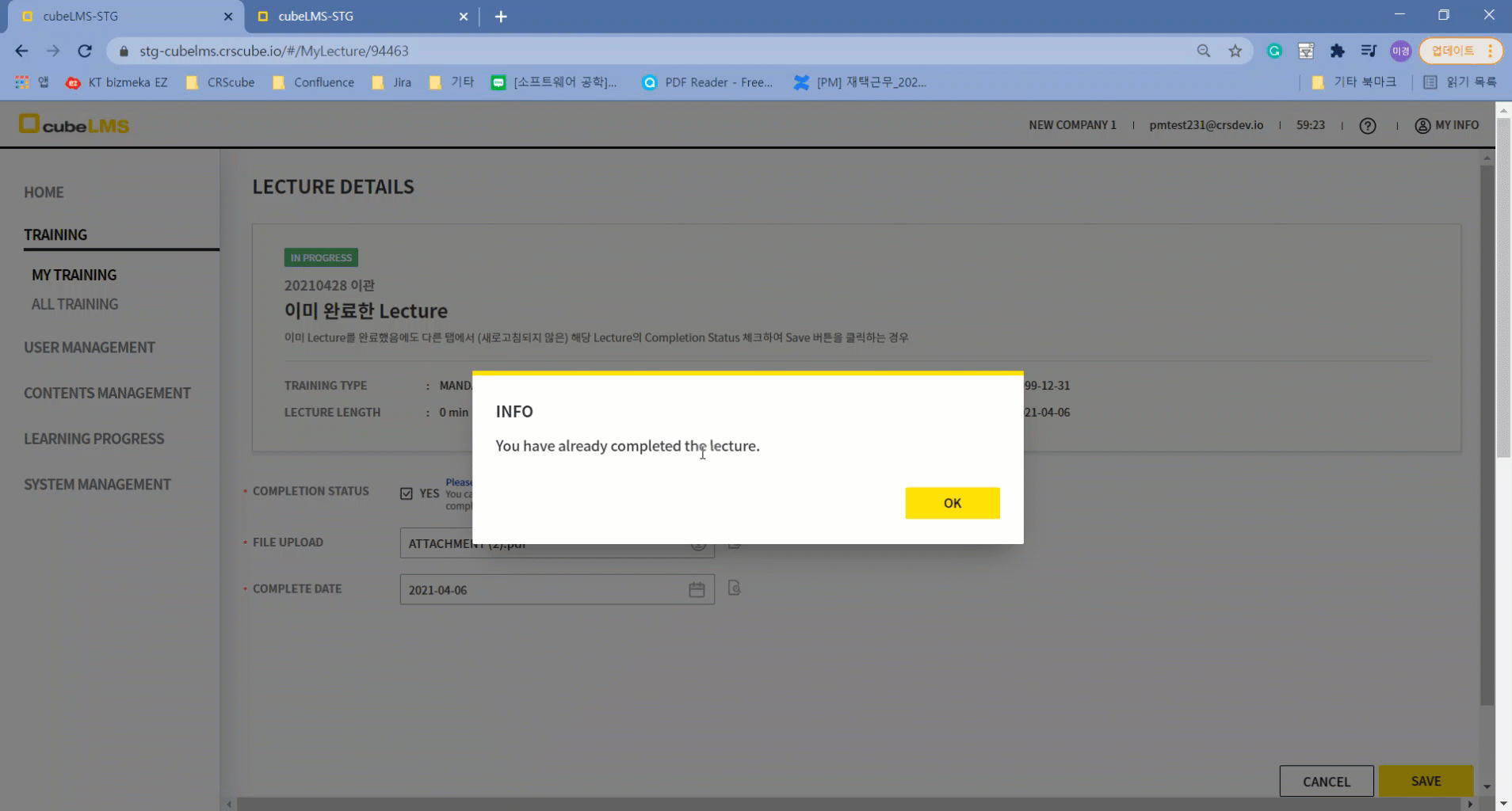
1) If you try to complete an already completed Lecture
-
It is a Lecture that is completed by checking Completion Status, and it is open on the Details page in two or more browsers.
-
In the first browser, check the Lecture's Completion Status and click the Save button to complete the Lecture,
the remaining browsers, if you likewise check the Lecture's Completion Status to complete the Lecture, a message appears saying that the Lecture has already been completed, and saving is not possible.
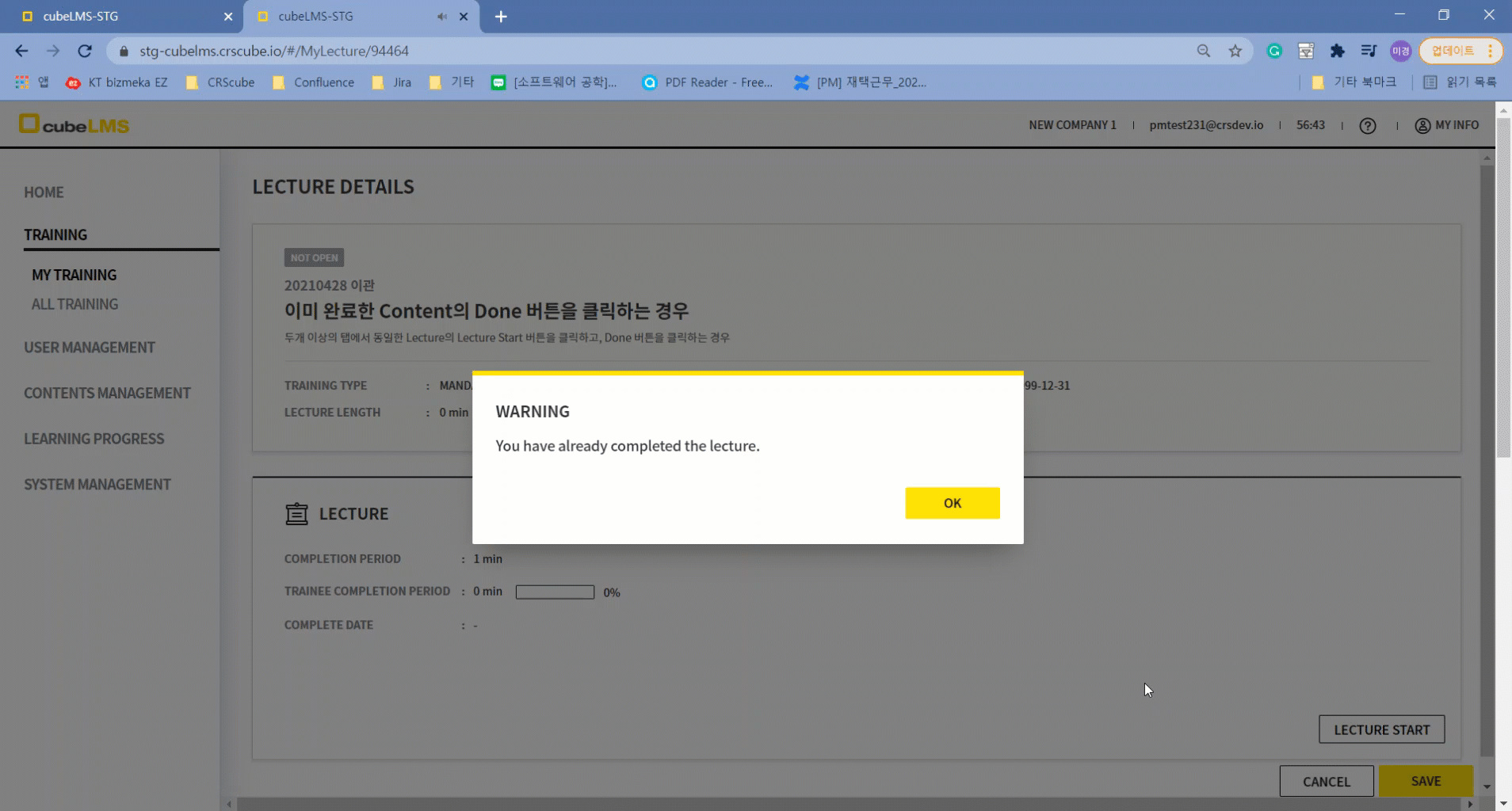
2) If you try to complete the Content of a Lecture whose Content has already been completed
-
It is a Lecture with Content (Video, PDF, Link, Audio), and the Content of the Lecture is open in two or more browsers.
-
In the first browser, click the Done button in the Content popup to complete the Content,
if you then click the Done button in the Content popup in the remaining browsers to complete the Content, a message appears stating that the Content has already been completed, and Done cannot be performed.
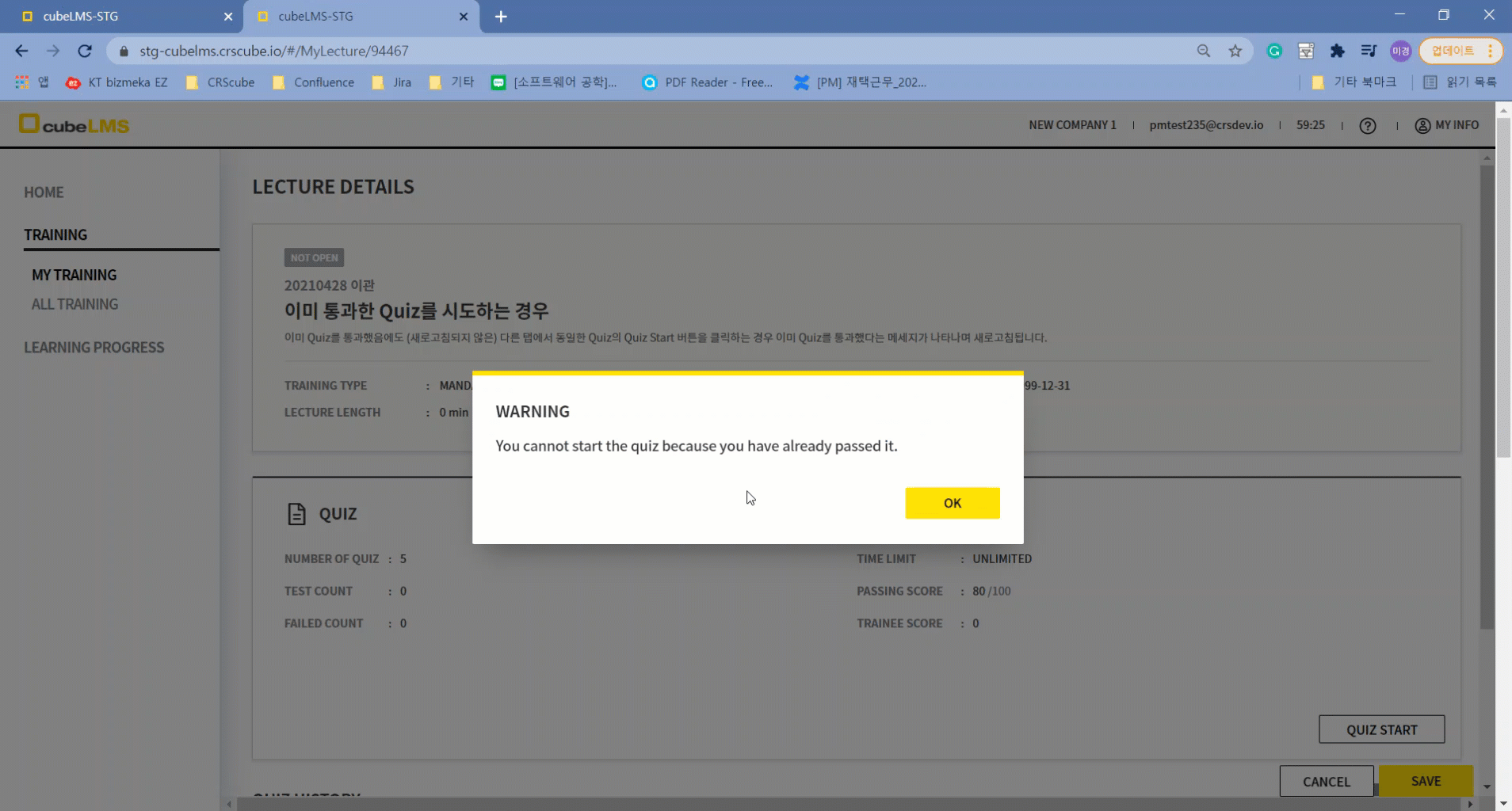
3) If you try to take a Quiz that has already been passed
-
This is a Lecture with a Quiz, and it is open on the Details page in two or more browsers.
-
In the first browser, click the Submit button for the Quiz to submit it in Pass status,
If you then click the Quiz Start button in the other browser to take the Quiz, a message appears stating that the Quiz has already been passed, and you cannot submit the Quiz.
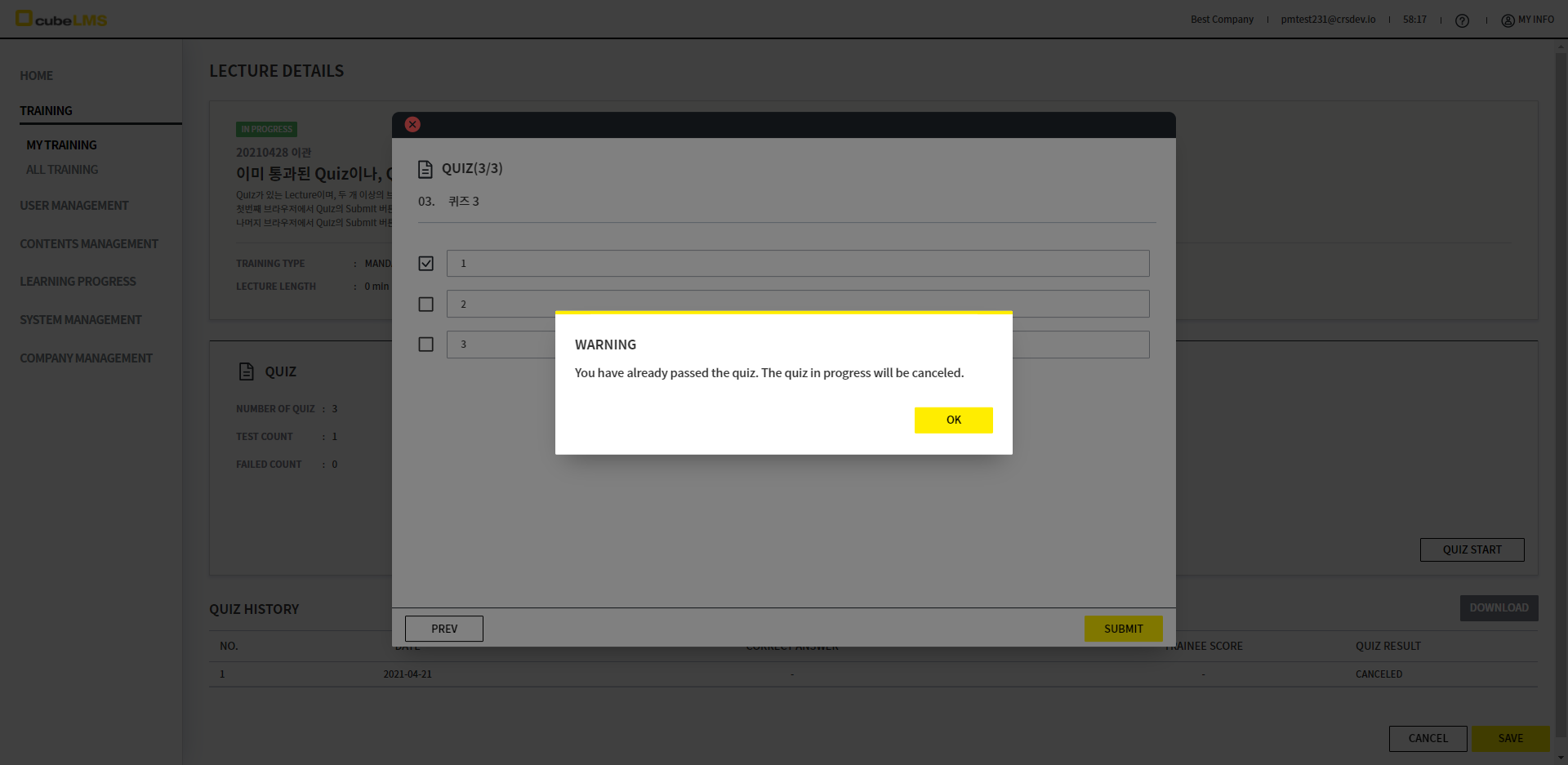
4) If you try to submit a Quiz that has already been passed
-
This is a Lecture with a Quiz, and the Quiz progress pop-up for the Lecture is open in two or more browsers.
-
In the first browser, click the Submit button in the Quiz to submit the Quiz as Pass,
and in the remaining browsers, if you click the Submit button in the Quiz to submit the Quiz, a message appears stating that the Quiz has already been passed and cannot be submitted, and submission is not possible.통과한 Quiz 이후에 진행한 Quiz는 제출이 불가능하여, Quiz History에 기록이 남지 않습니다.
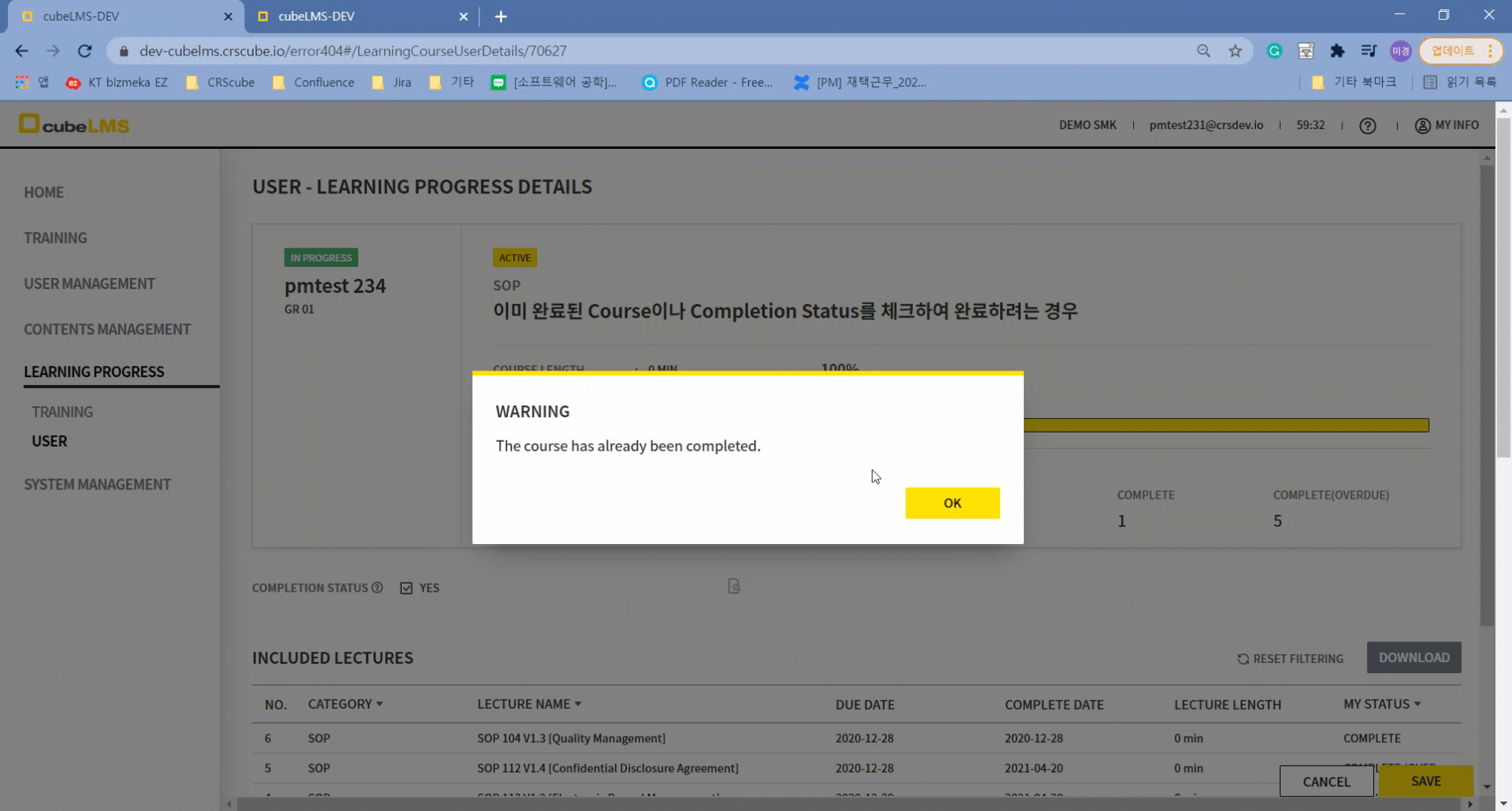
5) If you try to complete an already completed Course by checking Completion Status
-
This is a Course that is completed by checking Completion Status, and the Course's Details are open in two or more browsers.
-
In the first browser, the Content Manager checks the Course's Completion Status and clicks Save to finally complete the Course,
in the remaining browsers, when they similarly check the Course's Completion Status and try to complete the Course, a message appears saying the Course has already been completed, and it cannot be saved.
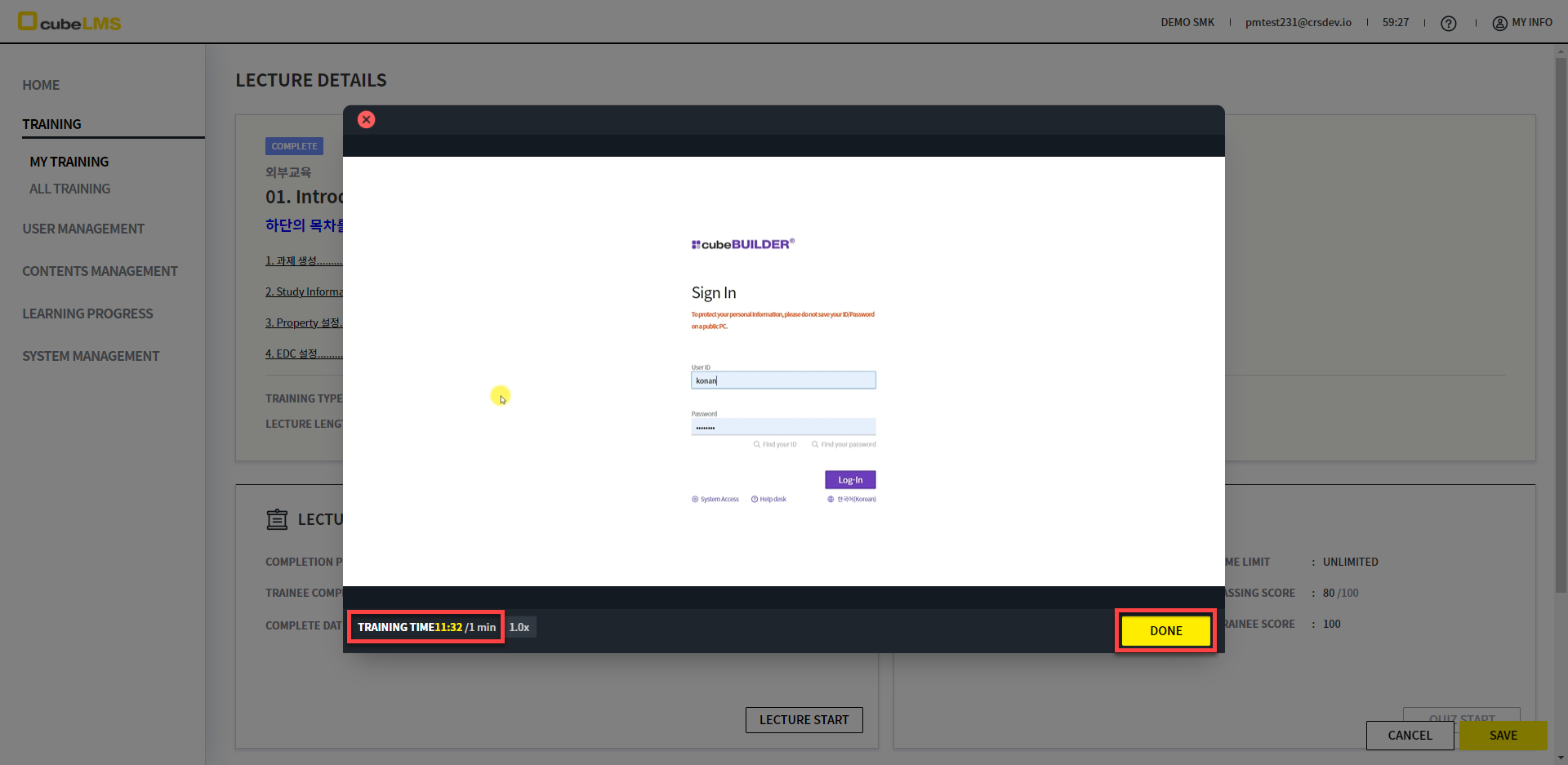
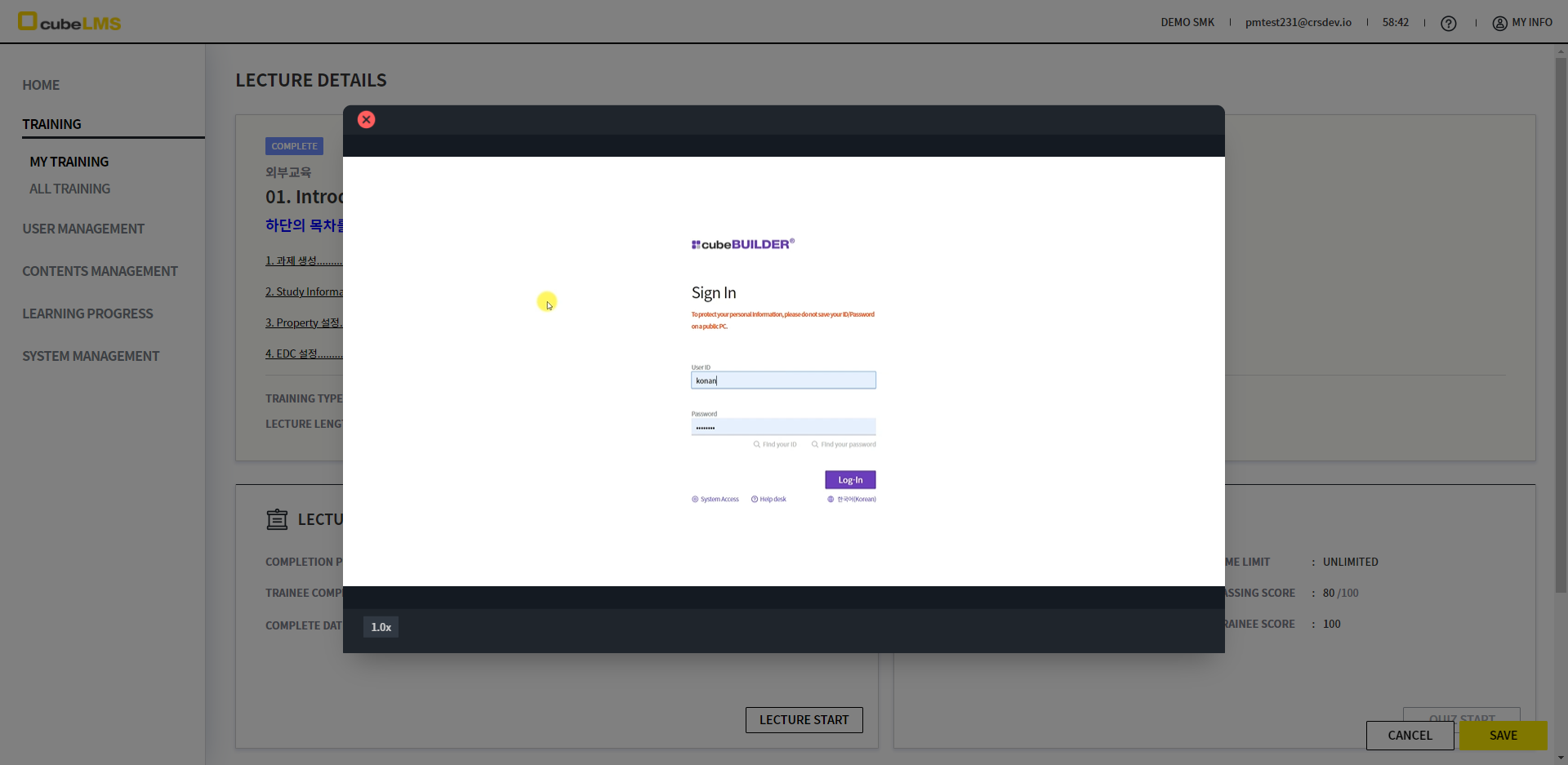
<When Content is completed, Training Time and Done buttonare no longer displayed.>
-
Content's Training Time is accumulated and recorded until you click the Done button, and it no longer increases after you click Done.
-
When you complete the Content, there is no need to keep accumulating Training Time, and the Done button is no longer needed and disappears.
-
For Video, only the playback speed control button is displayed at the bottom of the popup.