

Release Note
Quiz-related features and the design of the Details page will be improved as part of the regular migration on Wednesday, August 19.
<You can set a time limit for Quiz.>
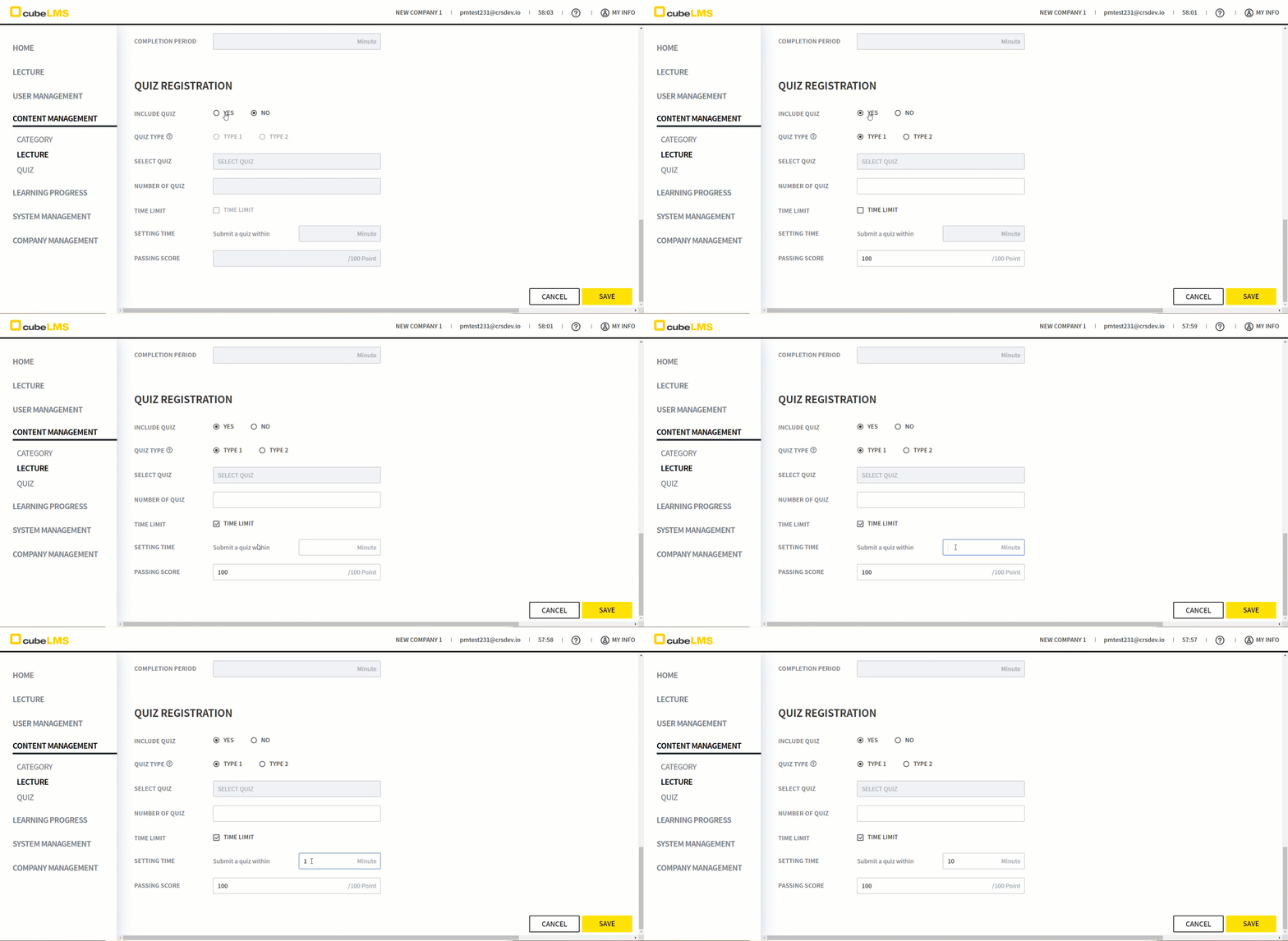
1. On the LECTURE REGISTRAION & INFORMATION page, the TIME LIMIT field lets you set the QUIZ time limit.
2. Checking TIME LIMIT activates the SETTING TIME field, where you can set a time limit of at least 1 minute.
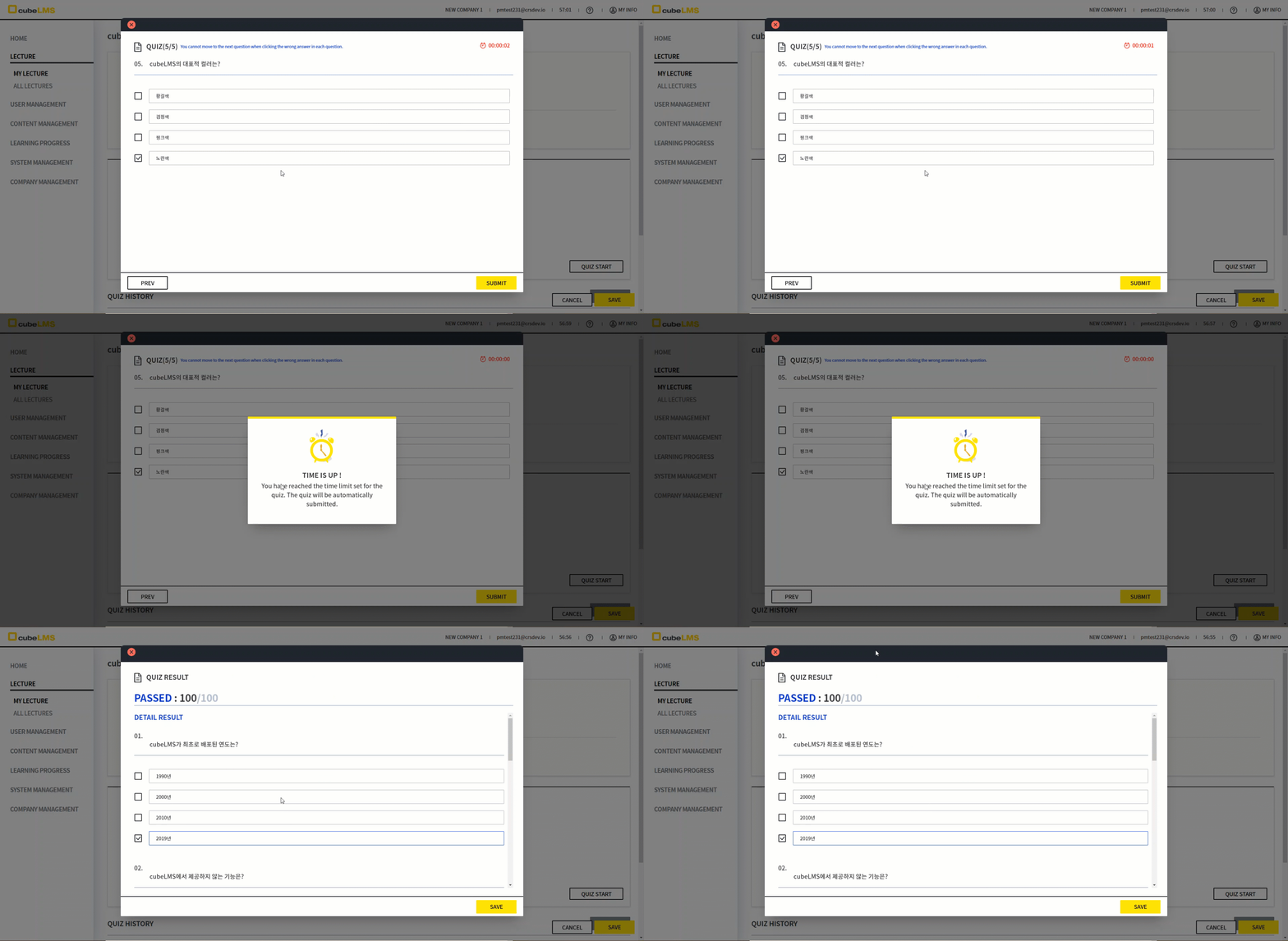
3. For a QUIZ with a TIME LIMIT, the remaining allotted time is displayed at the top right of the QUIZ progress window.
4. If the set TIME LIMIT has fully elapsed the QUIZ is automatically submittedand grading is completed for the QUESTIONs that were attempted.
<N/A Status is added when Quiz is interrupted midway.>
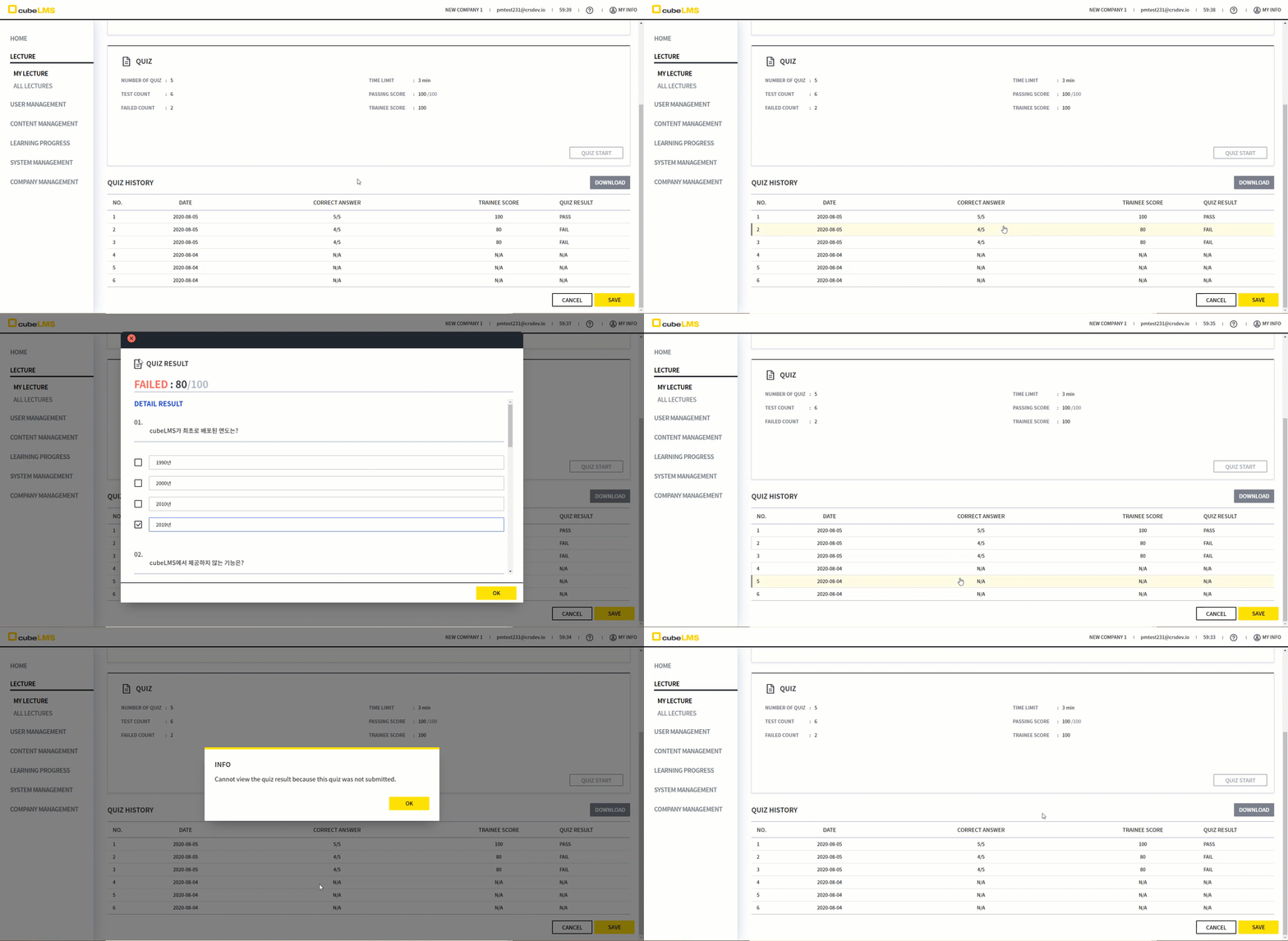
1. In addition to the existing PASS and FAIL, a new QUIZ STATUS "N/A" has been added.
2. If the QUIZ is closed before completion as follows, Result is recorded as "N/A", and you cannot view the result for that QUIZ.
-
If the Quiz window closes due to a page refresh
-
If the system forcibly closes the Quiz window
-
If you click the X button at the top to close the Quiz window
3. Even if you click a Quiz marked as "N/A" in Quiz History, you cannot view Quiz Details.
<Messages related to Quiz progress are added.>
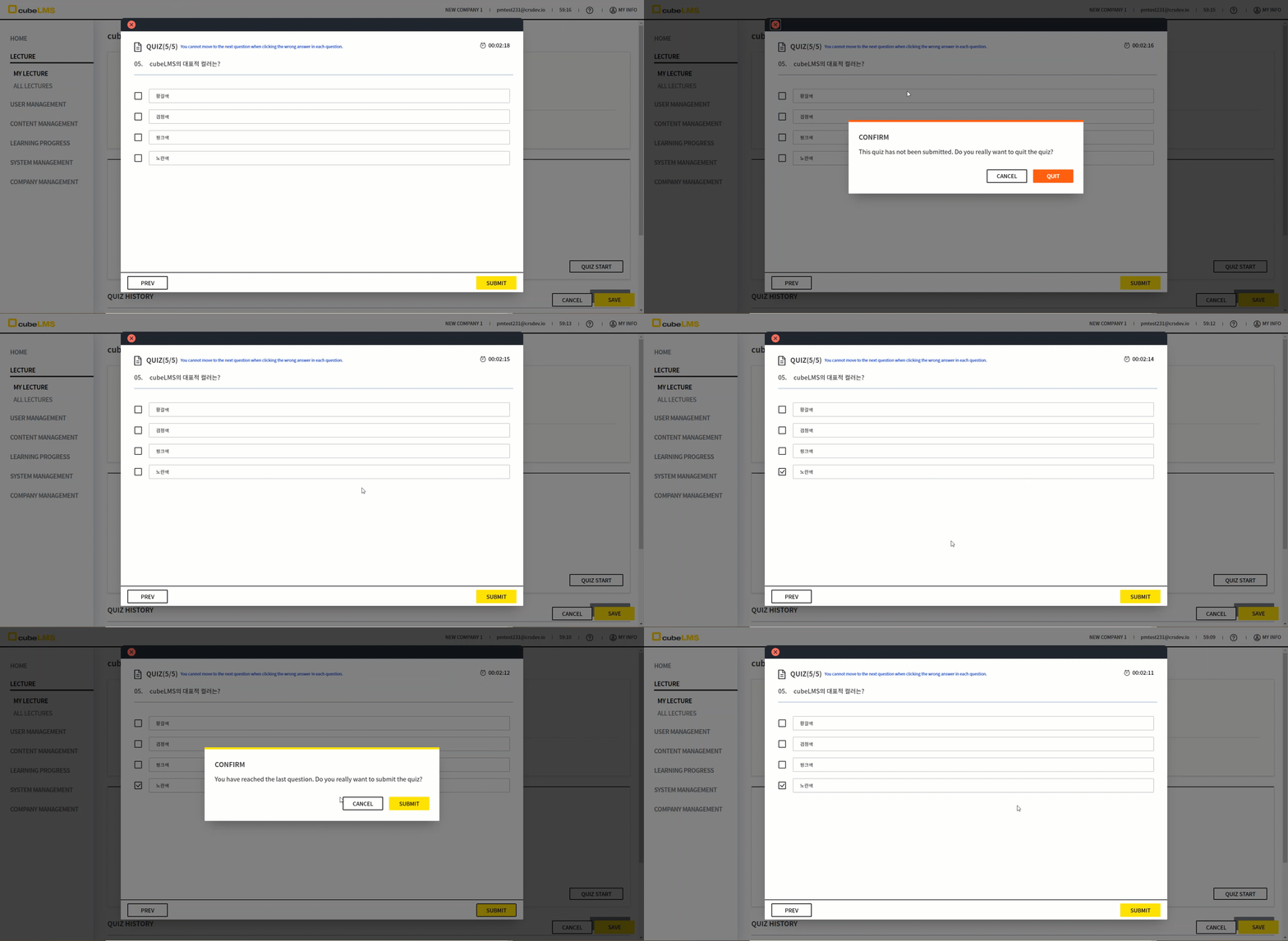
Messages have been added to help Trainee progress through Quiz.
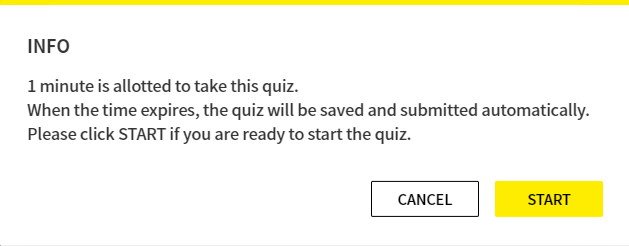
-
If Quiz has a time limit and you click the Quiz Start button
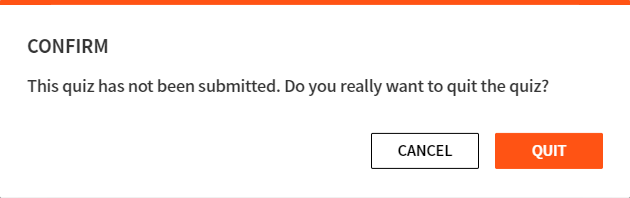
-
If you try to exit midway without submitting Quiz
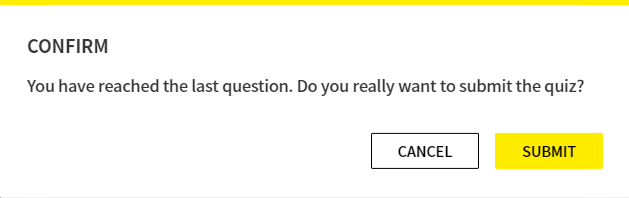
-
If you click the Submit button on the last Question
<The value of Quiz Result changes.>
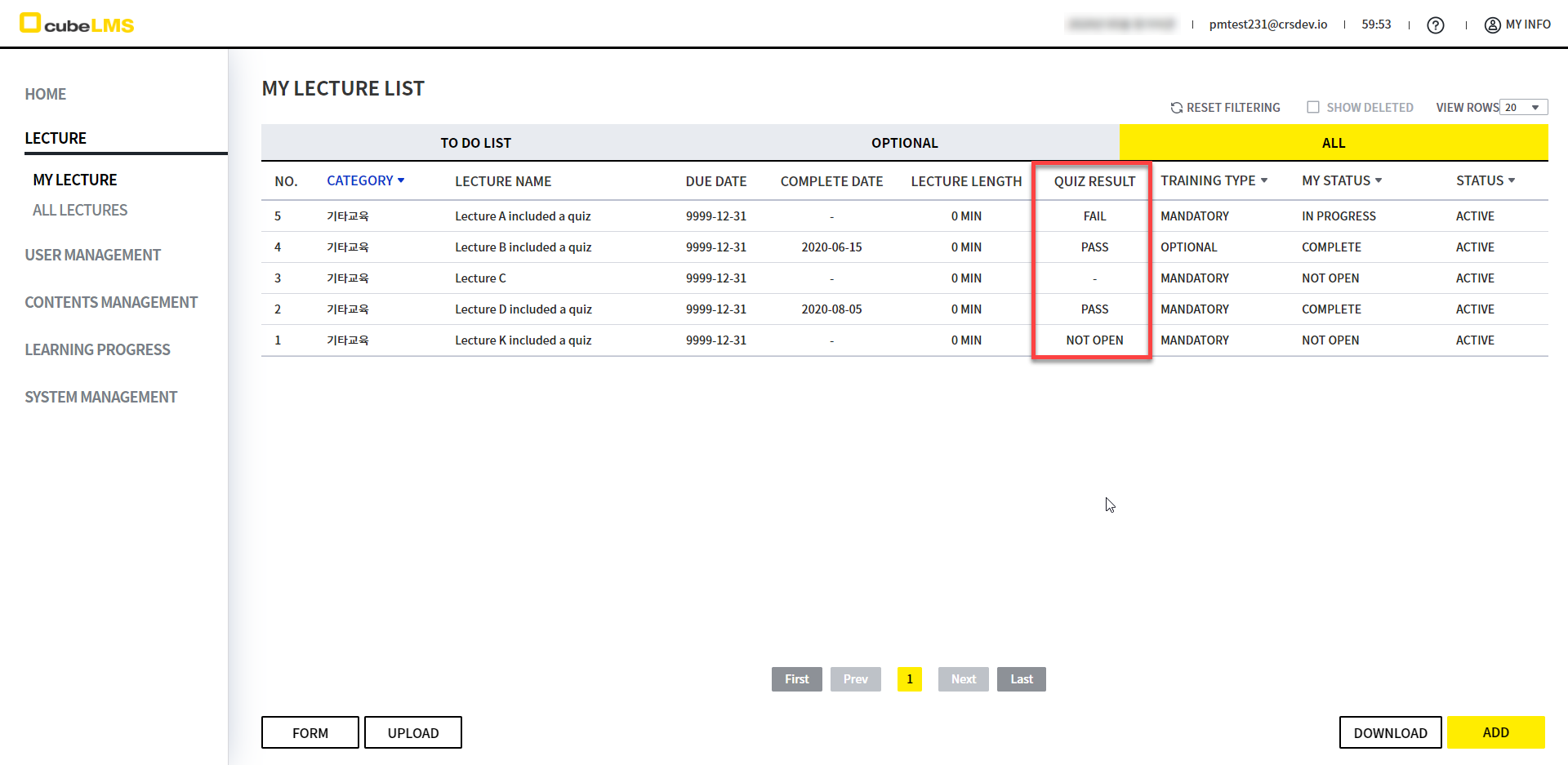
1. Because it is difficult to tell at a glance what the Quiz Result value is in the My Lecture - All tab, the Quiz Result value of the last attempted Quiz is displayed.
2. PASS, FAIL, N/A may be displayed, and Lectures that do not include Quiz are displayed as Hyphen(-).
3. If a Lecture includes Quiz but Quiz has not been attempted, "NOT OPEN" is displayed.
<The design of the Lecture Details page has been improved>
<Before Change>
<After Change>
<Description>
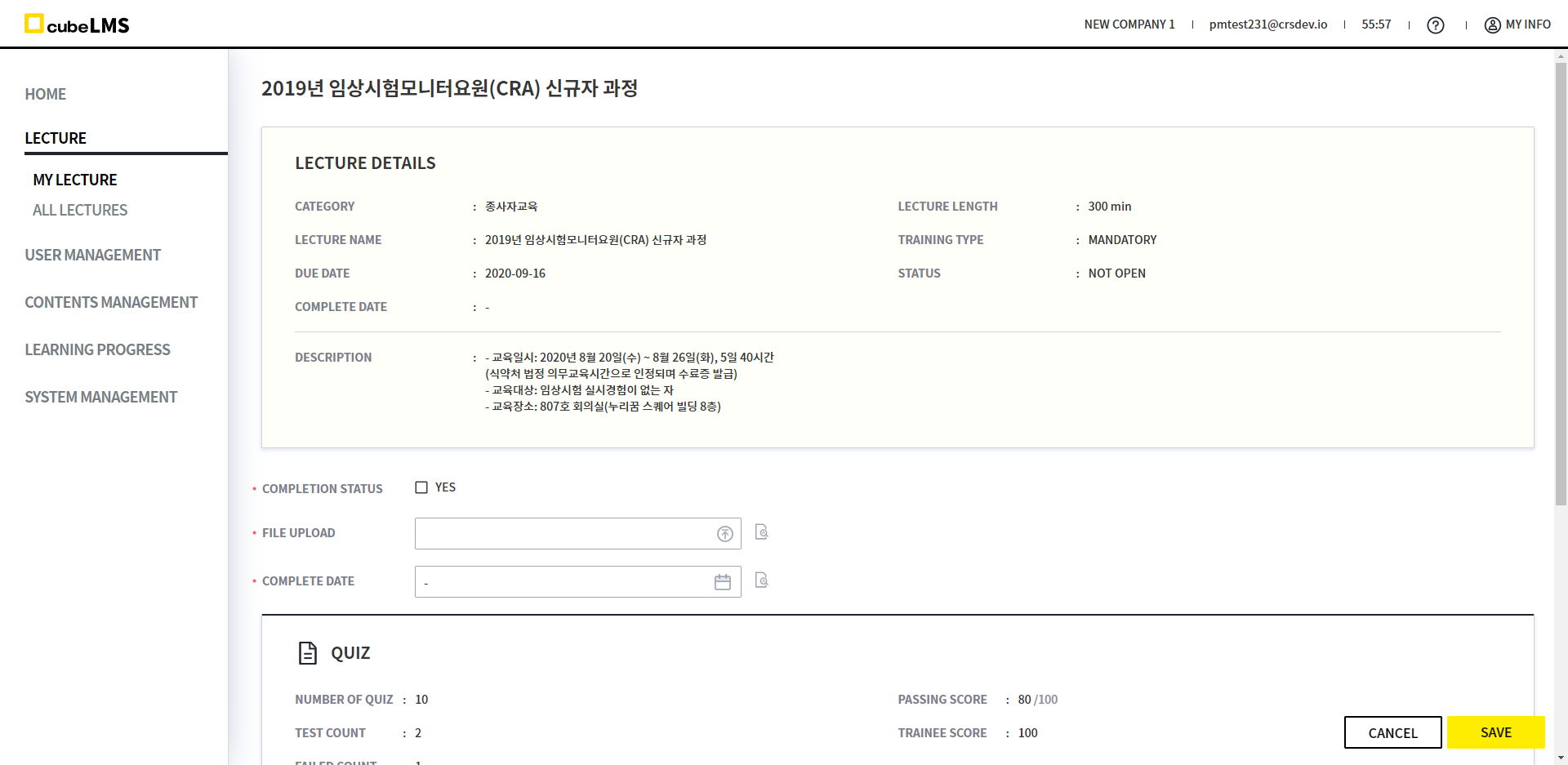
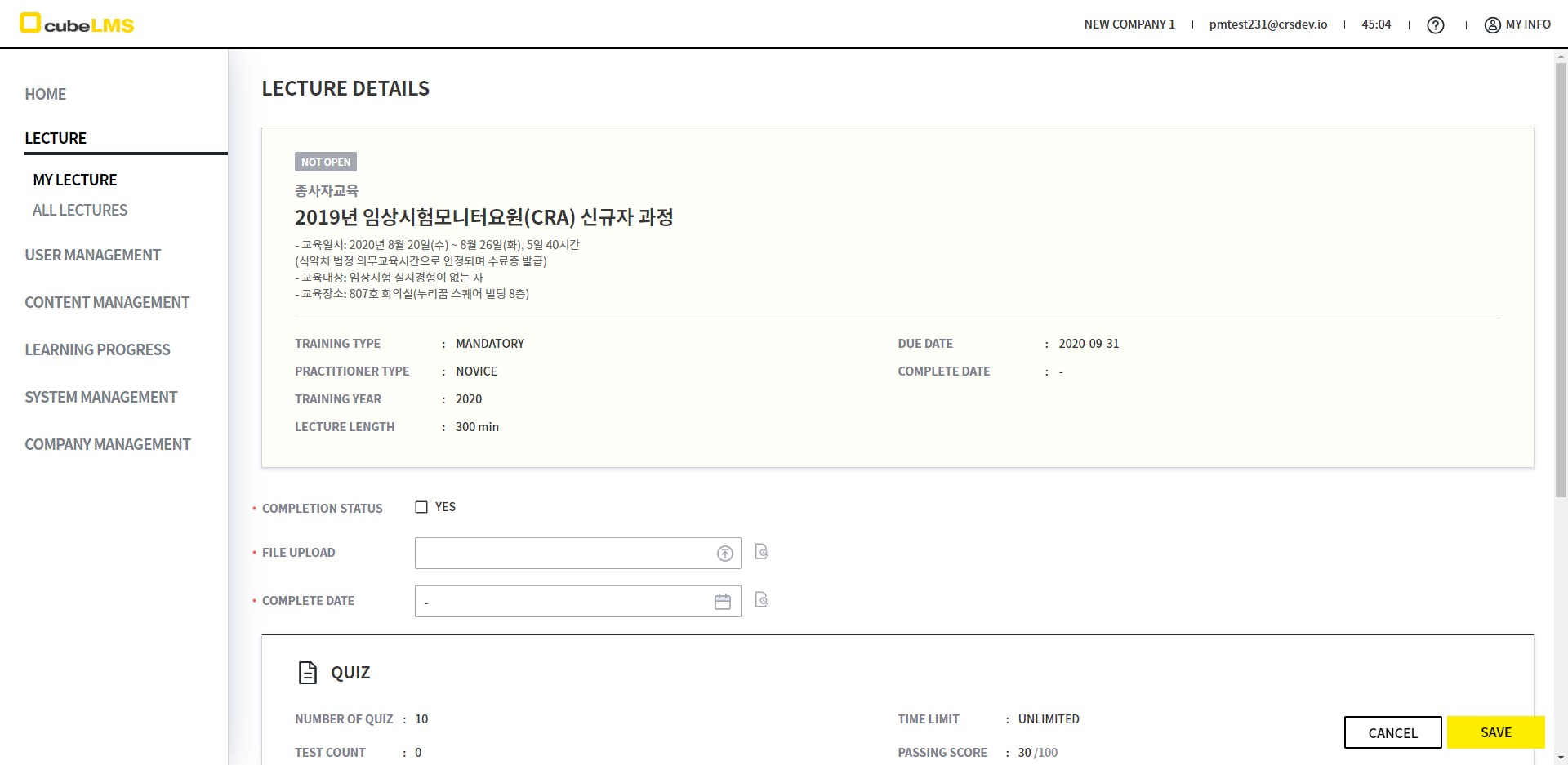
In the existing Lecture Details, Lecture Name and Category are displayed at the top for better visibility.
-
Lecture in the Practitioner Training category displays PRACTITIONER TYPE, TRAINING YEAR on the Details screen.
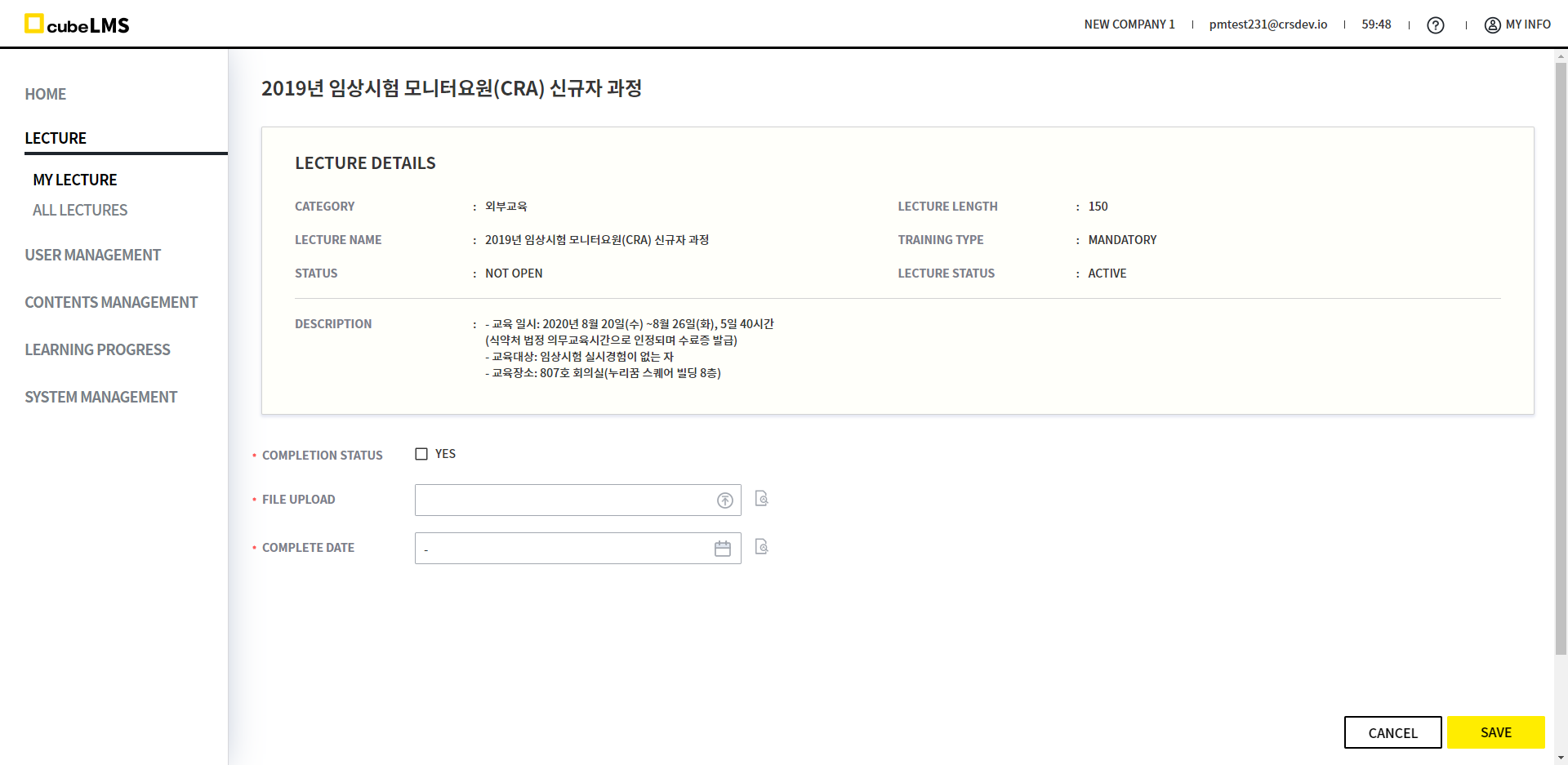
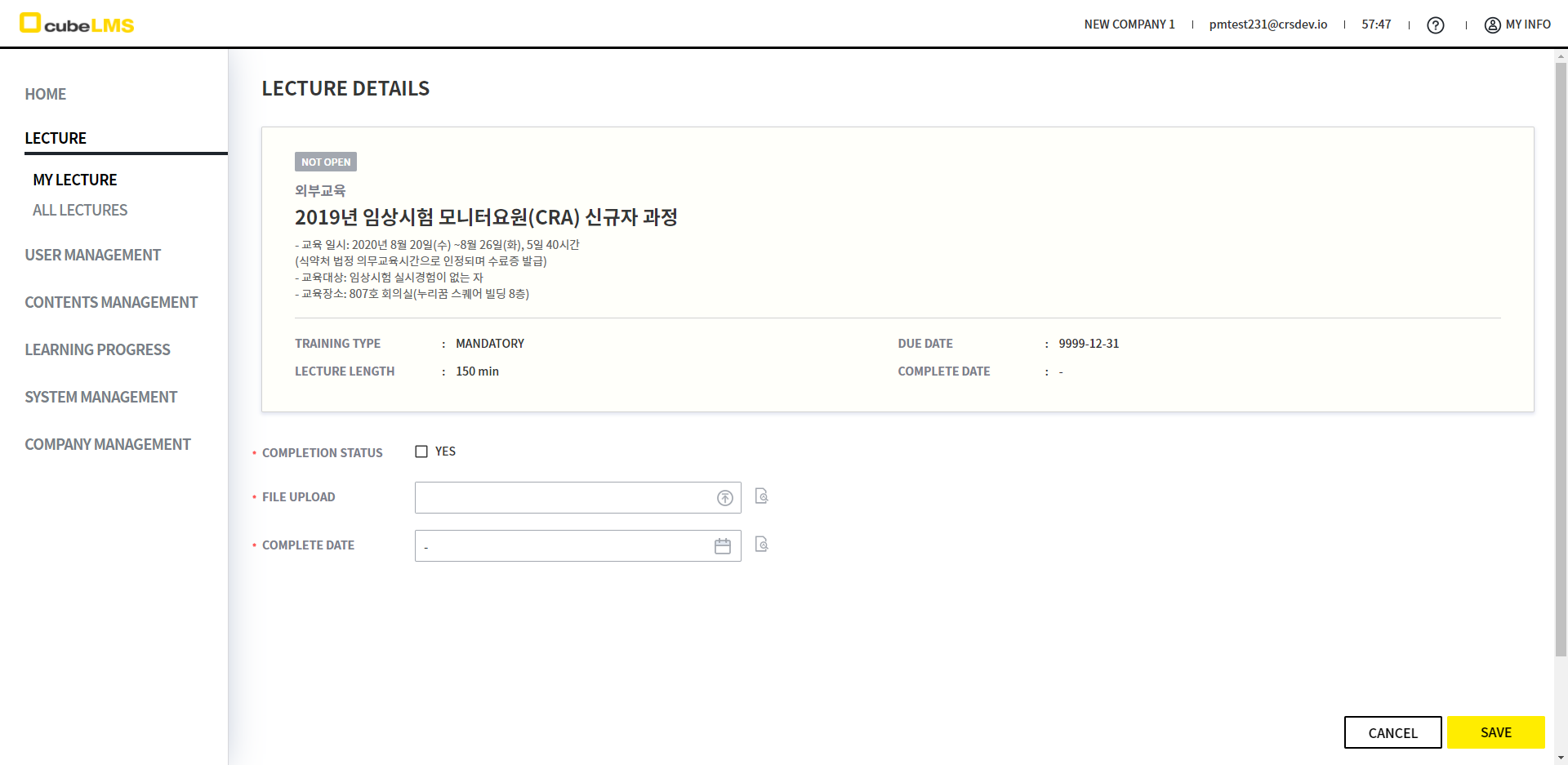
-
Lectures in the External Education category are displayed on the Details screen, and DUE DATE, COMPLETE DATE fields are shown as well.
<The Quiz close area has been revised.>
<Before>
<After>
<Description>
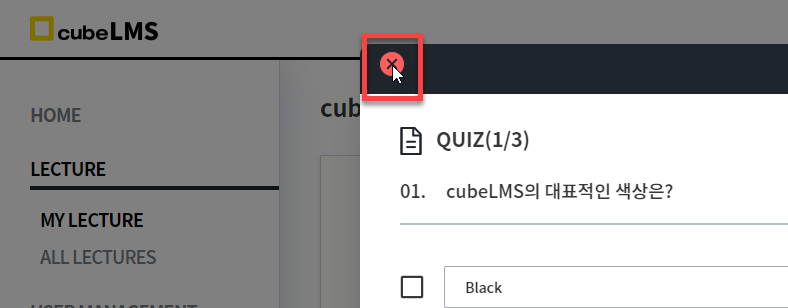
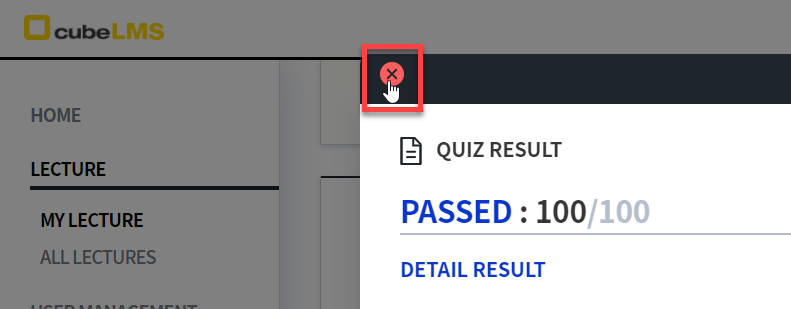
The issue where the clickable area of the close button at the upper left of the Quiz progress window and the Quiz History window differed has been fixed.
When you hover over the close button area, it changes to a pointer cursor as expected and can be closed.
<The download button is no longer displayed.>
The download button is no longer displayed.<
<Before>
<After>
<Description>
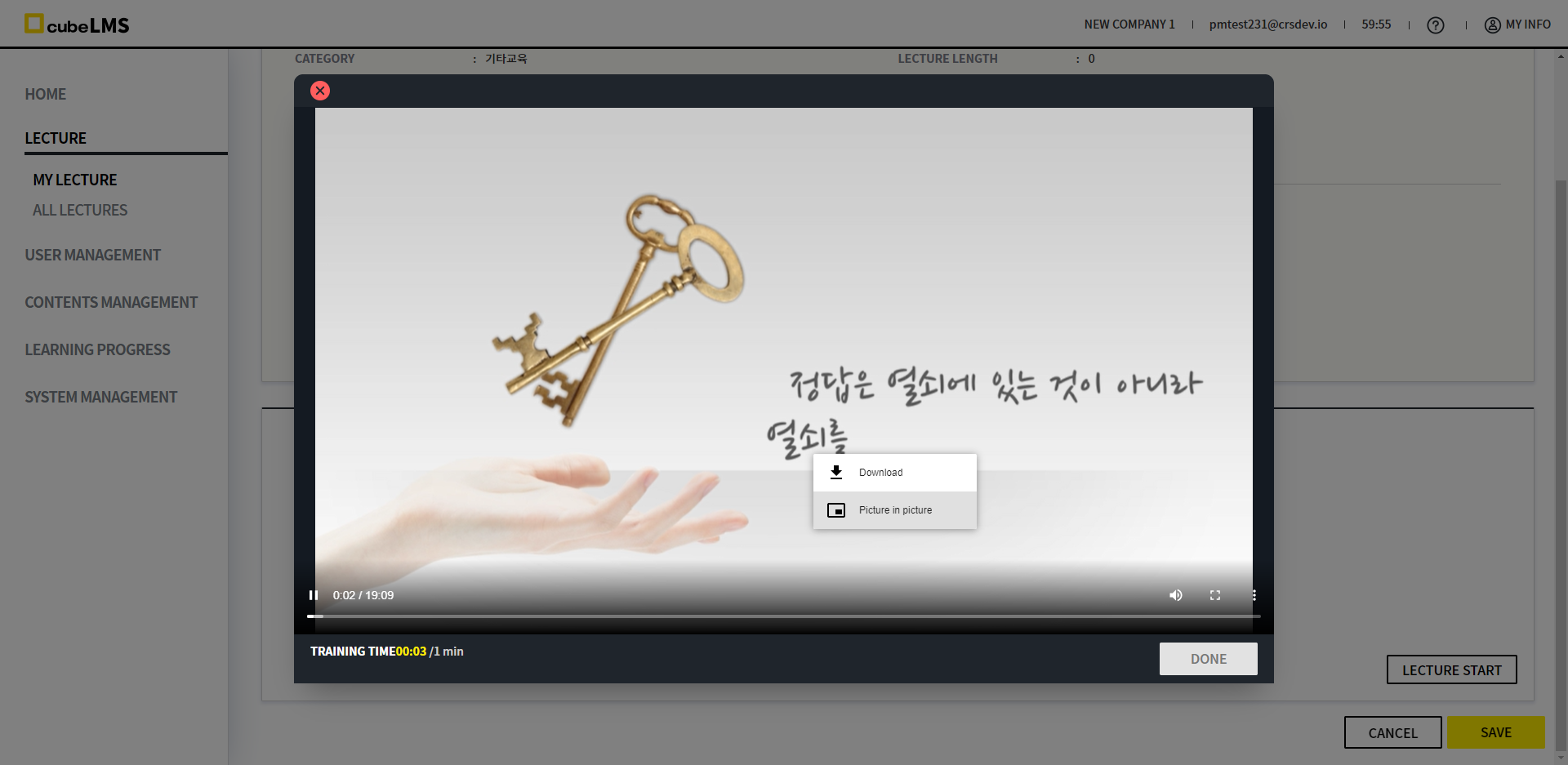
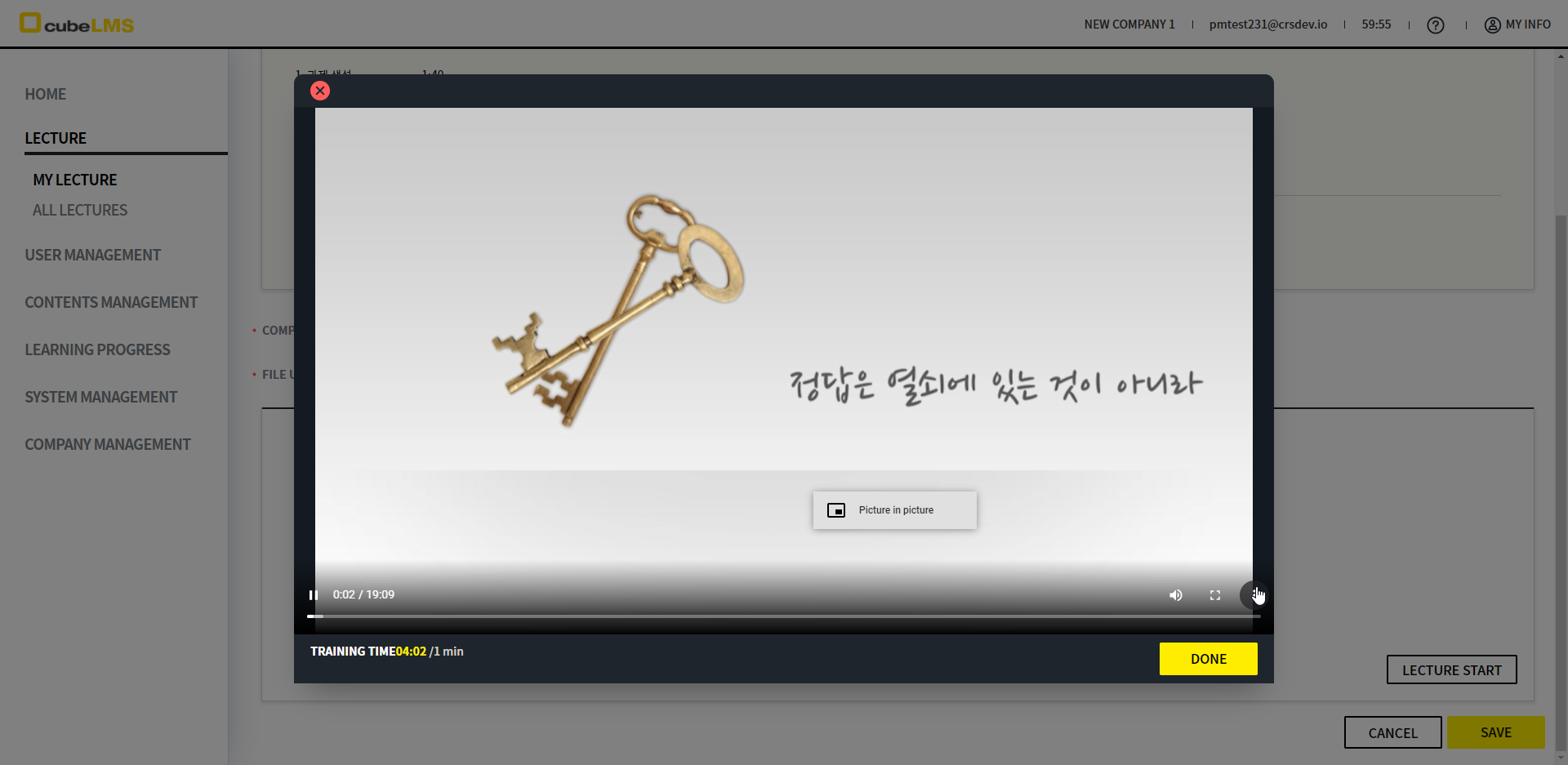
The Download button that appears when you click the Settings button in the Video popup window will no longer be displayed.