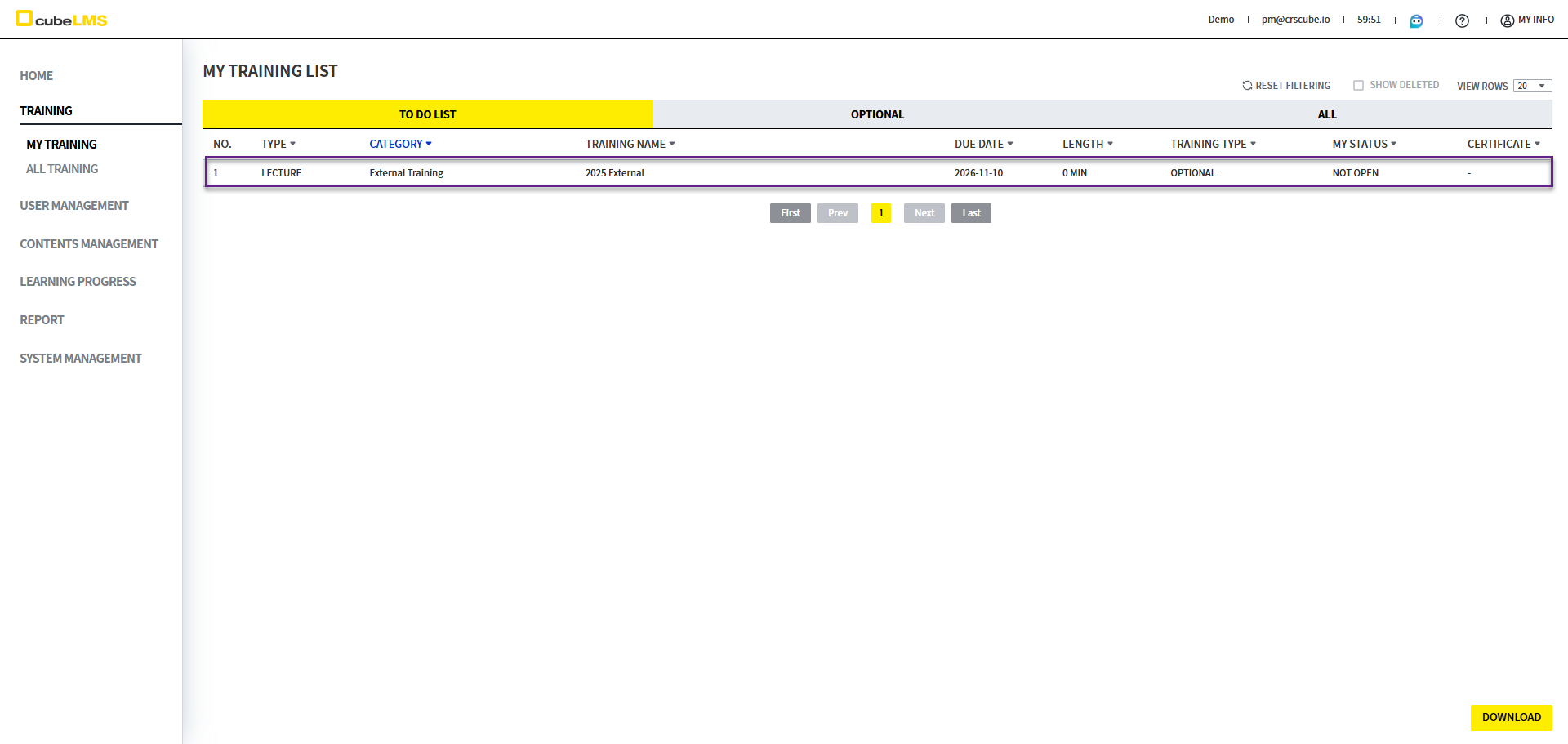
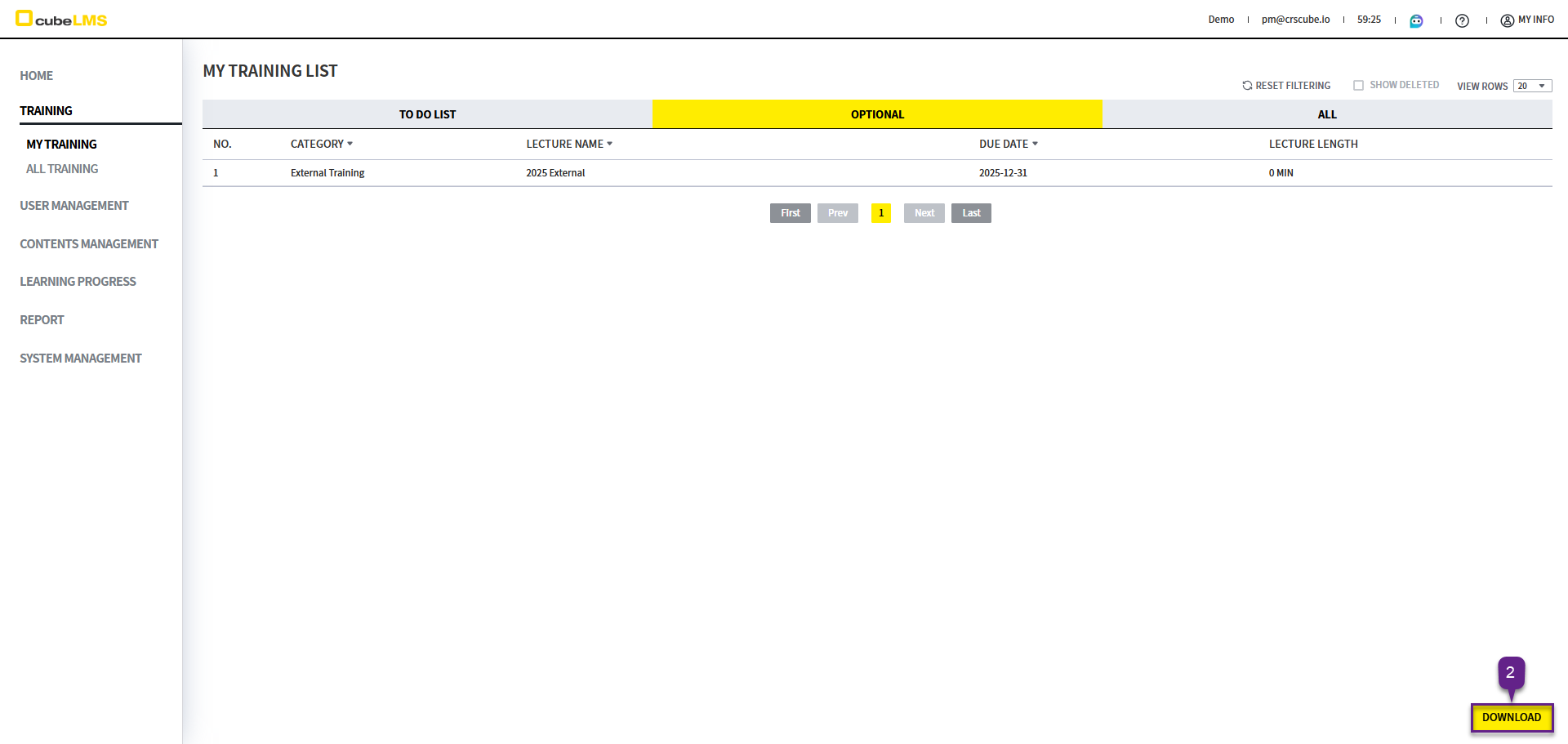
在 Optional List 中,可以查看非必修、可选择性参加的 Lecture。
LECTURE LIST
1. 可选参加的 Lecture 将列出。
2. Download 按钮: 可将列表下载为 Excel 文档。设置筛选后,仅下载筛选后的内容。
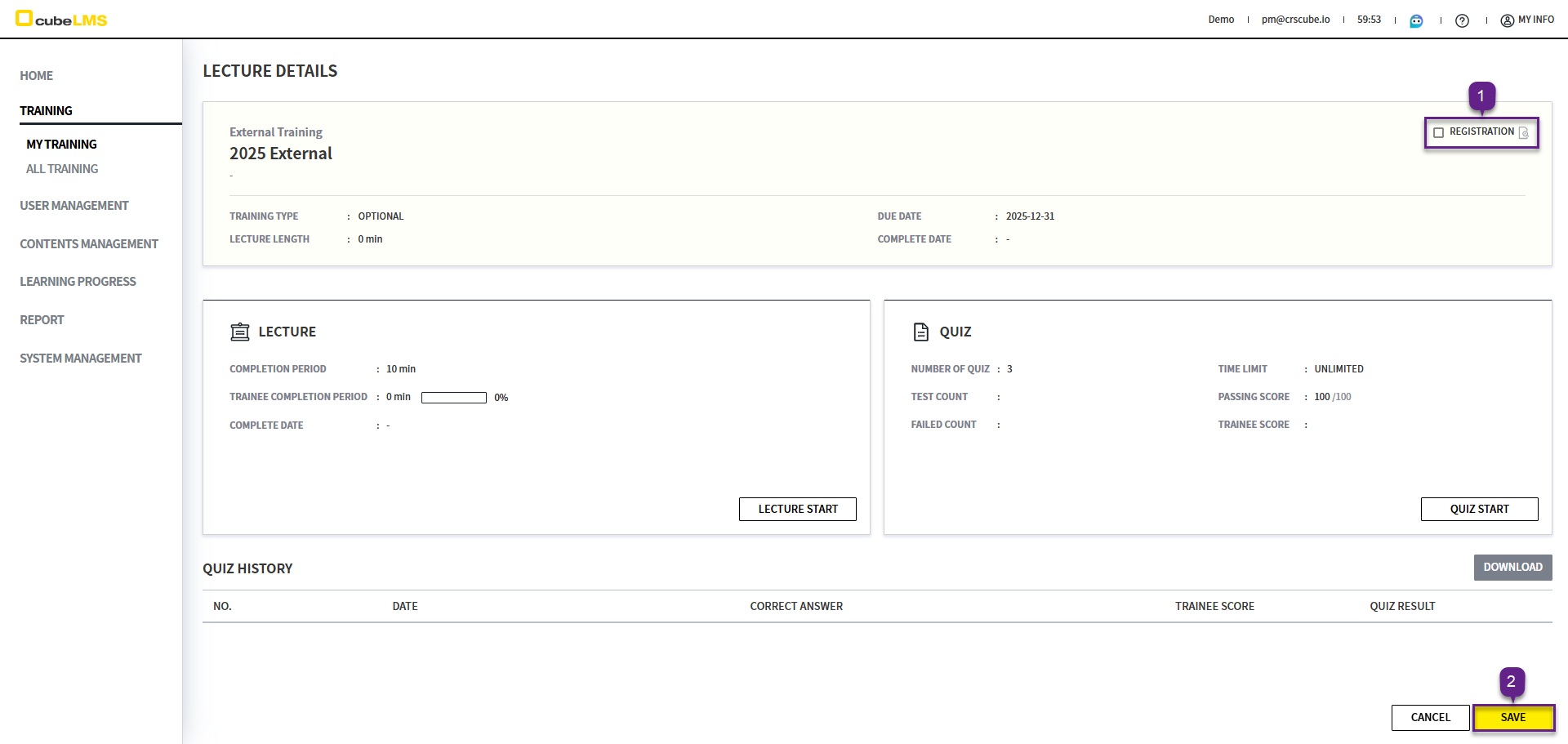
REGISTRATION
Optional Lecture如需修读,请按以下步骤操作。
1. 点击每一行,进入 Training 详情页面。
2. Registration 勾选后选择 Save 按钮。
3. 将显示如下弹窗。
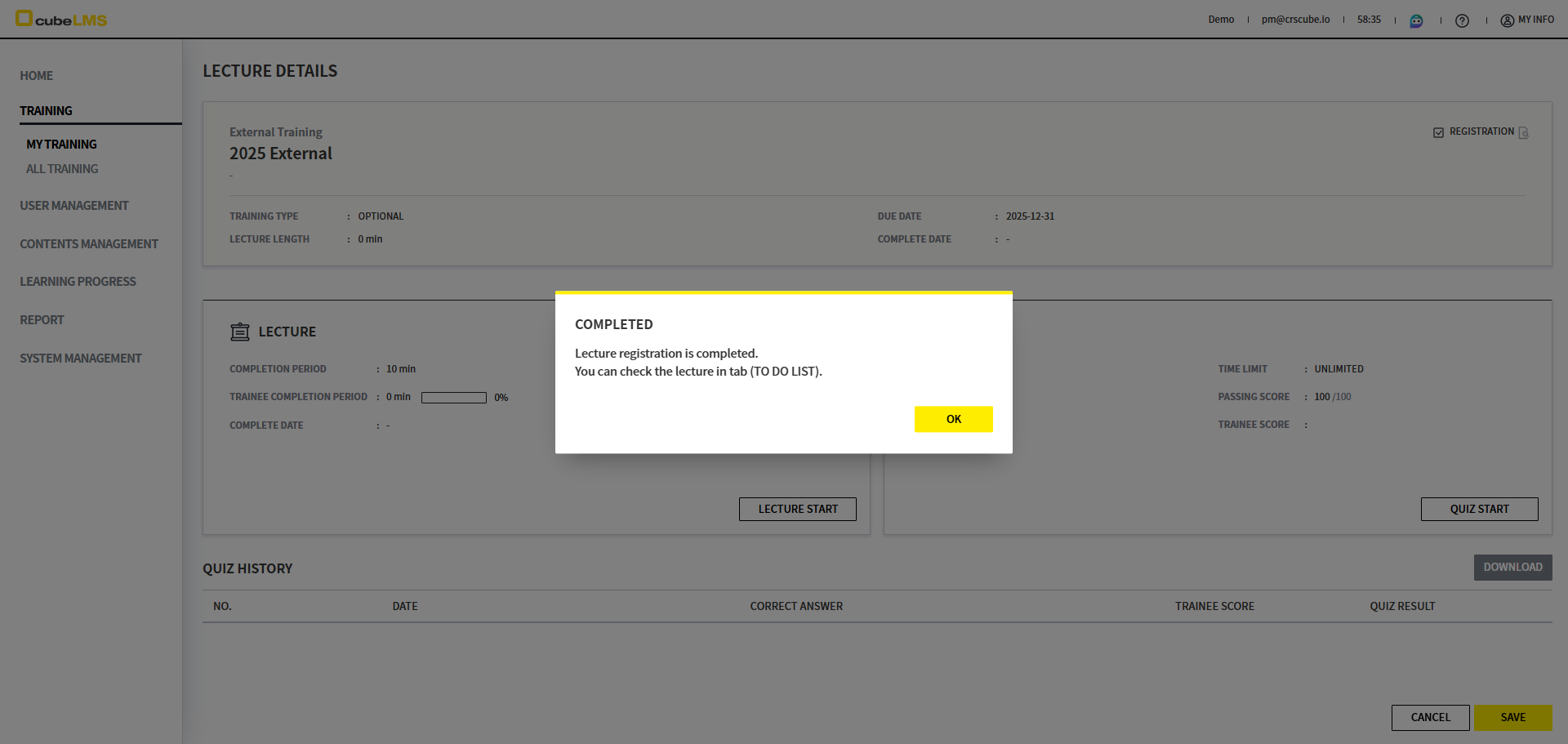
4. Ok 按钮被点击后,该 Lecture 将移至 To Do List。User 可在 To Do List 中学习该 Lecture。