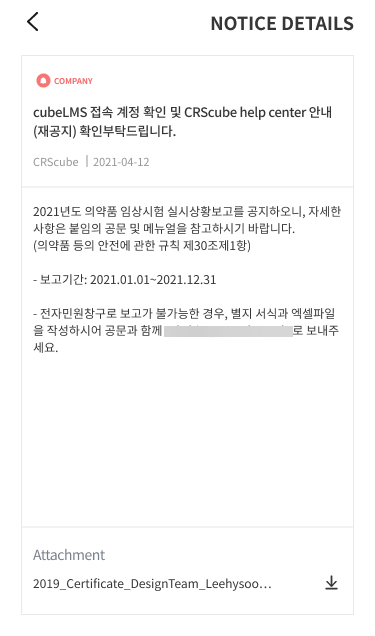
NOTICE
You can view all NOTICE registered in COMPANY.
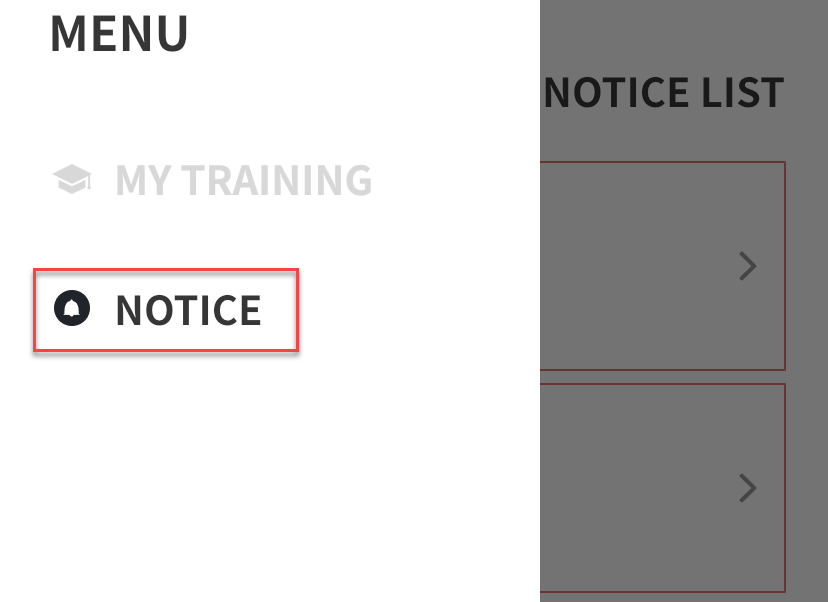
NOTICE LIST
-
On the web, NOTICE entries checked as PIN TO TOP are highlighted in red at the top and listed, and registered NOTICE entries are sorted by creation date.
-
For NOTICE entries registered within 7 days, a New icon is displayed to the right of TITLE.
-
Clicking a NOTICE row opens the NOTICE details page.
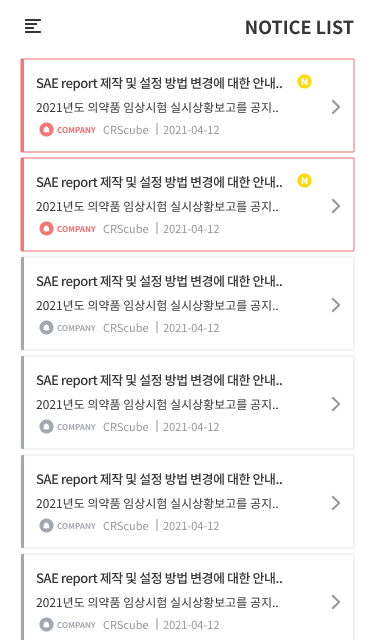
NOTICE DETAILS
-
On the NOTICE DETAILS page, you can view the NOTICE registration information and the CONTENTS and ATTACHMENT for the NOTICE.
-
If you click the download icon in the ATTACHMENT, you can download the ATTACHMENT.
Download 는 Android만 지원하며 iOS는 지원하지 않습니다.