Question
You cannot change the category of a registered LECTURE.
Answer
LECTUREs created with the default categories (SOP, employee training, external training, previous training, other training) cannot be changed to another CATEGORY when edited.
Also, if you create a new category other than the default categories, LECTURE belonging to that category cannot be changed to a default category.
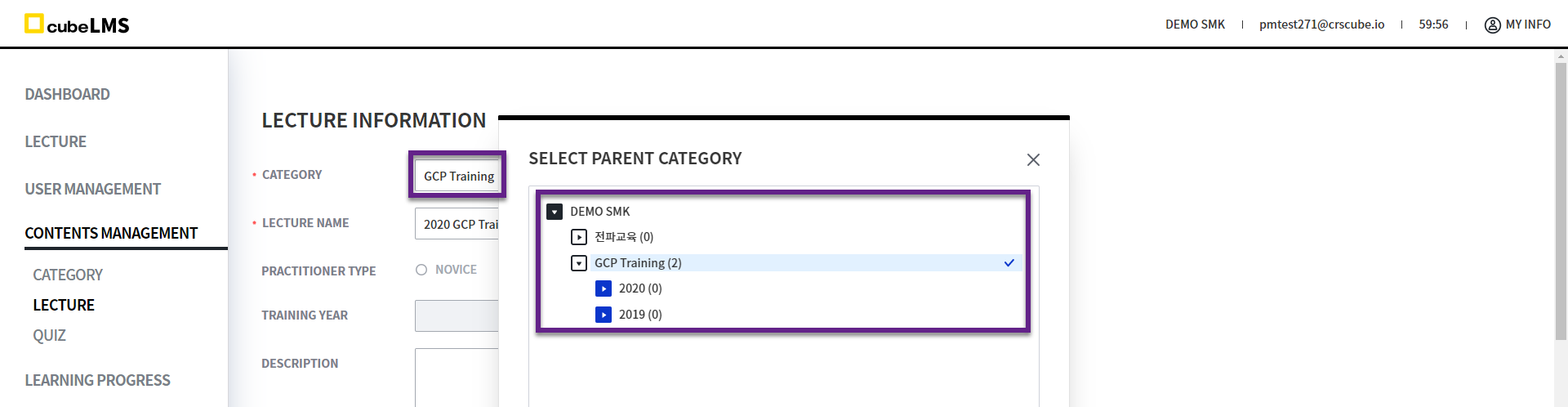
For example, COMPANY P has the default categories 'SOP', 'Staff Training', 'External Training', 'Previous Training', 'Previous Training', 'Other Training', and the newly created categories 'GCP Training', 'Cascade Training' are available.
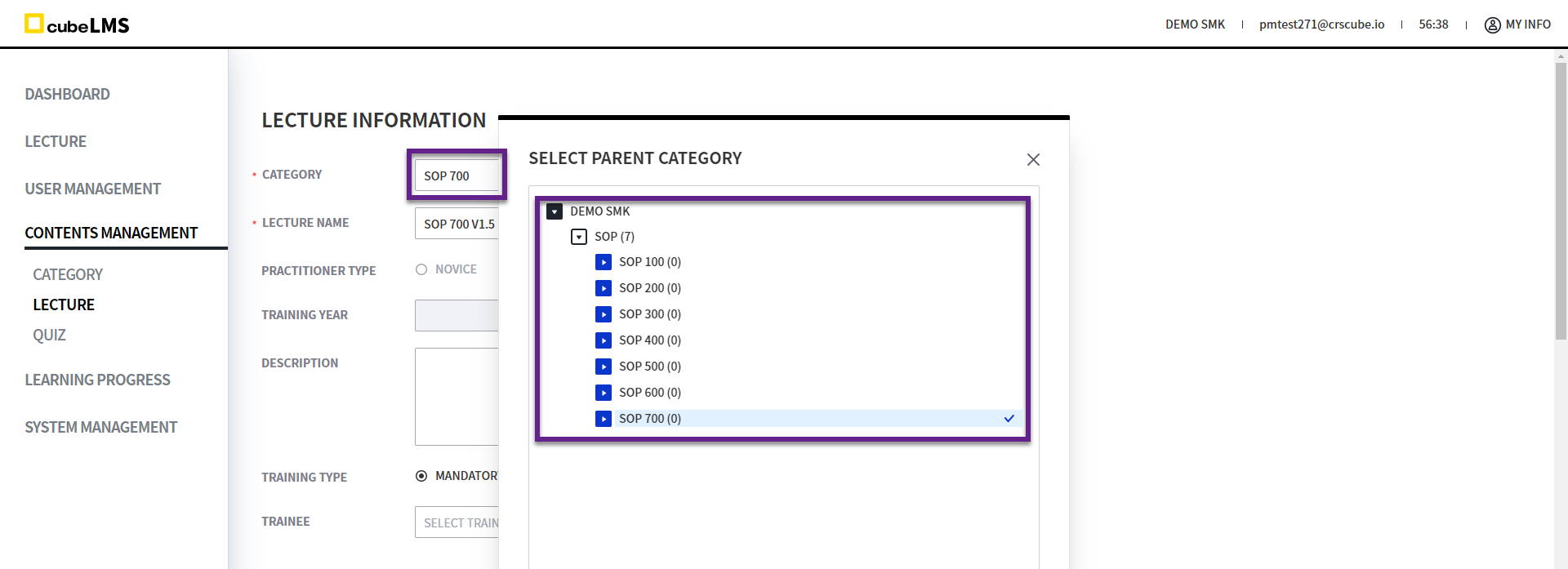
If LECTURE A is registered with the category 'SOP', it cannot be changed to another category when edited. Only 'SOP' and its subcategories are displayed in the list.
If the category of LECTURE B is set to 'GCP Training' when registered, only the categories below, excluding the default categories, are displayed in the list: 'GCP Training', 'Dissemination Training' and their subcategories can be changed.