

IMPROVEMENTS
Release Date: 2025-06-22
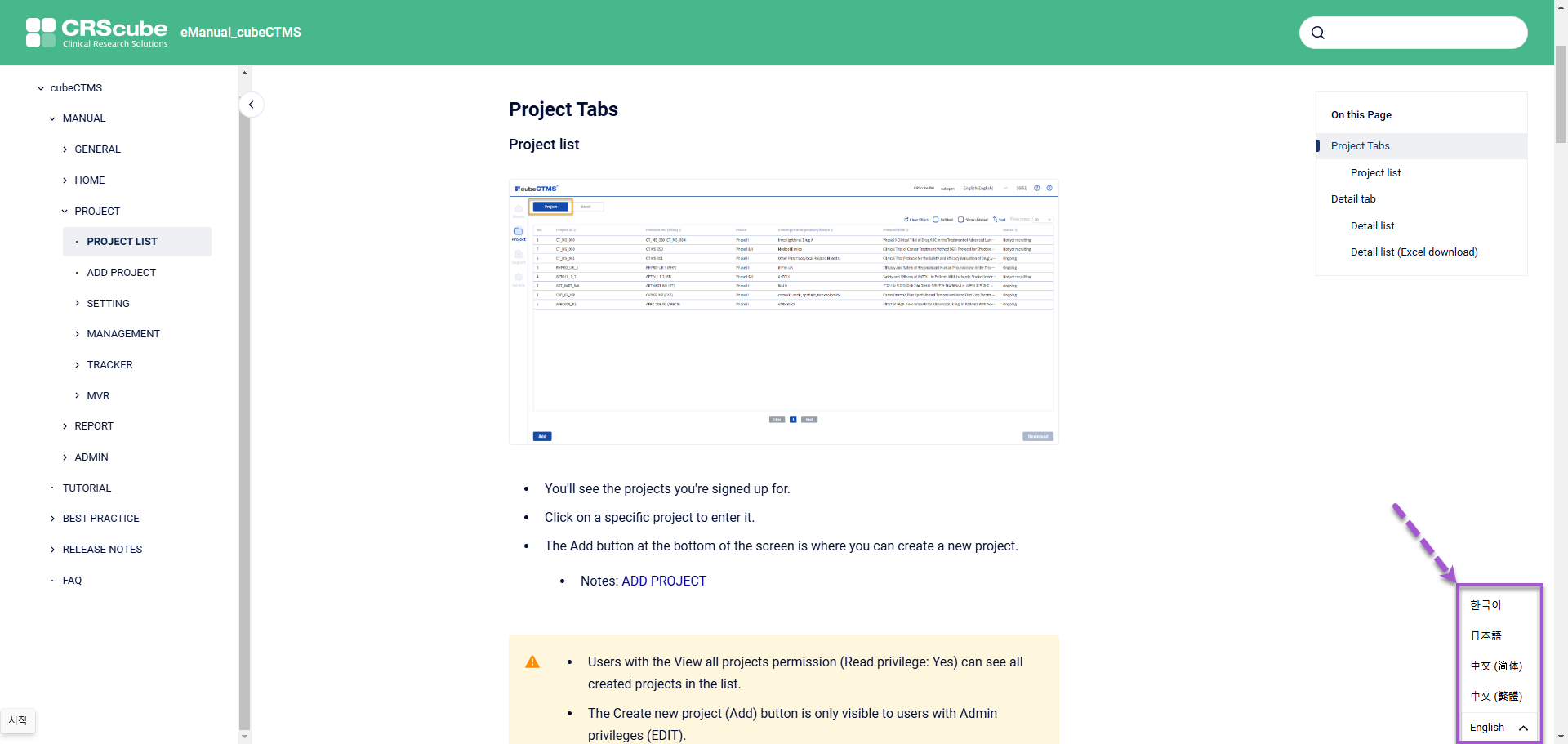
[General] Online manual automatic translation feature available
-
When viewing the Online manual, you can check content translated into other languages through the newly added Language selection Widget in the lower-right corner.
-
Available languages
-
English
-
Korean
-
Japanese
-
Traditional Chinese
-
Simplified Chinese
-
-
-
The language provided on your first visit is the default language set in the browser used to access the Online manual.
-
If the browser's default language is not among the languages listed above, it is shown as English by default.
-
From subsequent visits onward, the language selected in the lower-right Widget during the previous visit is used as the initial value.
-
[Filter] Filter functionality added to some columns in the My Training and User menus.
-
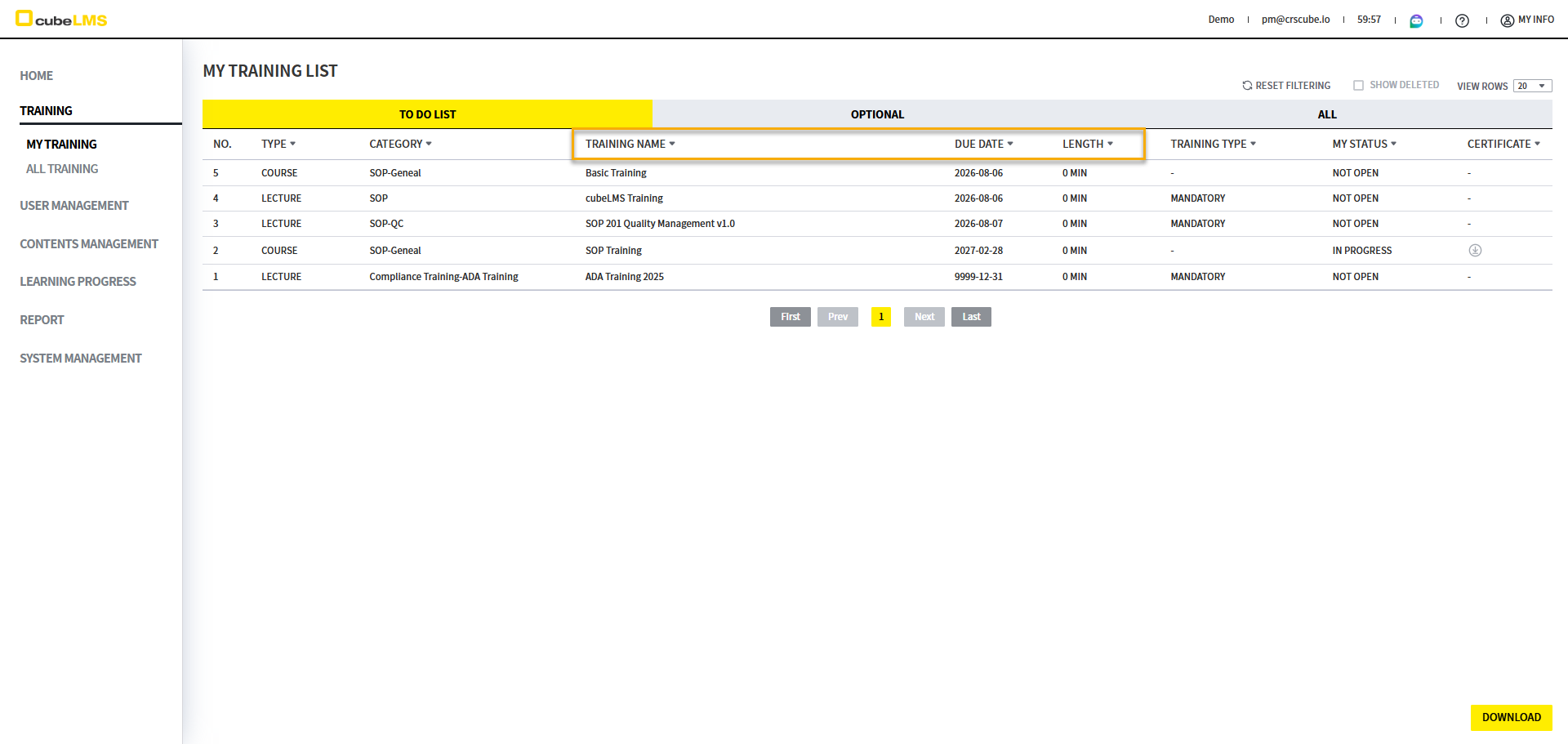
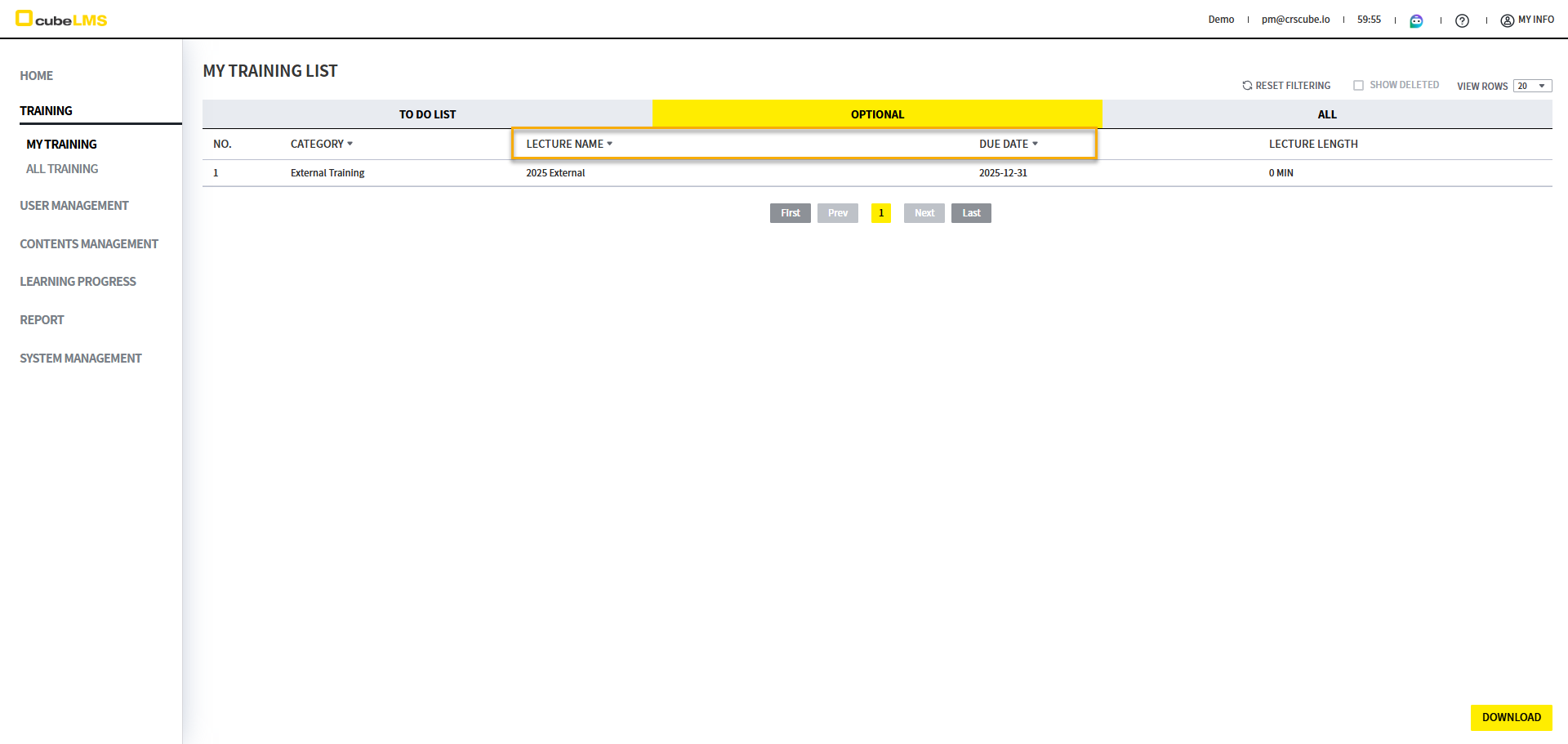
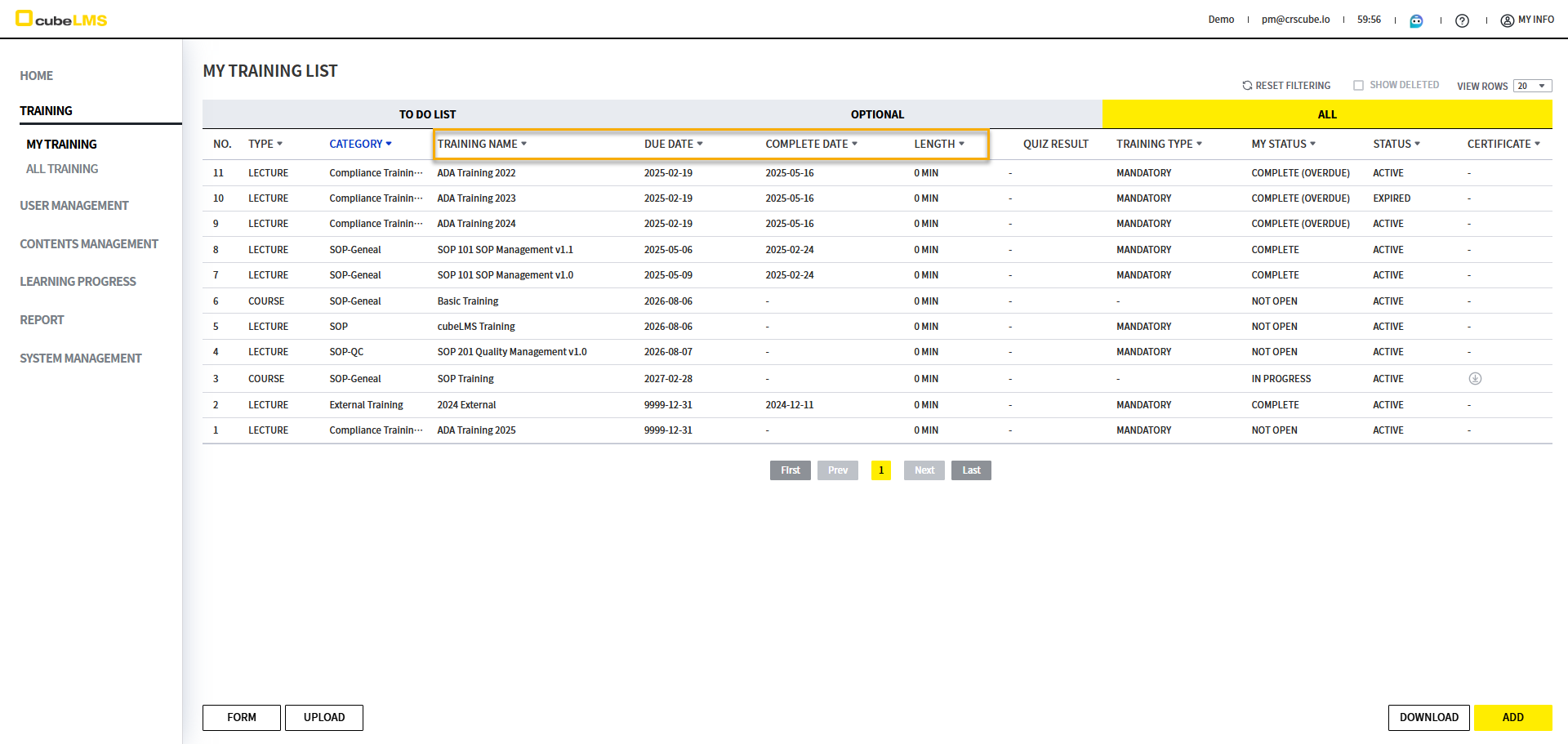
Filter functionality is added to each column in the menus below. The columns with added filters by menu are as follows.
Training - My Training
|
|
|
|
|---|---|---|
|
|
|
|
|
|
|
|
|---|---|---|---|
|
|
|
|
You can filter by text contained in the item. |
|
|
|
You can filter by the due date range for Training. |
|
|
|
|
You can filter by Training length. |
|
|
|
|
|
You can filter by text contained in the item. |
|
|
|
You can filter by the due date range for Training. |
|
|
|
|
|
You can filter by text contained in the item. |
|
|
|
You can filter by the due date range for Training. |
|
|
|
|
You can filter by the completion date range for Training. |
|
|
|
|
You can filter by Training length. |
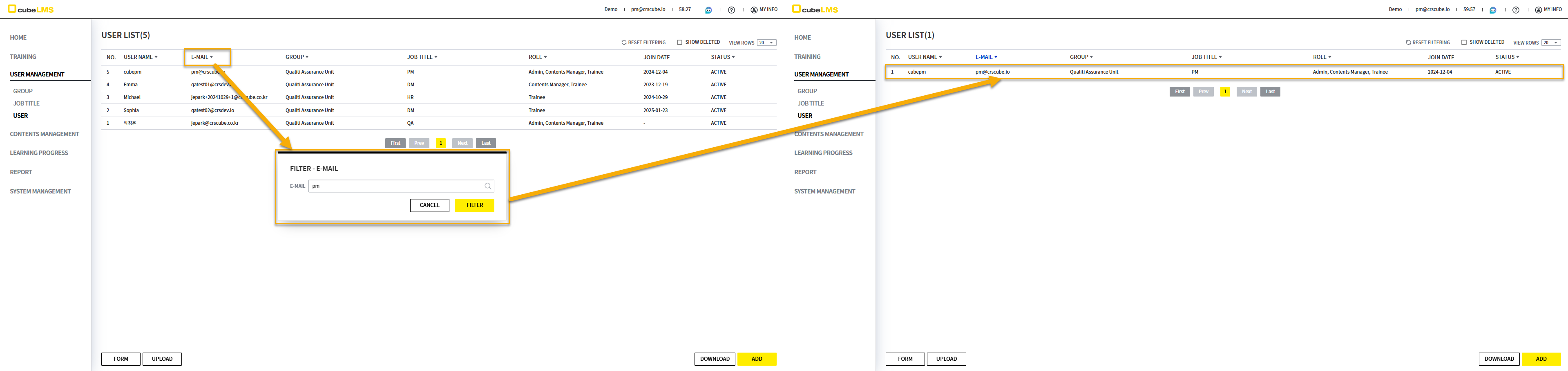
User Management - User
|
|
|
|
|---|---|---|
|
|
|
This item can be filtered by Like. |
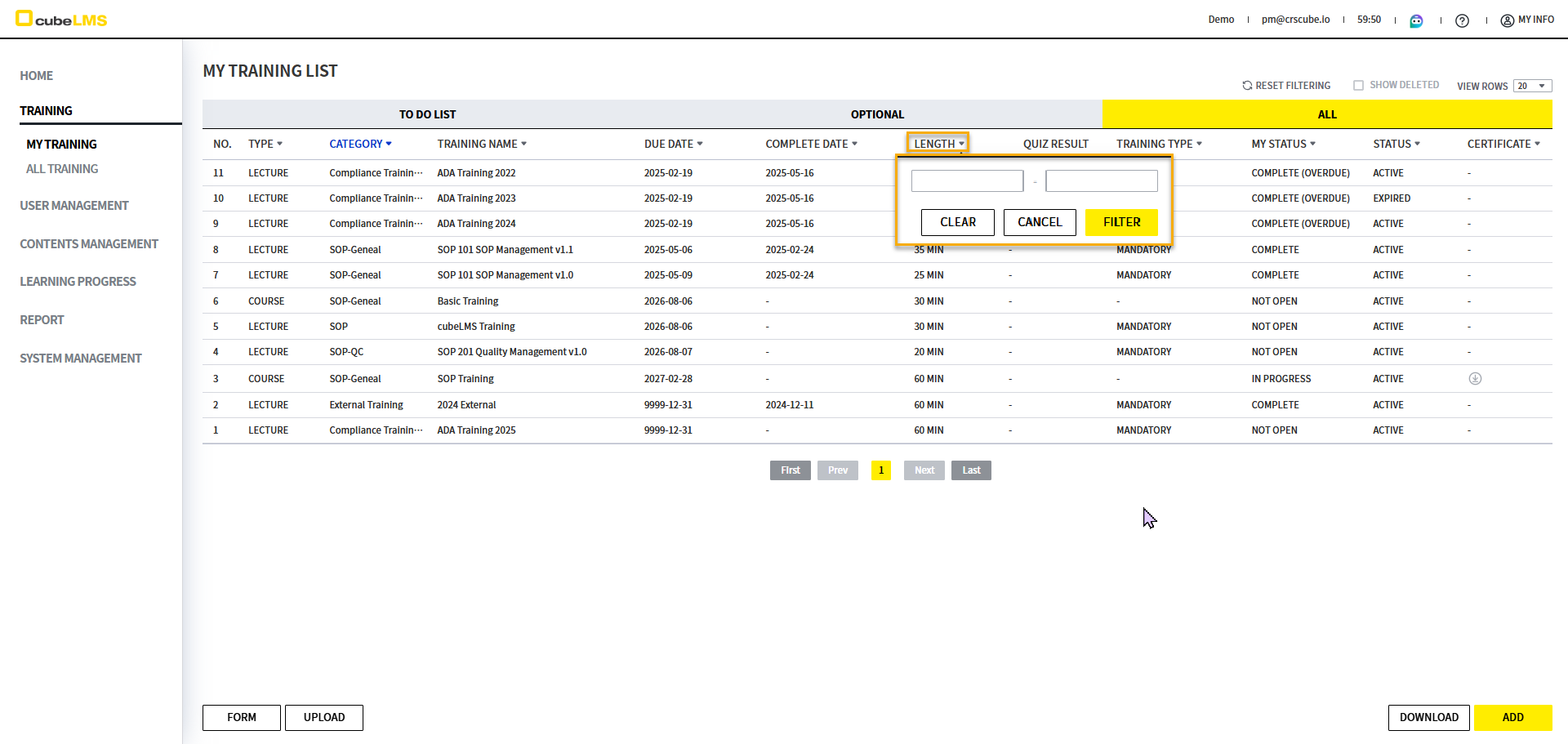
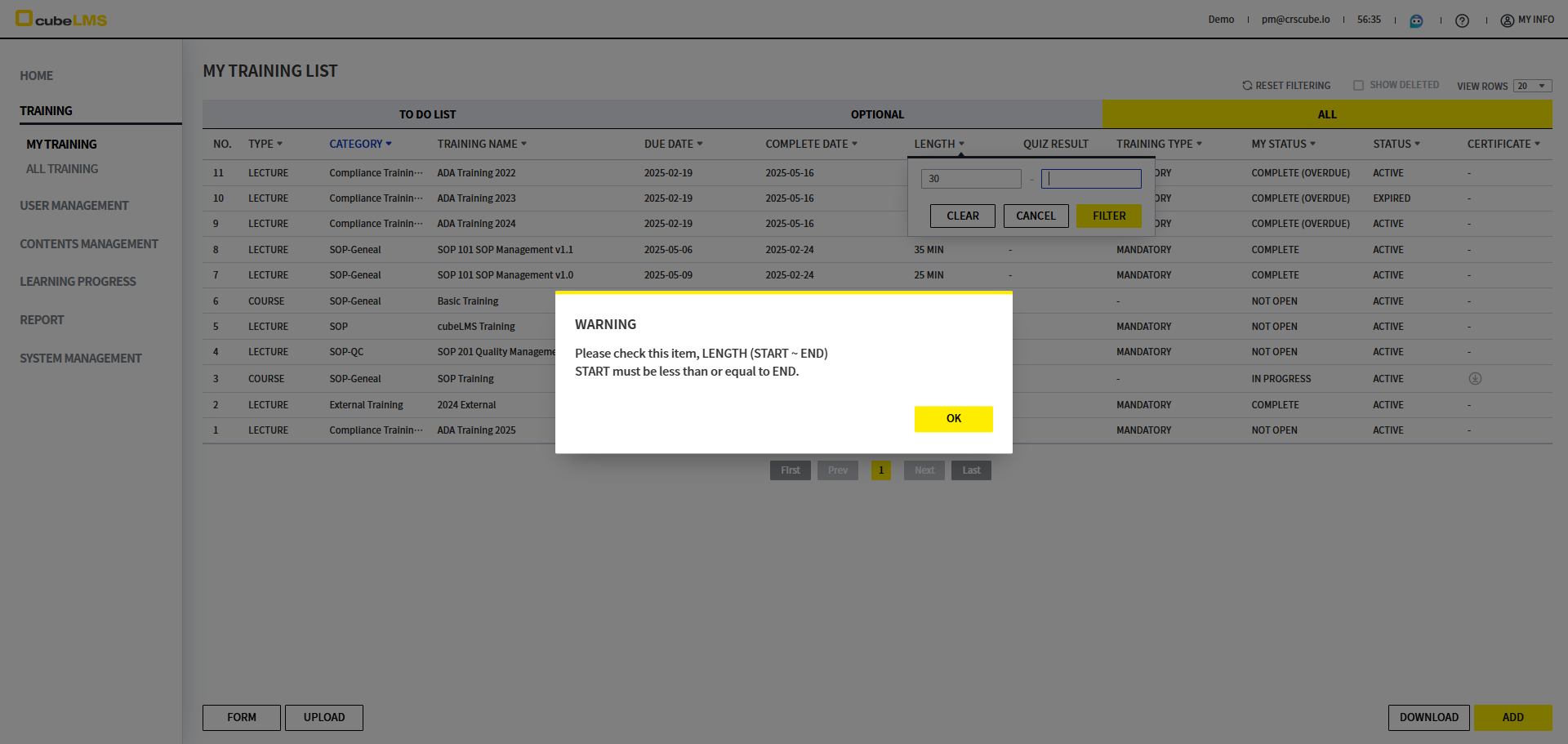
Number Rage Filter
This is the first filter added in cubeLMS. Details are as follows.
|
|
|
|
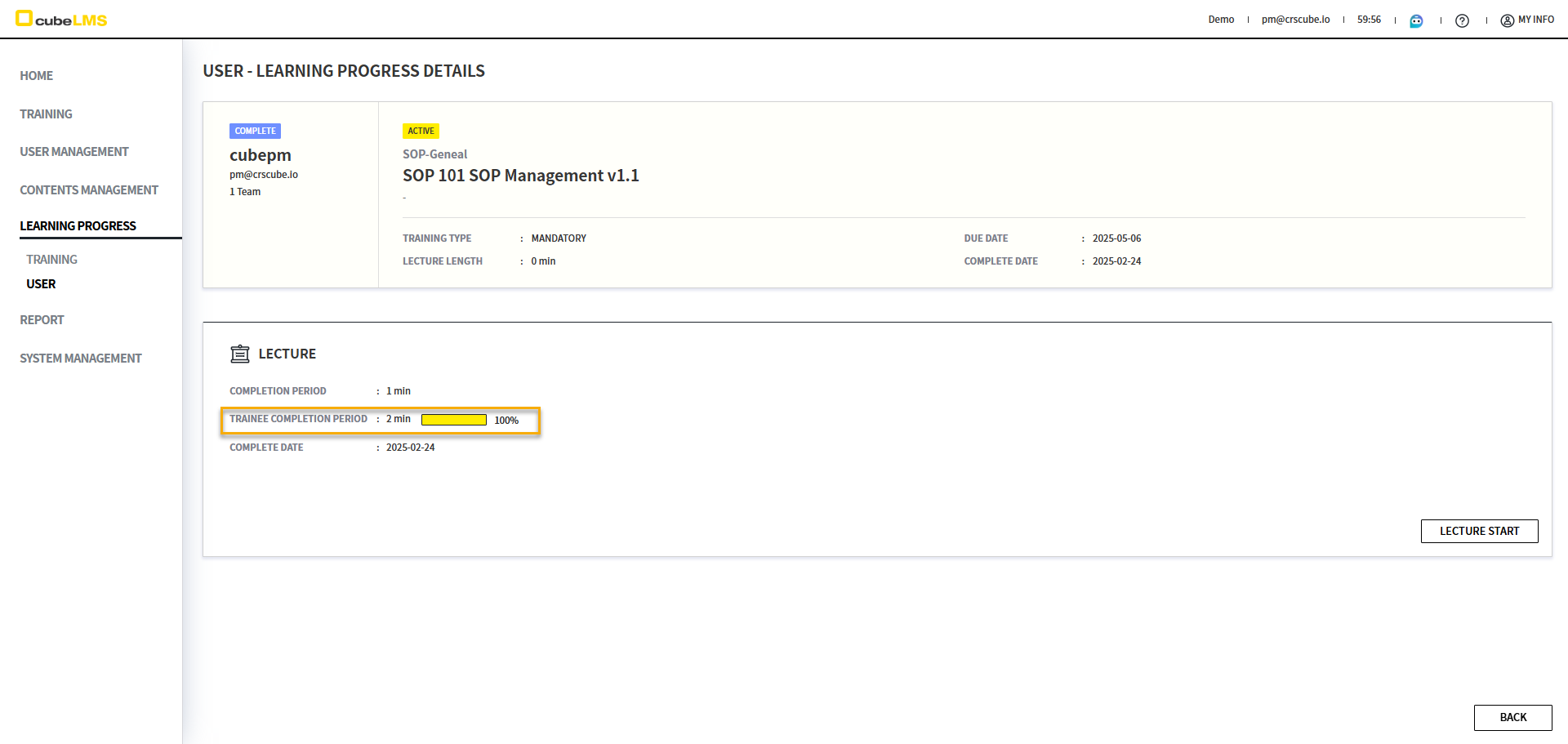
[Learning Progress] Change the Active Period label in the User menu
-
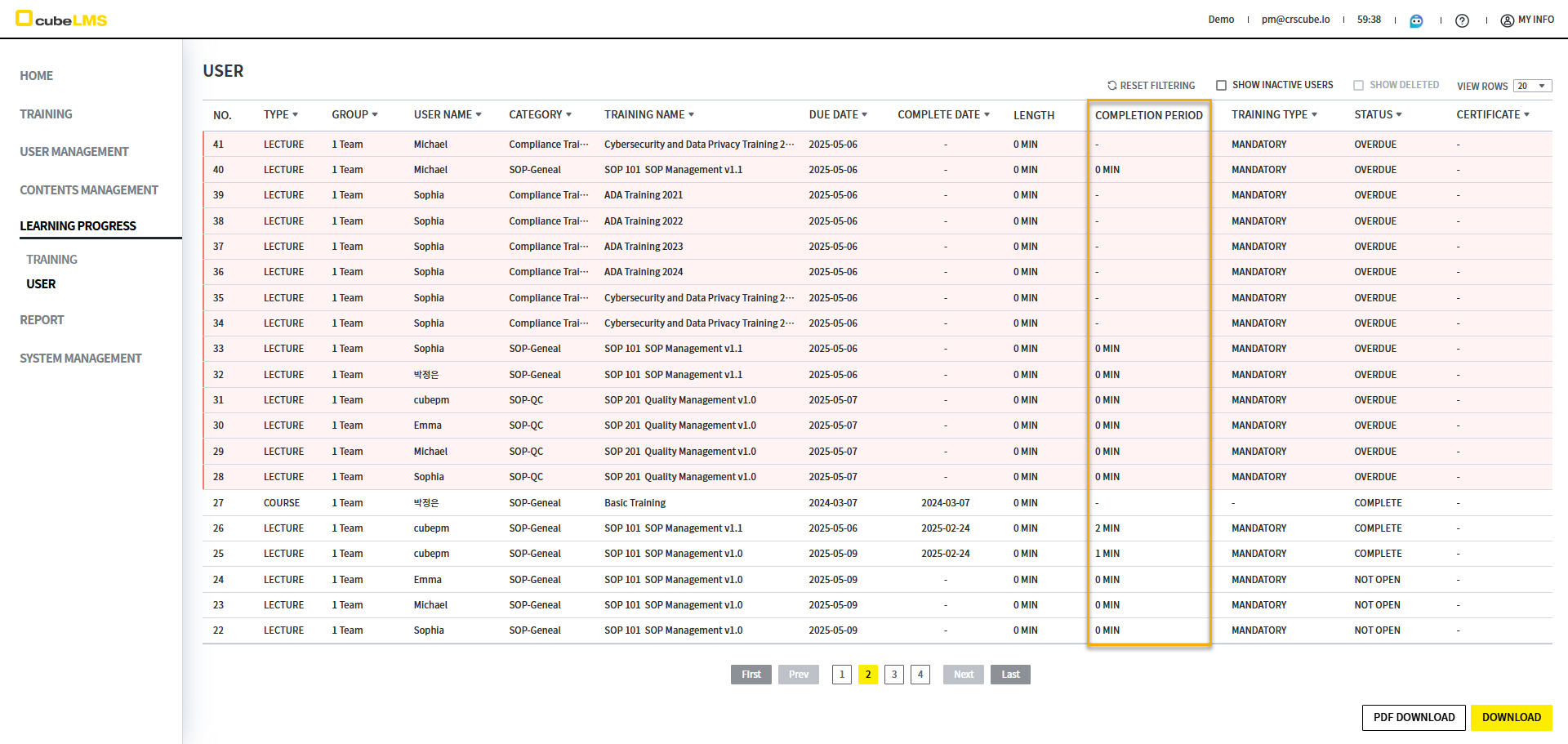
The wording for a specific column displayed in the Learning Progress - User menu list could confuse users, so it has been changed to match the details screen.
-
Before
: Active Period -
After
: Completion Period
-
[Dashboard] Improvements to Summary Information displayed by Role
|
|
|
|
|
|---|---|---|---|
|
|
Text changes |

|
|
|
|
Text changes |

|
|
|
Aggregation changes |
|
|
|
|
|
Text changes |

|
|
|
Filtering changes |
|
|
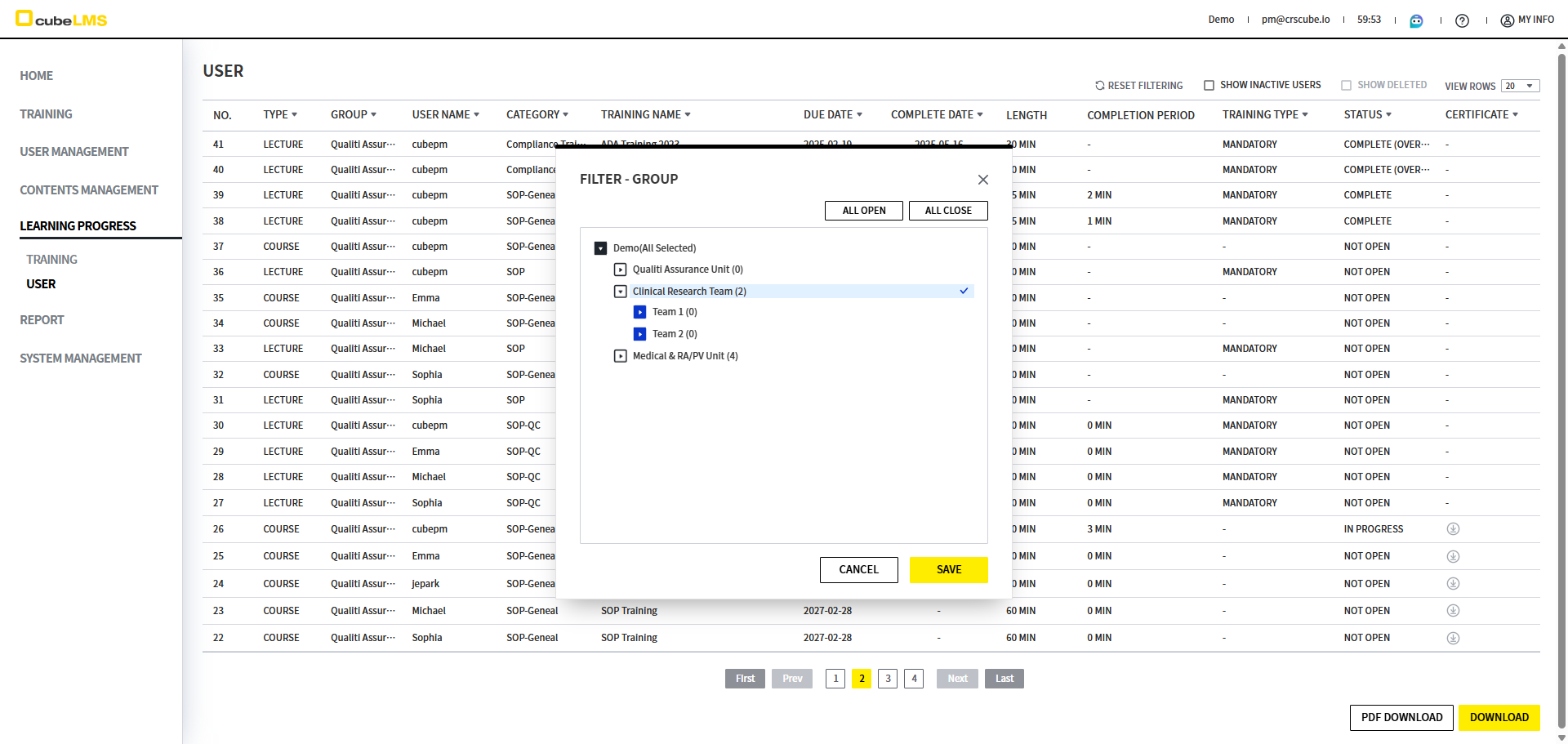
[Group] Improved so that each Group can be checked individually in the Filter popup
Improved so that each group can be selected individually in the hierarchical Group filter popup, just like Category.
-
Before: When you select a parent group, all child groups are selected.
-
After: Only the selected group is selected.
Miscellaneous
Release Date: 2025-06-22
-
The message displayed when deleting a Category containing Lecture and Course has been changed.
-
Before: Can not delete the category. There are not deleted Lectures in the category.
-
After: Cannot delete the category. This category contains Training.
-
-
When you Download Quiz History from the Lecture Detail screen in the Learning Progress - User menu, it is displayed in the Learning_Progress_User_Quiz_History_List_yyyymmddhhmmss format.
-
In the Filter popup, after a Like search, if you check all, only the items found by the Like search are checked.