

Release Note
The Course review feature will be added in the regular migration on Monday, January 4.
<The Completion Status field will be added on the Course Registration & Information page.>
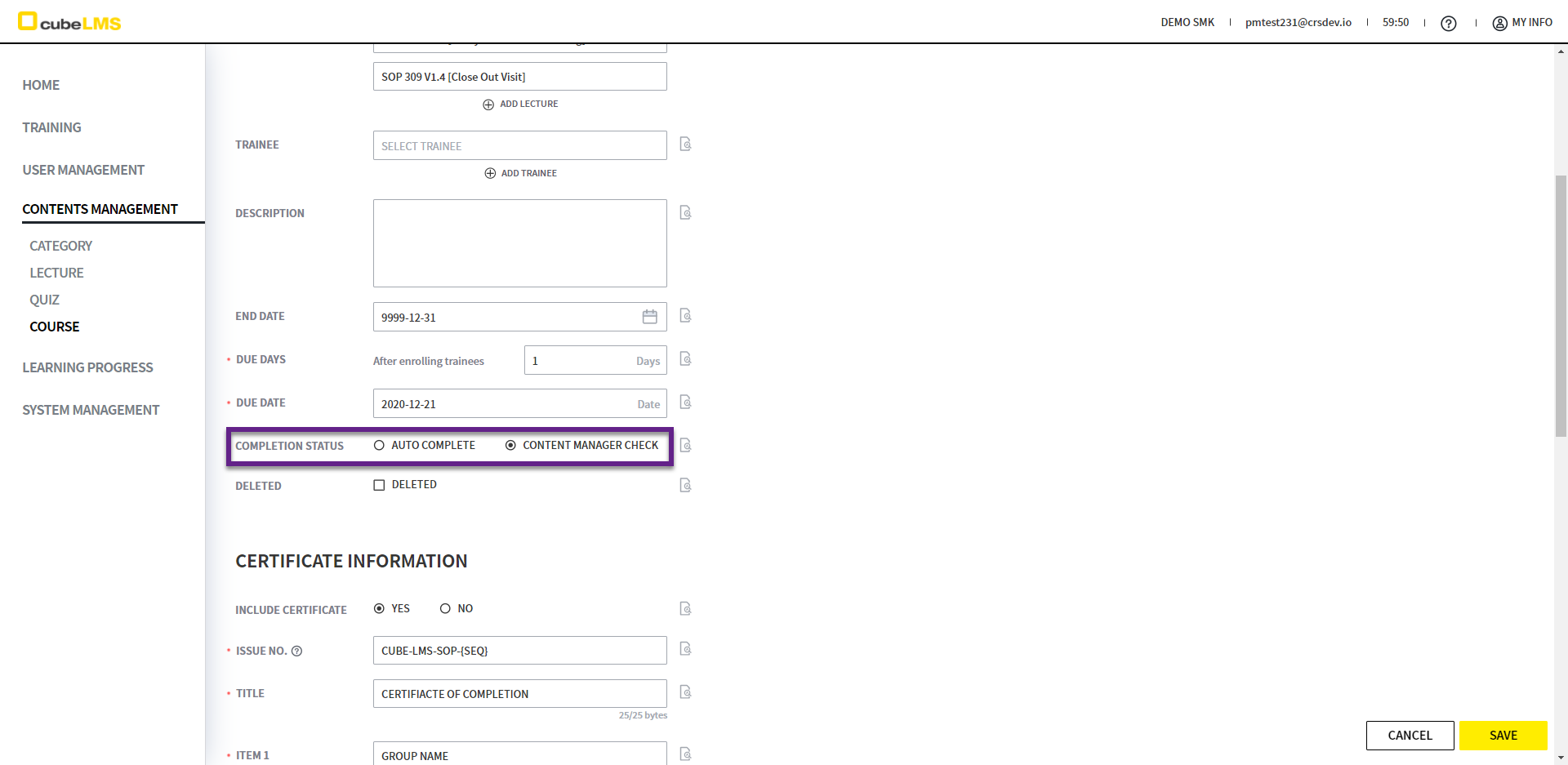
1. Auto Complete is checked by default, but Content Manager can specify and edit it.
2. If Auto Complete is checked, the Course is completed immediately when all Lectures in the Course are completed.
3. If Content Manager Check is checked, the Course is completed only after the Content Manager checks it and saves it, even after the Lectures in the Course are completed.
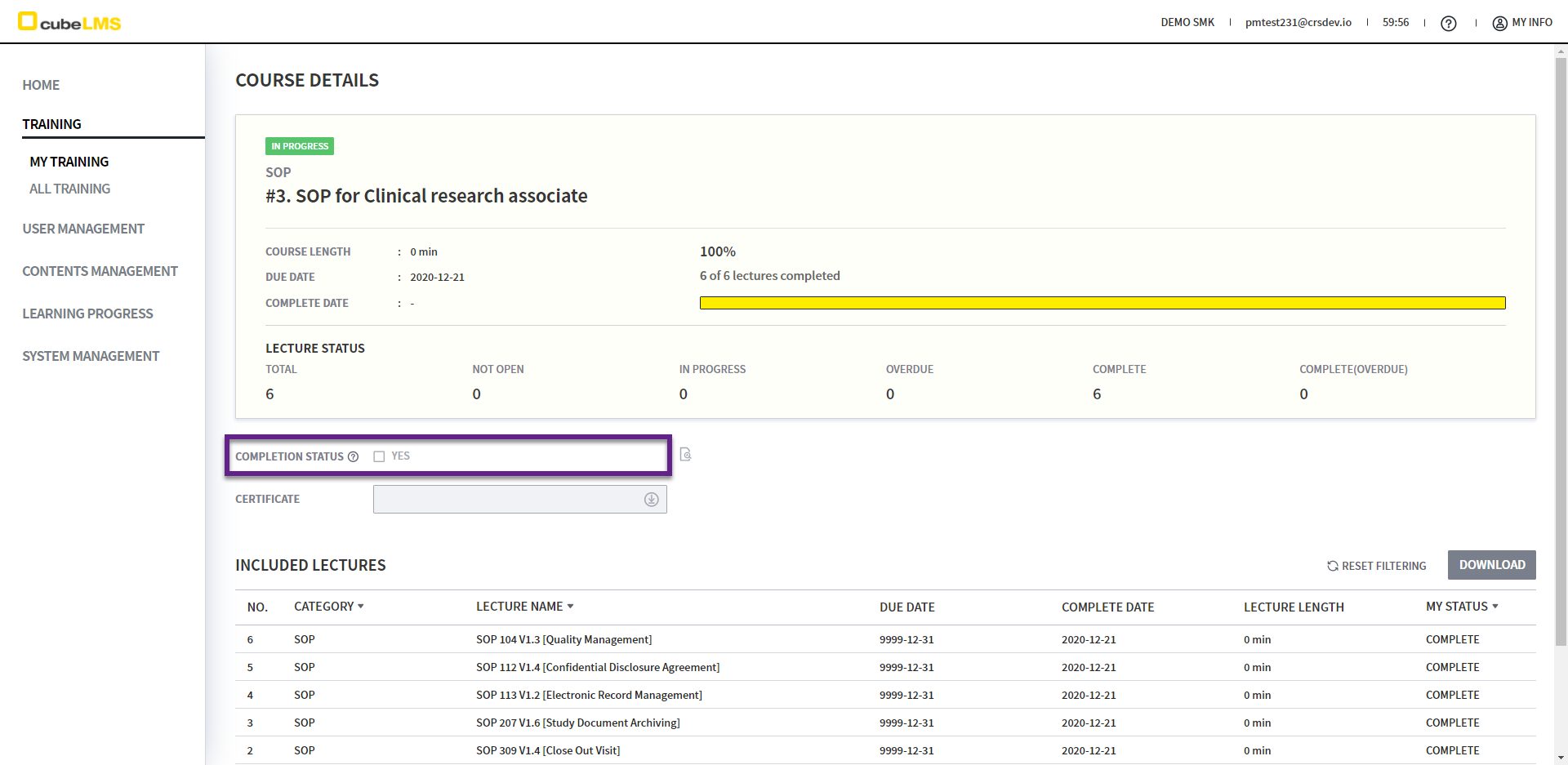
1. For Courses with Content Manager Check enabled, the Completion Status field appears in My Training - Course Details.
2. When the Content Manager checks Completion Status to mark the Course as complete, the checkbox is checked, and the Course is finally completed.
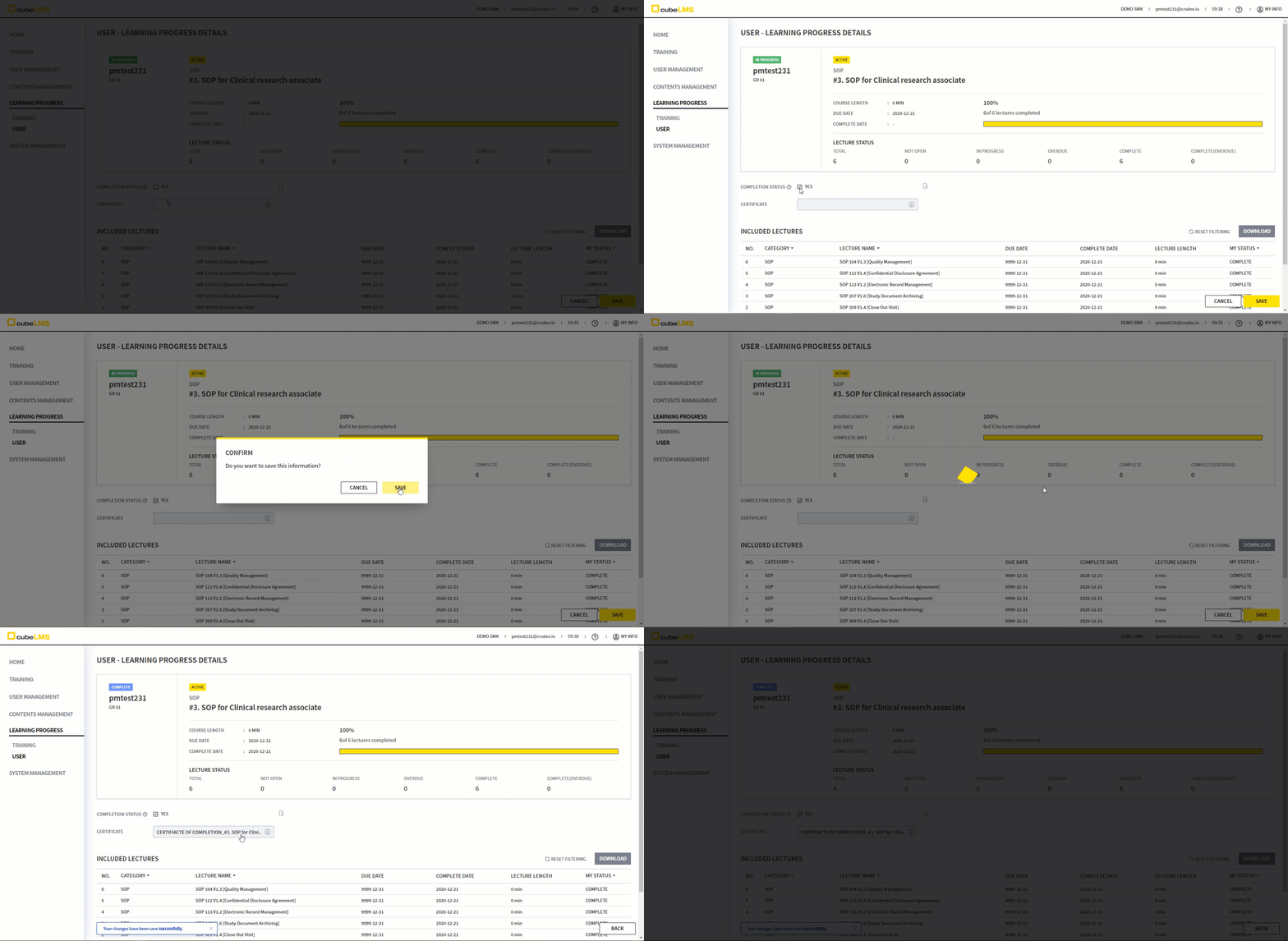
1. For Courses with Content Manager Check enabled, the Completion Status item is displayed in Learning Progress - User - Course Details.
2. When the Content Manager checks Completion Status to complete it, the checkbox is checked, and the Course is completed.
However, please note that the checkbox is enabled and can be checked only when the following conditions are met.
1) The logged-in account has the Content Manager Role.
2) All Included Lectures are in Completed status, but the Course is not completed.
3) The Traine assigned to the Course Details you accessed is Active.