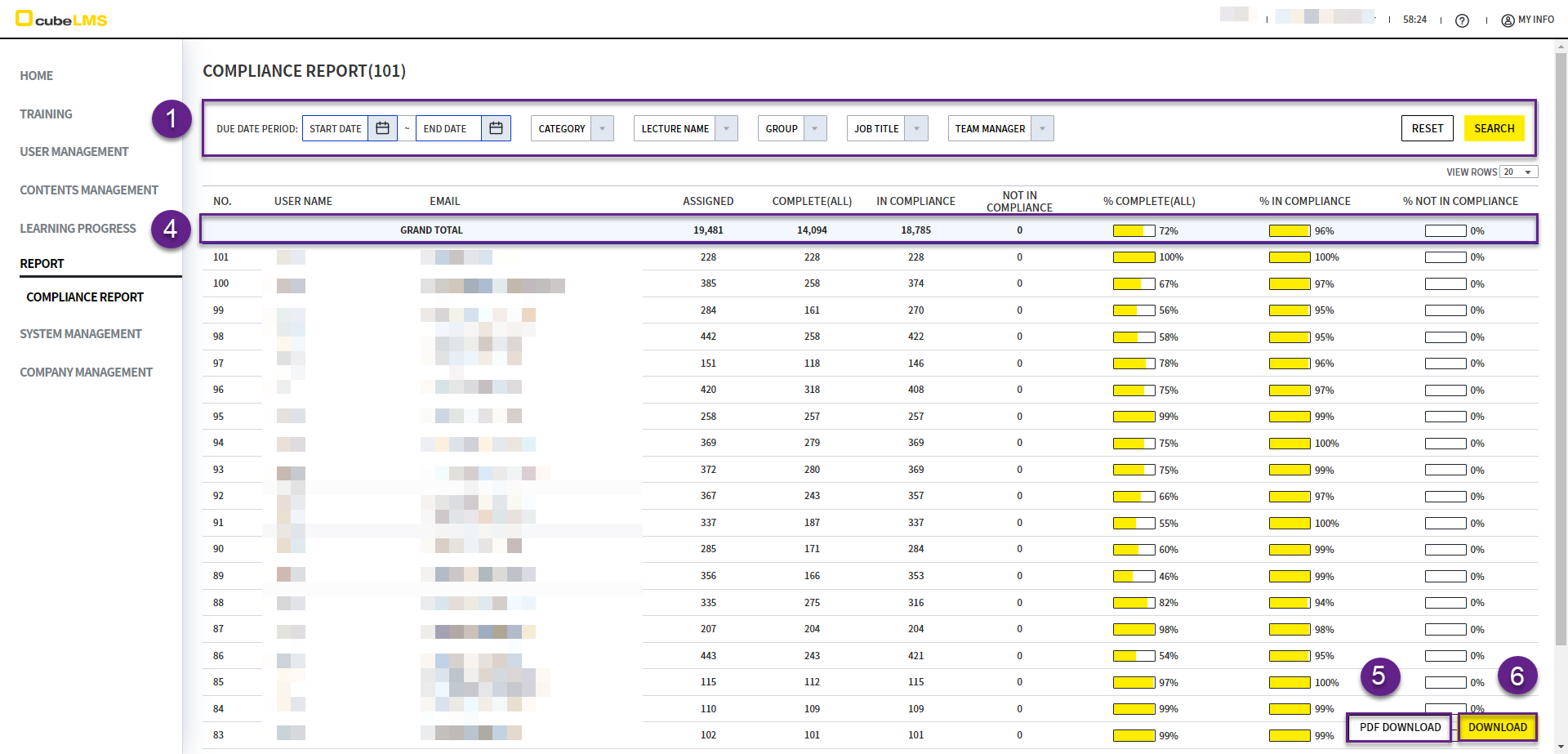
在此菜单中,可查看所有已注册的 User 是否遵照 Due Date进行学习的状况。
COMPLIANCE REPORT
-
仅 Admin 可访问,并且可以设置 Filter,只显示想确认的 Trainee 信息。
-
如果未进行任何 Filter,则显示全部数据。
-
Filter 后,请选择右侧的 Search 按钮以应用该内容。
-
Grand Total:显示所有列的总计和百分比。 -
PDF Download按钮: 点击即可将该列表下载为 PDF。若设置 Filter,则仅下载经过 Filter 的条目。 -
Download按钮: 点击即可将该列表下载为 Excel。若设置 Filter,则仅下载经过 Filter 的记录。 -
汇总仅包含符合以下条件的 Lecture 和 User。
-
User Status: Active -
Lecture Status: Active, Expired
-
-
各列的详细内容如下。
|
|
|
|---|---|
|
|
已分配的 Lecture 总数 |
|
|
在 Assigned 的 Lecture 中,User 的状态如下的 Lecture 数
|
|
|
在 Assigned 的 Lecture 中,User 的状态如下的 Lecture 数
|
|
|
在 Assigned 的 Lecture 中,User 的状态如下的 Lecture 数
|
|
|
以下计算结果以整数显示
|
|
|
以下计算结果以整数显示
|
|
|
以下计算结果以整数显示
|
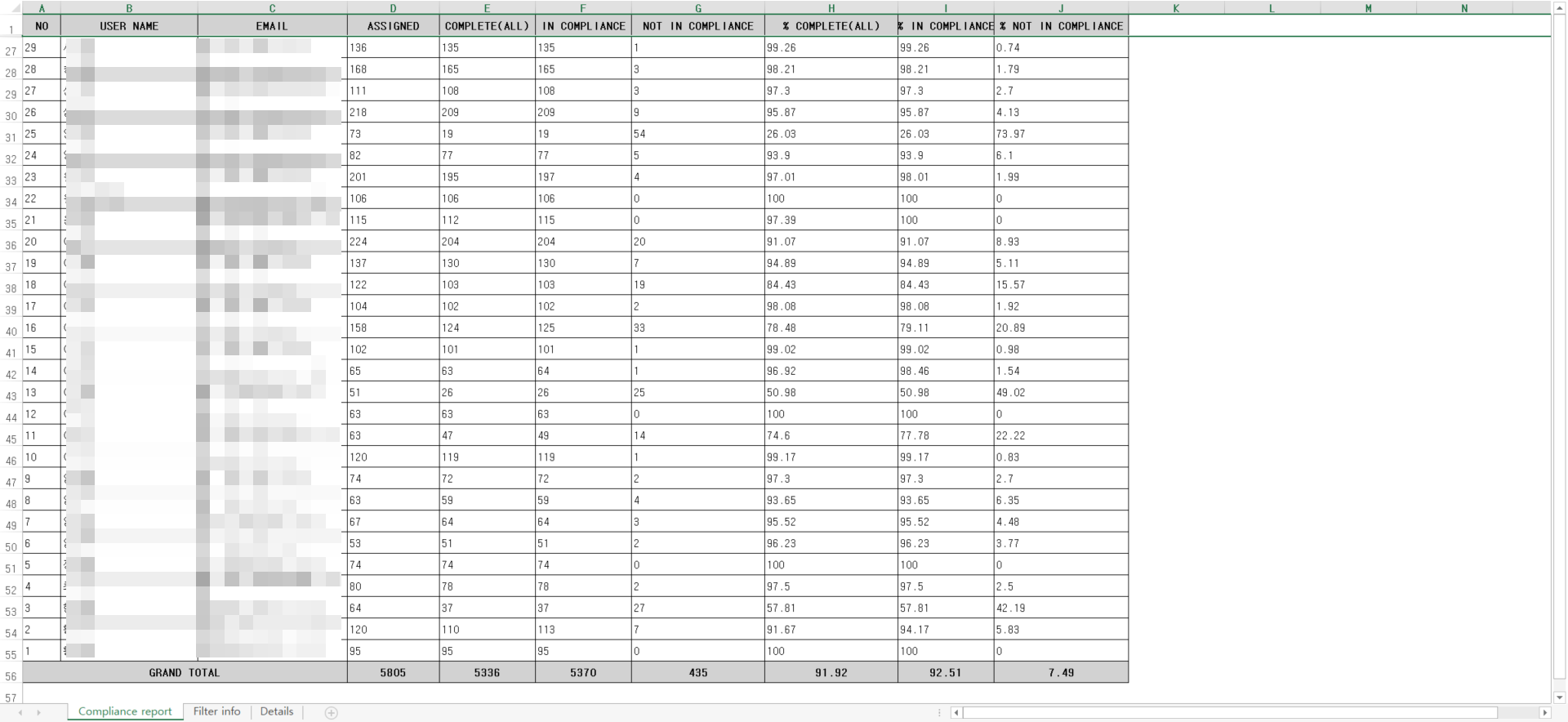
EXCEL
-
Compliance report Sheet:将显示与屏幕相同的列表。
-
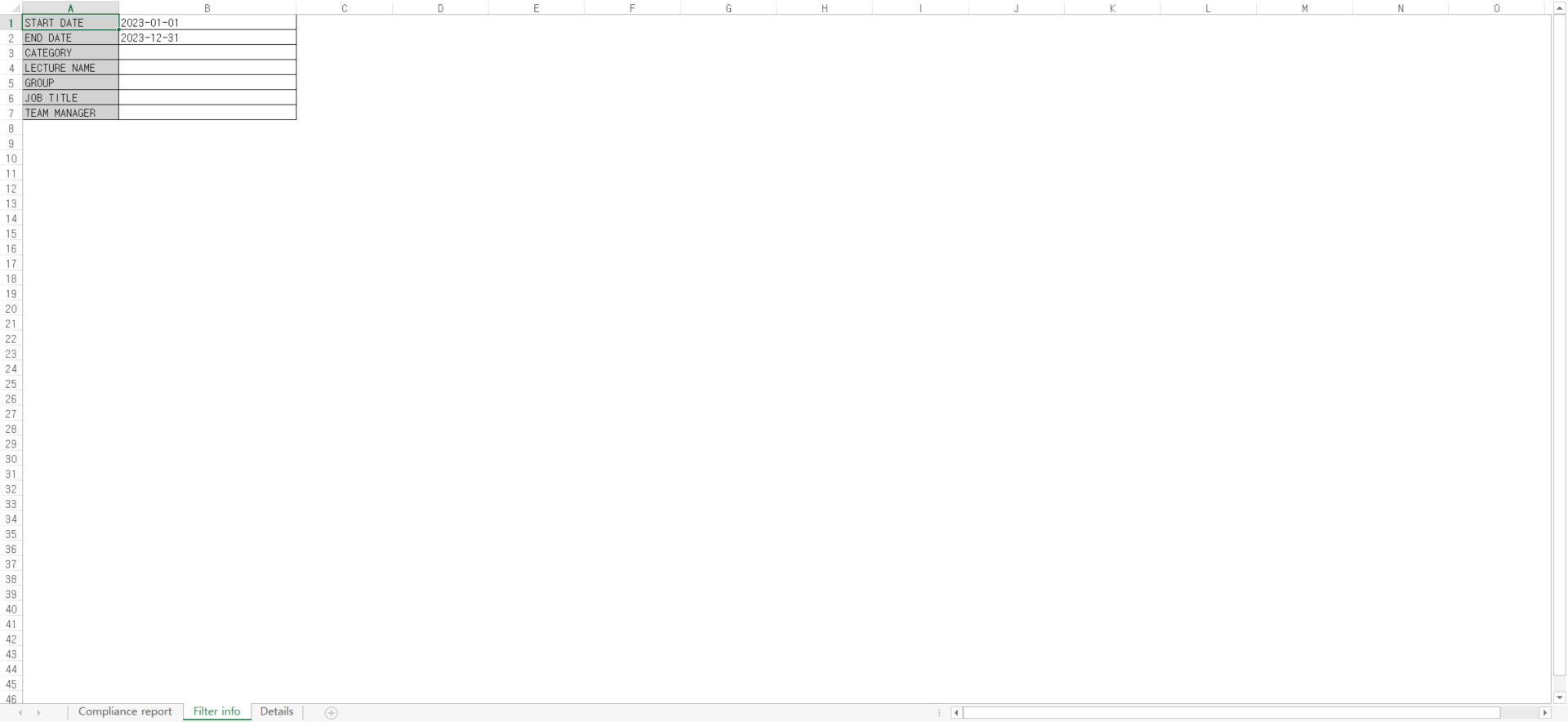
Filter info Sheet:如果在 Download 时点存在 Filter 的值,则会显示该信息。
-
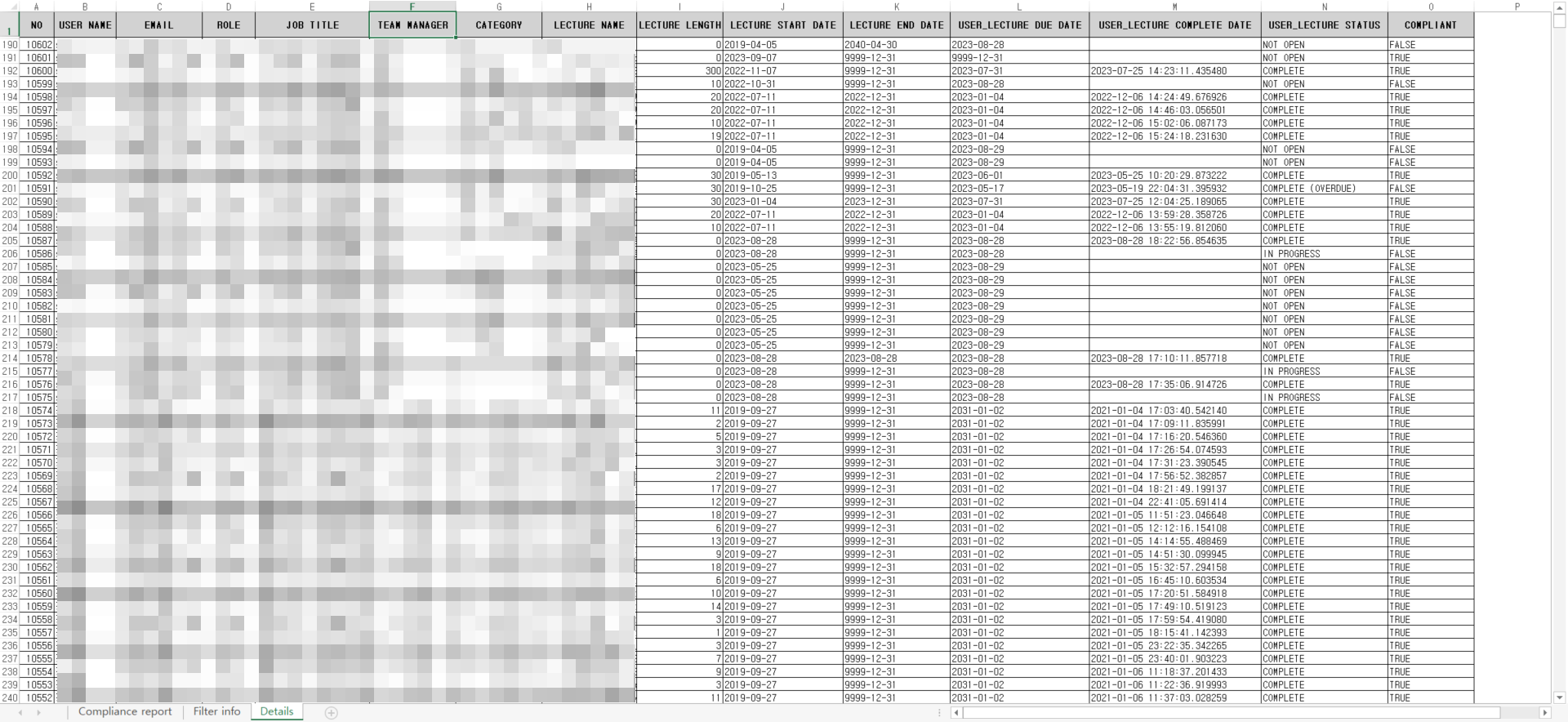
Detail Sheet:显示分配给Active状态的User的Lecture信息。
|
|
|
|---|---|
|
|
显示该 User 的姓名。 |
|
|
显示该 User 的 Email。 |
|
|
显示该 User 的 Role。 |
|
|
显示该 User 的职位。 |
|
|
显示该 User 所属组的 Team Manager。 |
|
|
显示该 Lecture 的 Category。 |
|
|
显示该 Lecture 名称。 |
|
|
显示该 Lecture 的长度。 |
|
|
显示该 Lecture 的开始日期。 |
|
|
显示该 Lecture 的结束日期。 |
|
|
显示该 Lecture 的 User Due Date。 |
|
|
显示 User 完成该 Lecture 的日期。 |
|
|
显示该 Lecture 的 User 状态。 |
|
|
可确认 User 是否在期限内完成了 Lecture。
|
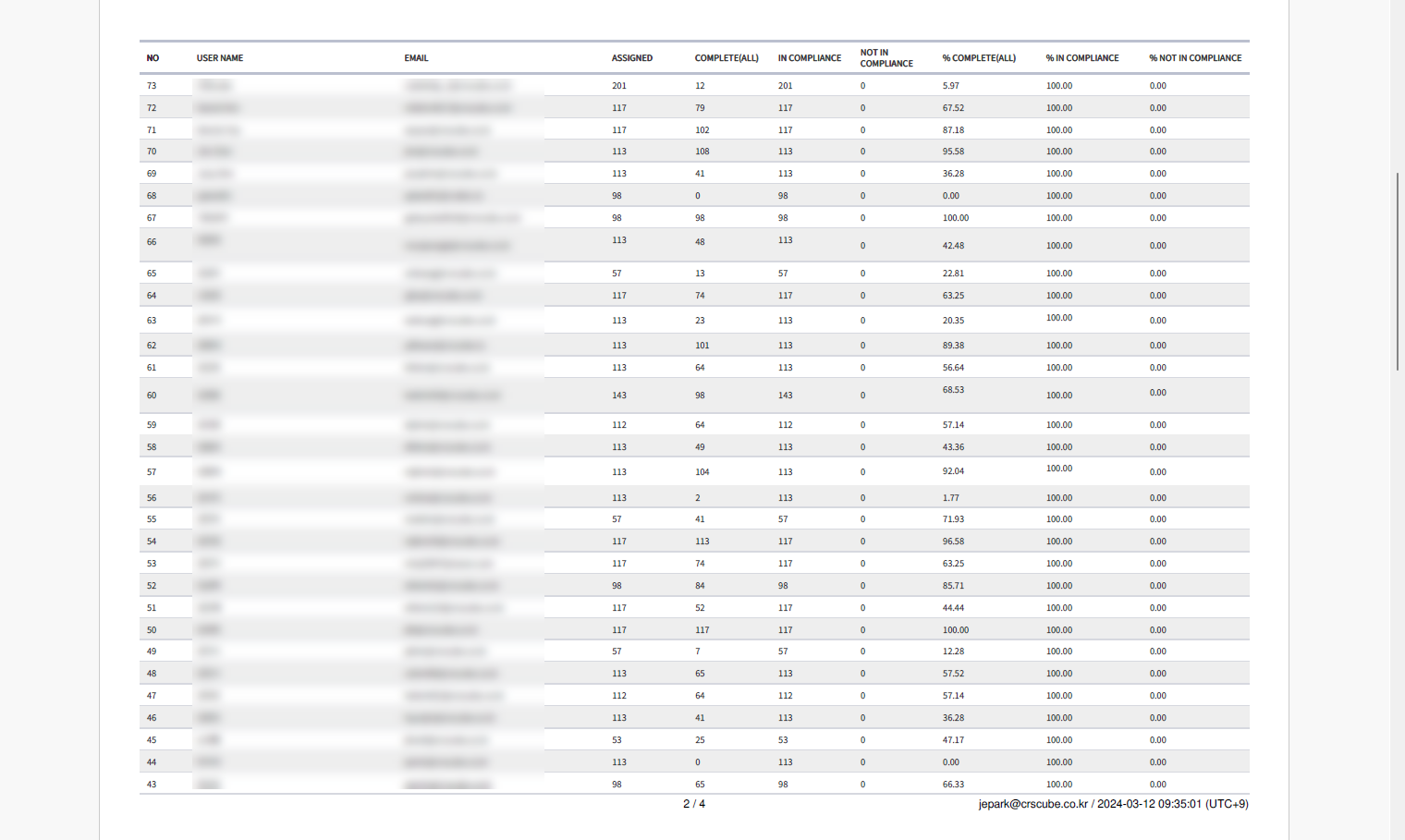
PDF
-
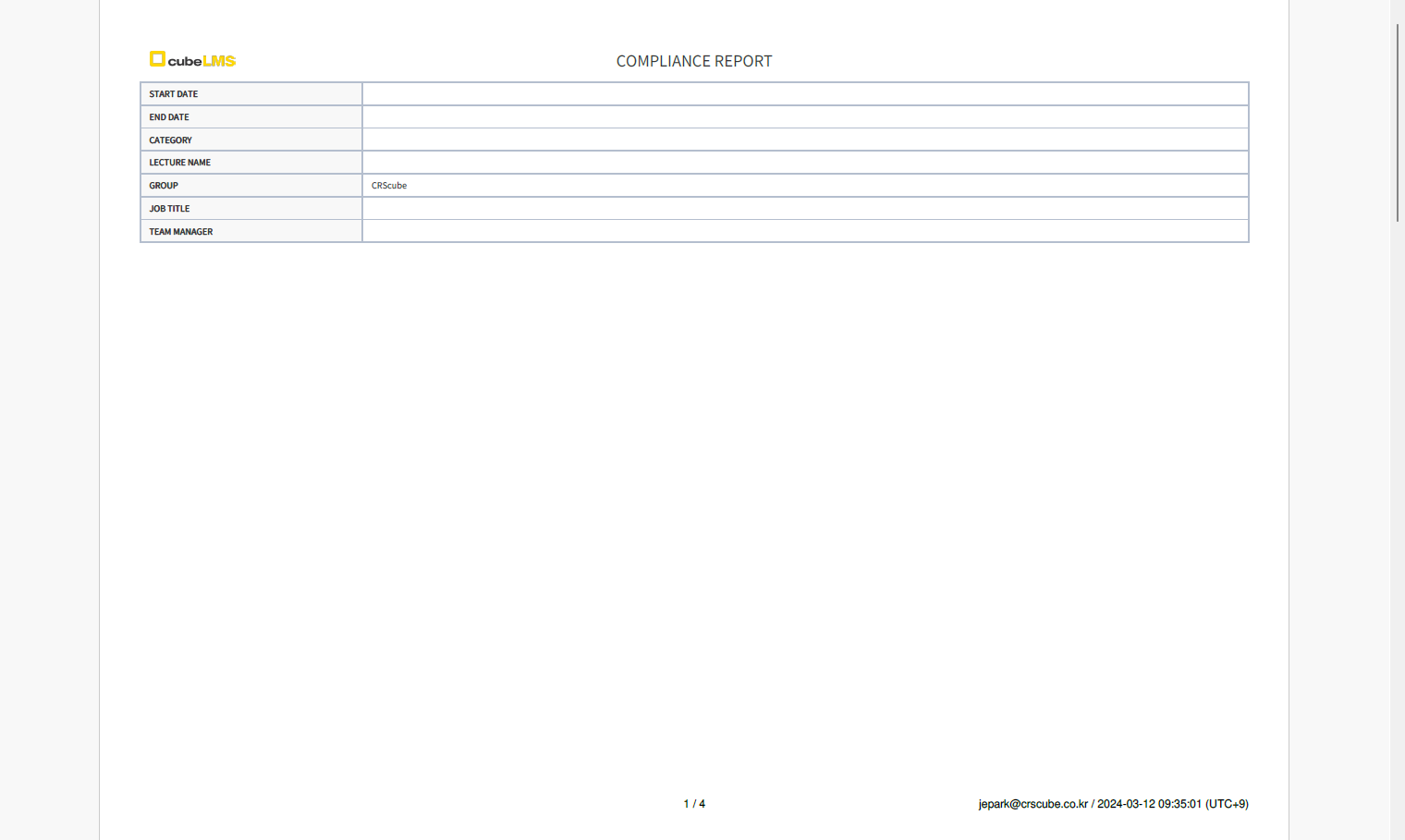
第一页: 如果在 Download 时设置了 Filter,则会显示该信息。
-
导出的 PDF 右下角会显示执行导出的 1) User 的 Email,2) 生成时间信息。
-
第二页之后:显示与画面相同的列表。