Question
I want to assign monitoring permissions to a USER without granting ADMIN privileges.
Answer
In cubeLMS, a USER with ADMIN privileges can view the training status of all TRAINEE users in the company.
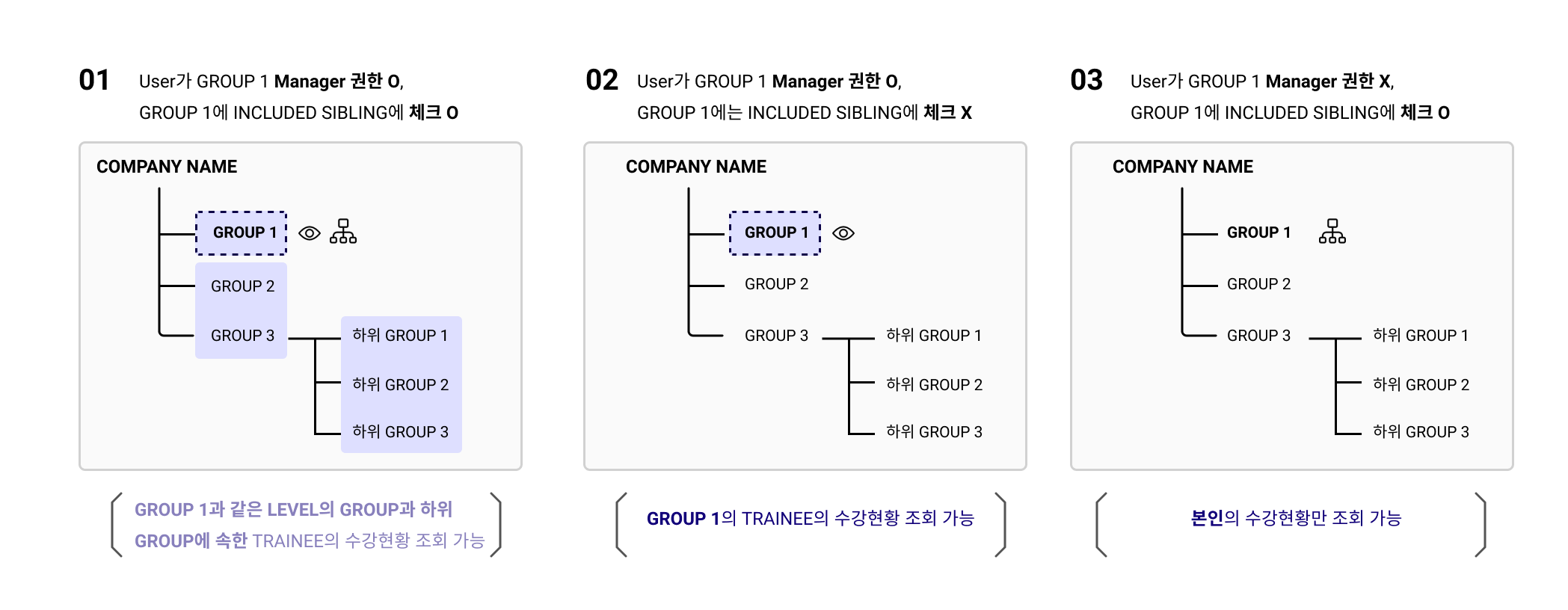
Additionally, without ADMIN privileges, you can grant monitoring permissions for your GROUP or for a GROUP at the same level by using the GROUP MANAGER and INCLUDE SIBLING functions.
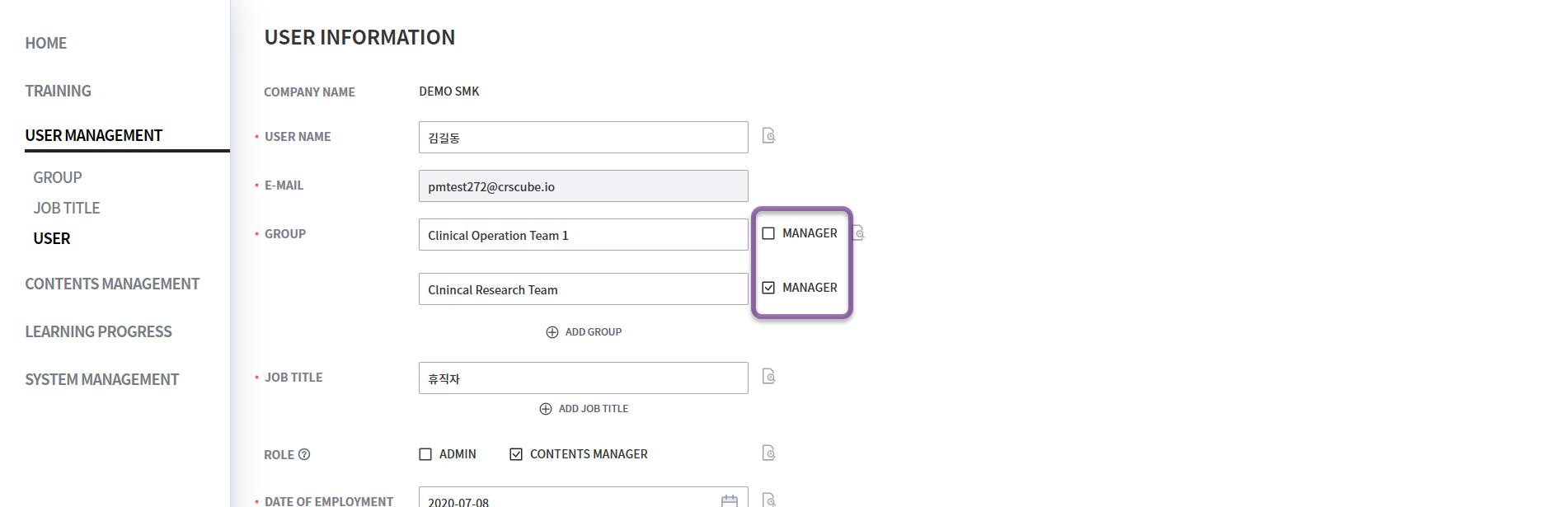
1. GROUP MANAGER privilege
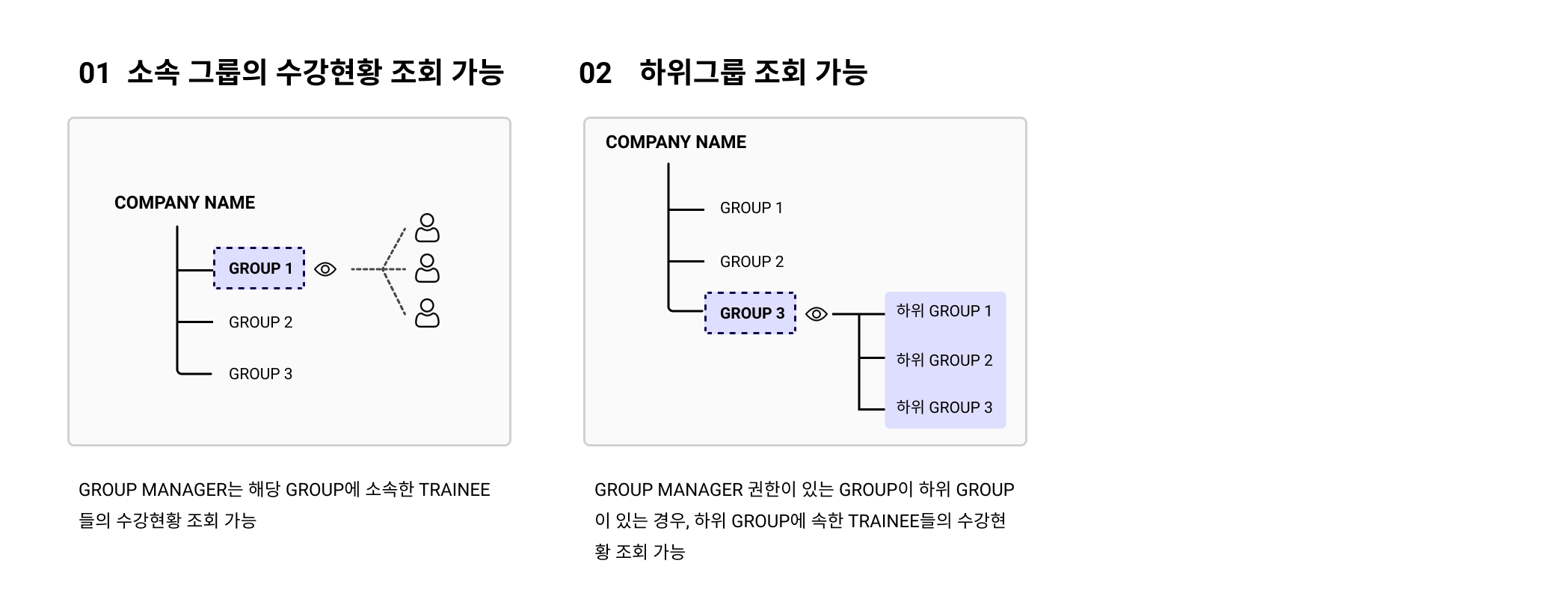
You can check whether the USER is the MANAGER of the GROUP they belong to. If selected, you can view the training status of TRAINEEs in the GROUP and its sub-GROUPs.
1-1. Characteristics of GROUP MANAGER privileges
2. INCLUDE SIBLING status
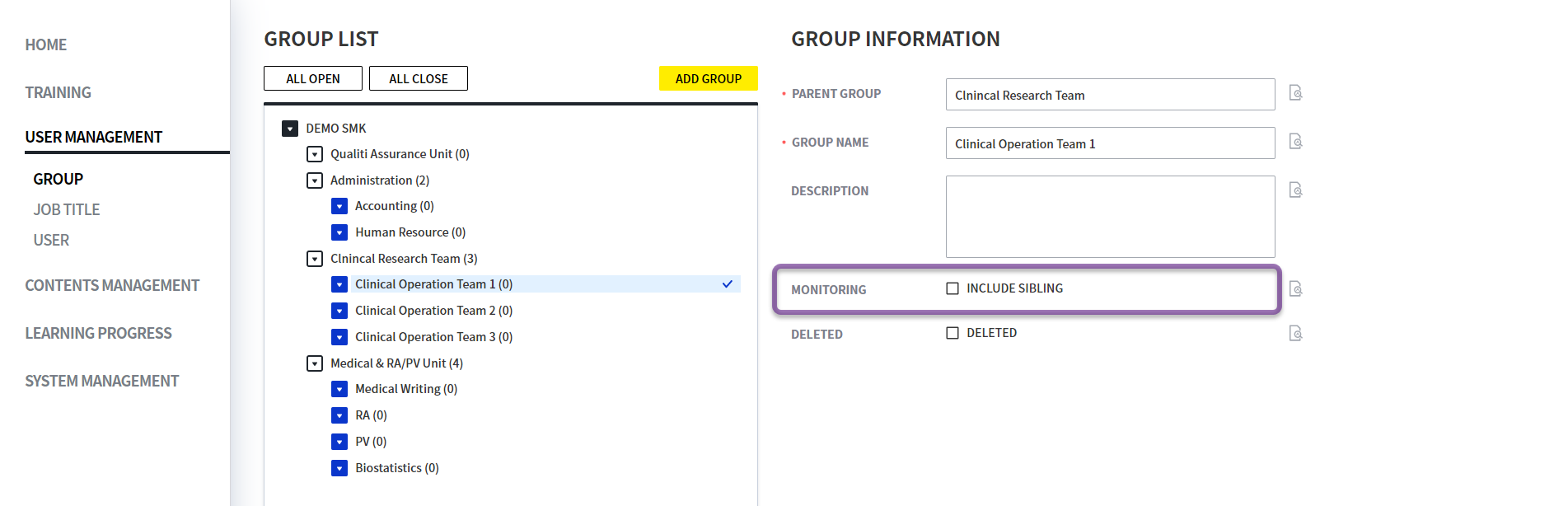
You can check the INCLUDE SIBLINGS option for the GROUP. If selected, you can view the training status of TRAINEEs in GROUPs at the same LEVEL as the GROUP.
However, even if INCLUDE SIBILING is checked, if you are not the GROUP's MANAGER, you cannot view it.
For example, if you check INCLUDE SIBLING in the Clinical Operation Team 1 below, you will have monitoring privileges for Clinical Operation Team 2 and 3 at the same GROUP LEVEL.
2-1. GROUP MANAGER privileges
You can view the training status of TRAINEE in the GROUP at the same LEVEL only when both conditions are met: the GROUP's INCLUDED SIBLING check is selected and you have ② MANAGER privileges.