In this menu, you can monitor the progress of Training.
TRAINING LIST
1. The Learning Progress review scope varies depending on Role and privileges.
|
|
|
|
|---|---|---|
|
|
|
You can view the overall learning status of all User accounts in your company. |
|
|
Self |
You can view only your own learning status. |
|
|
Users belonging to the Group and its lower-level Groups. |
You can view the learning status of Users in your Group. |
|
|
Users belonging to the Group and Users in other Groups at the same Group level. |
You can view not only the learning status of Users in your own Group, but also of Users in other Groups at the same level. |
|
|
Self |
You can view only your own learning status. |
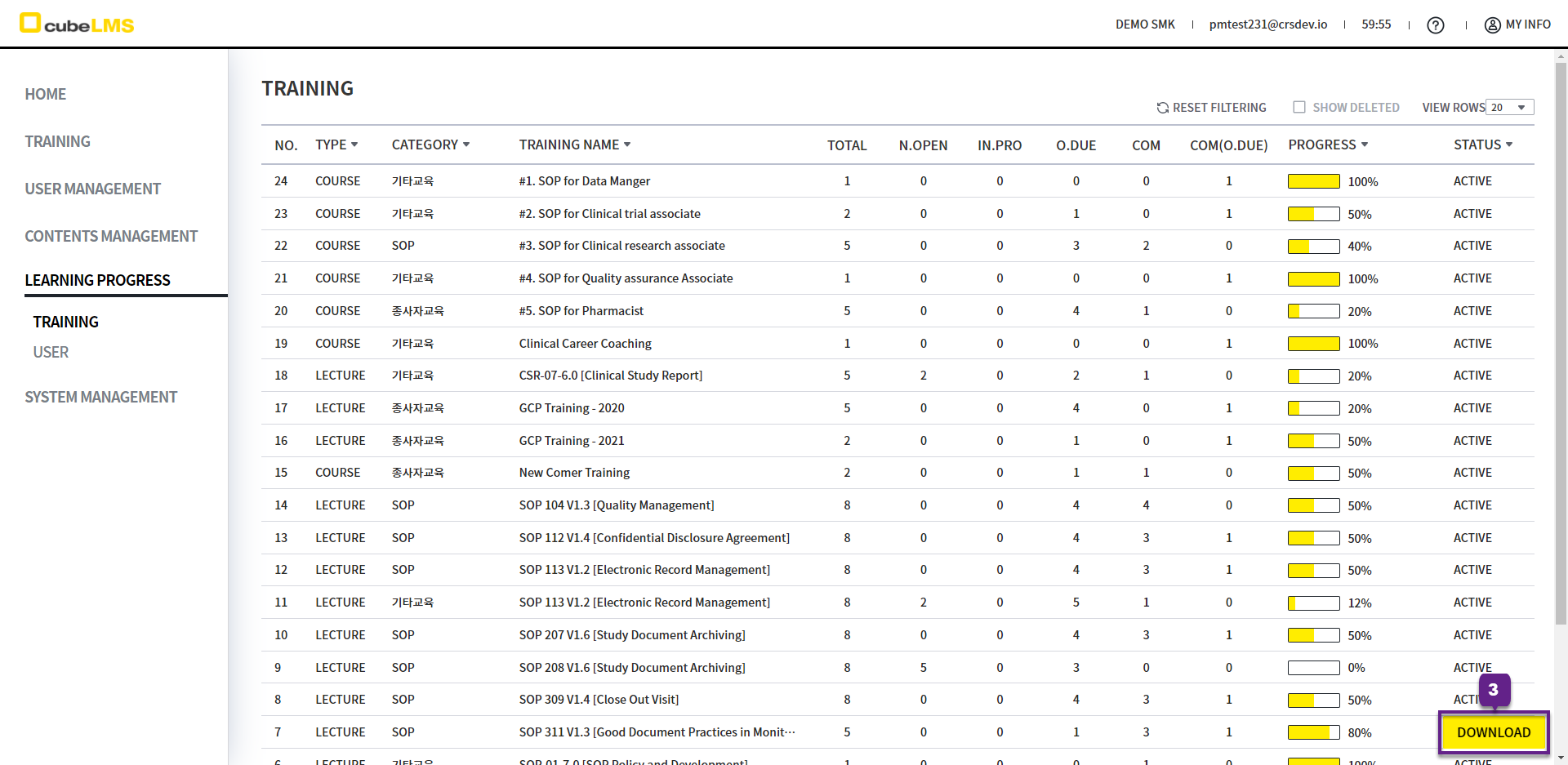
You can check the number of Trainee assigned to each Training.
3. Download button: Click to download the List to Excel. If filters are set, only the filtered items will be downloaded.
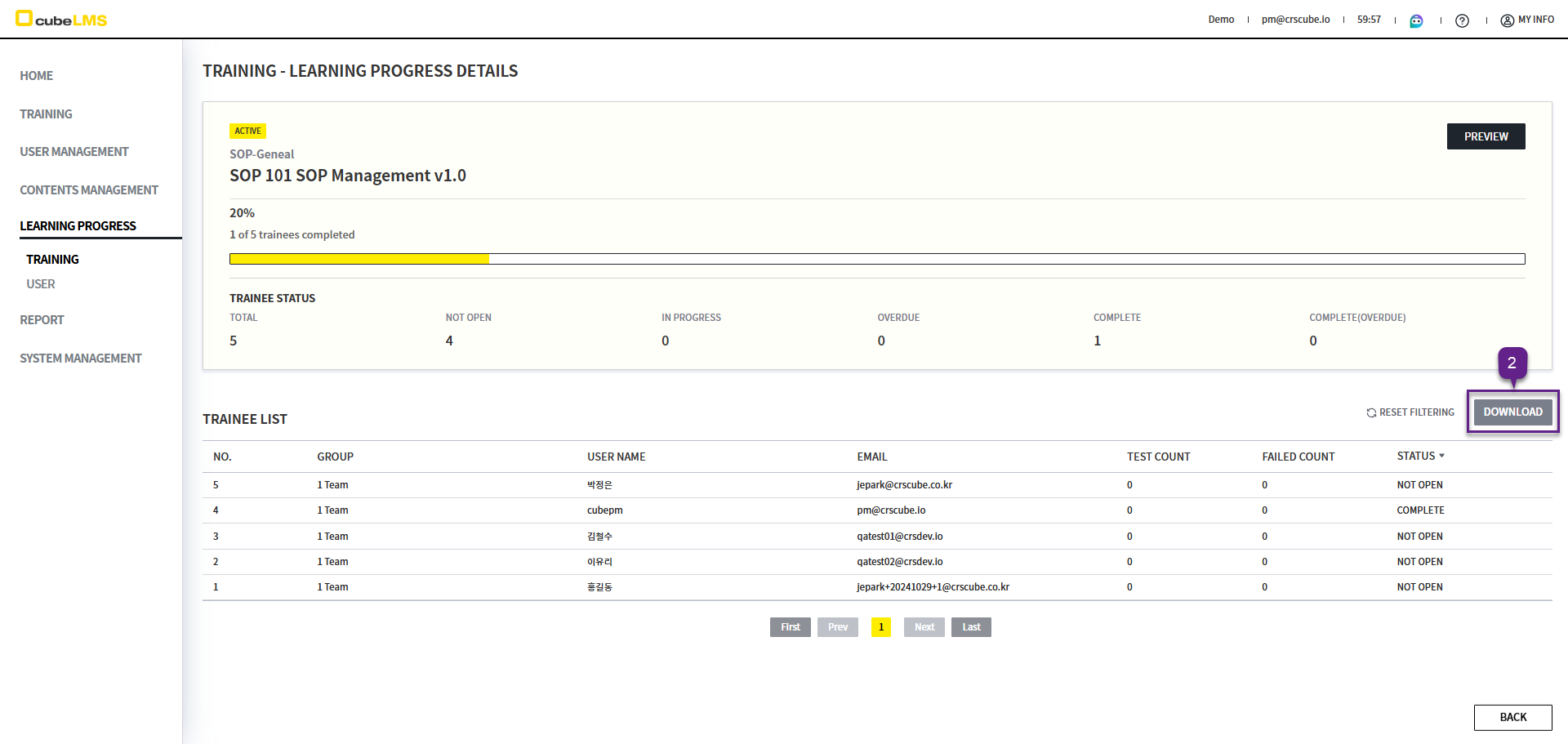
LECTURE DETAILS
1. Click a specific Lecture item to view the Lecture details and Trainee learning status.
2. Download button: Clicking it lets you download the Trainee list as an Excel document.
3. Click a specific row to go to the Lecture detail screen assigned to the Trainee.
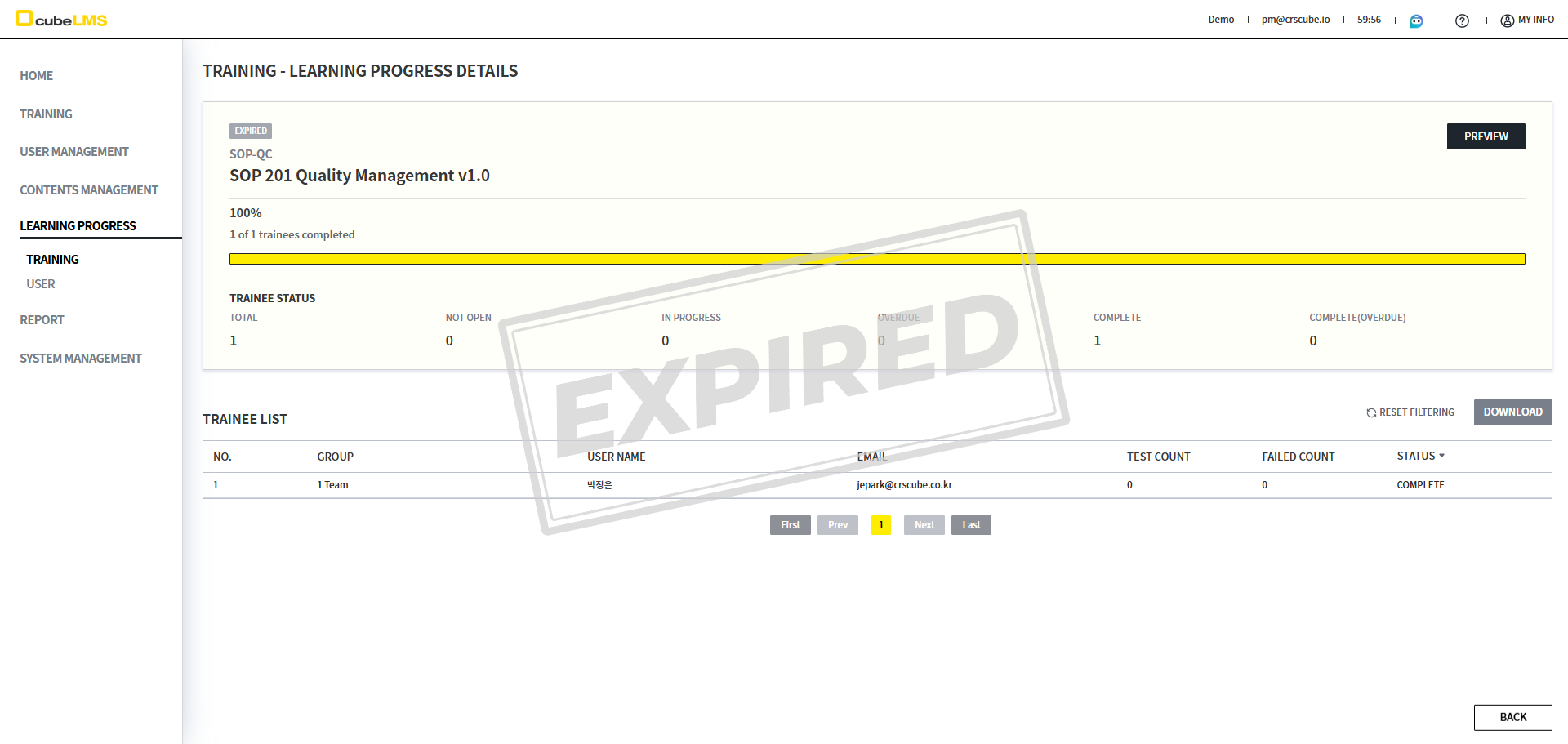
4. If the Training status is Expired, a watermark is displayed.
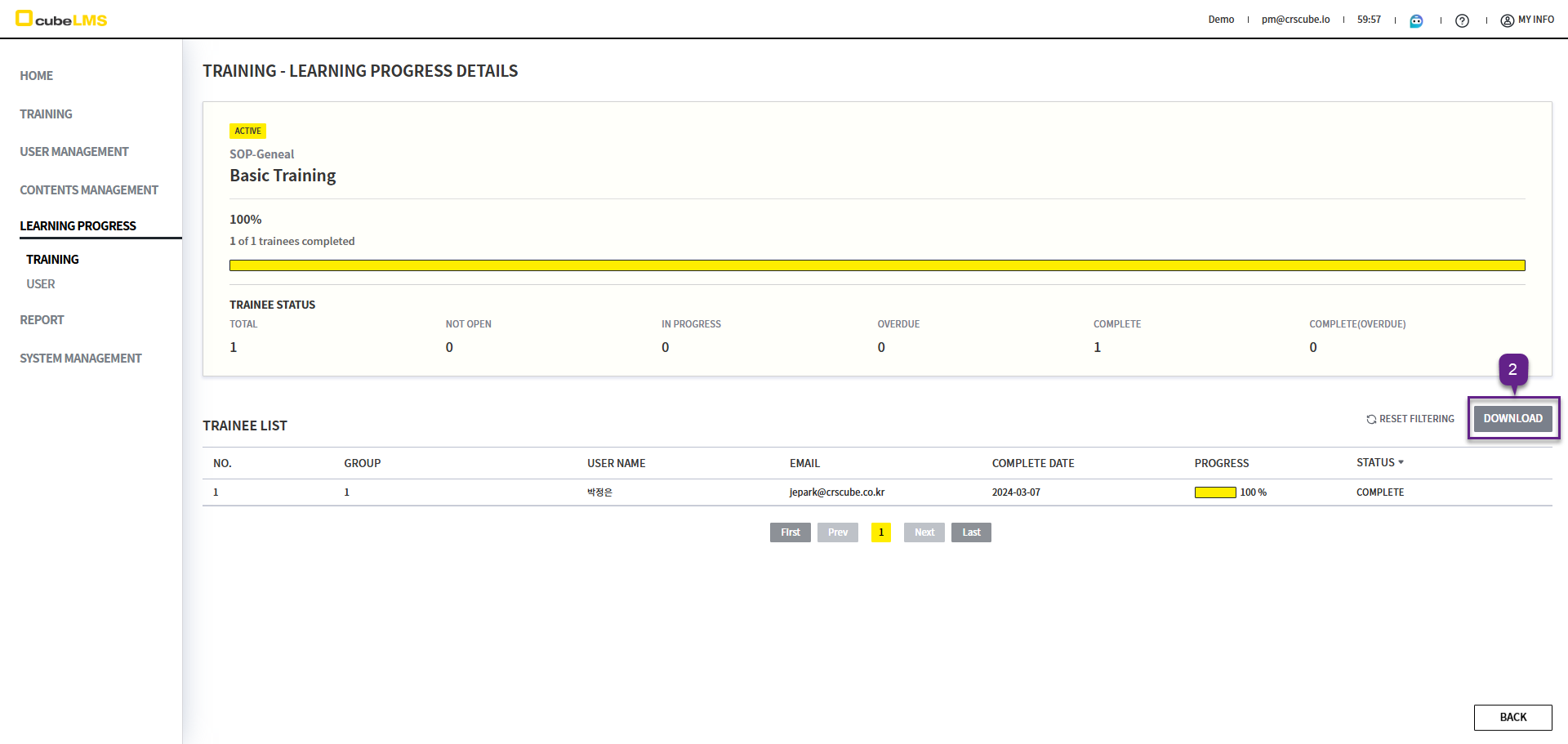
COURSE DETAILS
1. Click a specific Course item to view the Course details and Trainee List.
2. Download button: Clicking it lets you download the Trainee list as an Excel document.
3. Trainee List: The learning status of each assigned User is displayed.
4. Click a specific row to go to the Course details screen assigned to the Trainee.